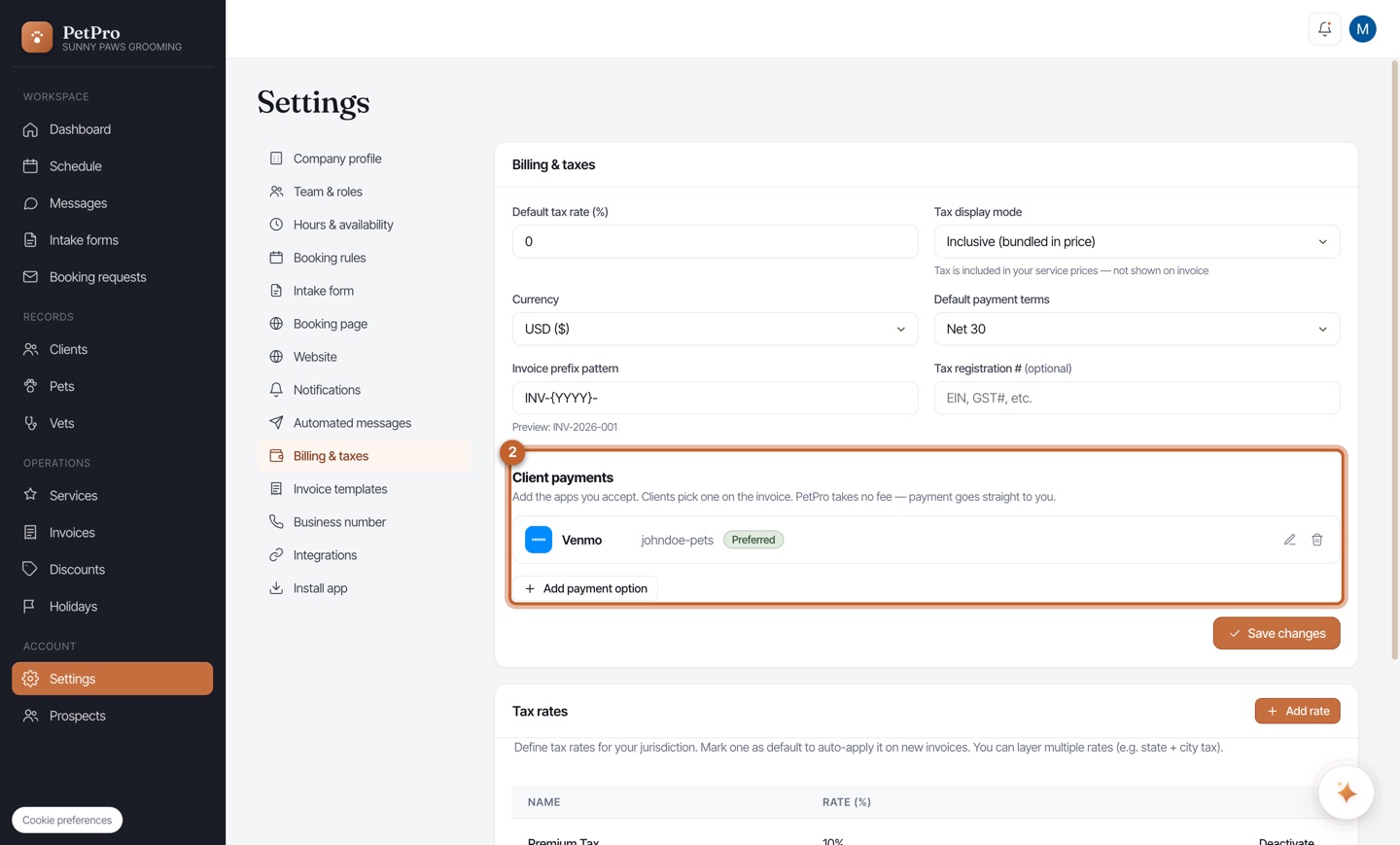
Open Settings → Billing & taxes. Under Client payments you'll see the methods you accept — PetPro takes no fee, the money goes straight to you. Click + Add payment option to add one.
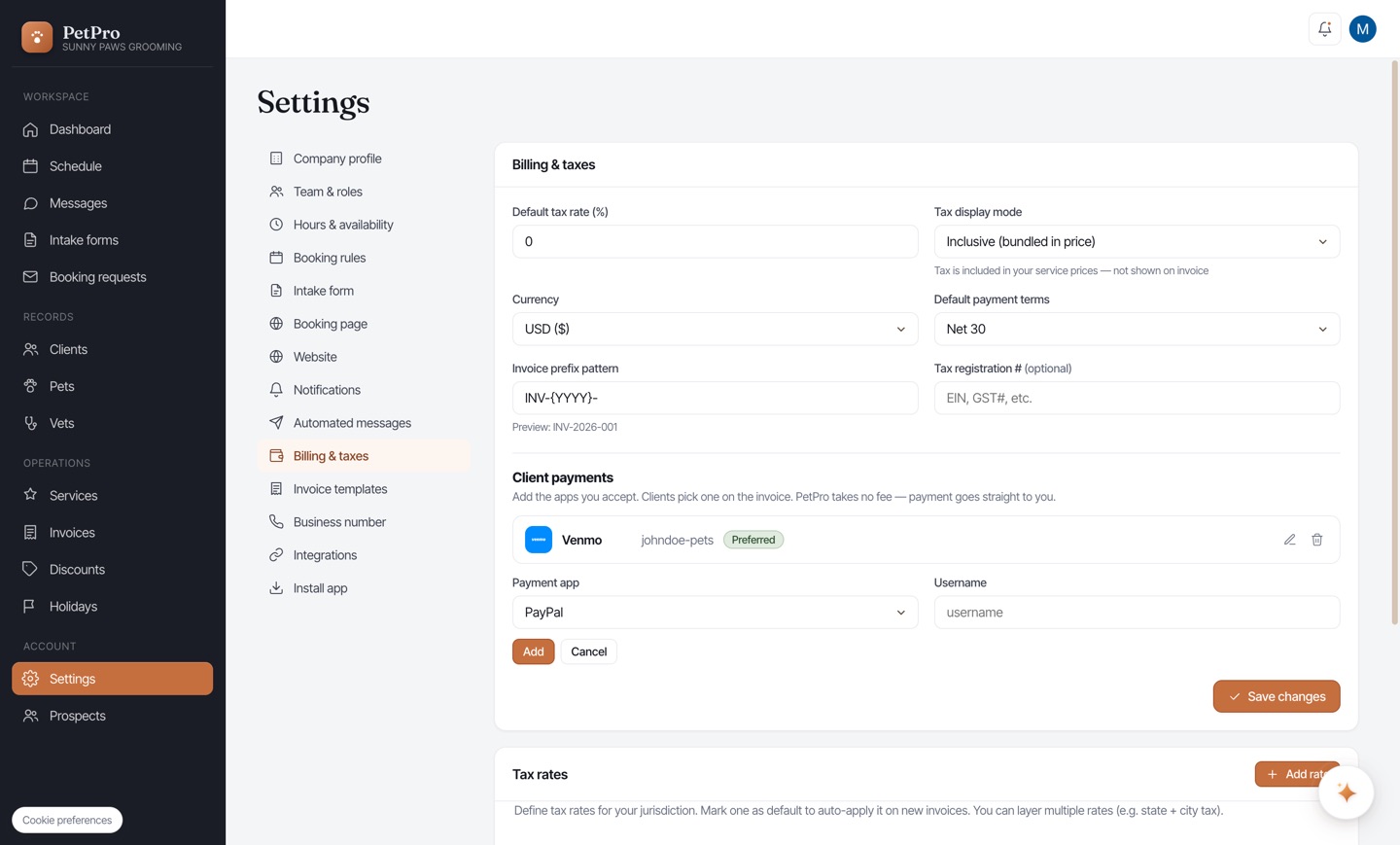
Choose a method (Venmo, PayPal, Cash App, Stripe, and more) and enter your handle or link. Mark one as Preferred to show it first. Clients then pick a method right on their invoice and pay in a tap. Not sure what to paste? Read on.
Venmo username — open the Venmo app, tap Me (bottom-right). Your @username sits under your name (e.g. @Jane-Doe). Enter it in PetPro without the @. You can also see/change it at Venmo → Settings ↗ or the Venmo Help Center ↗.
PayPal username — PetPro's PayPal field wants your PayPal.Me username (letters and numbers), which it turns into a paypal.me/... pay link. To get or find it, open PayPal.Me ↗ and log in — PayPal shows your existing handle or lets you create one (e.g. @JaneDoe). Enter just that handle (the @ is fine — PetPro strips it). Not the long paypal.me/... URL, and not an email.
Cash App $Cashtag — in Cash App, tap your profile icon (top-right). Your $Cashtag is shown under your name (e.g. $janedoe). Enter it in PetPro with the $. More: Cash App: your $Cashtag ↗. (Stripe is different — pick Stripe and you'll be sent to Stripe to sign in or create an account; no handle to copy.)
Zelle — to be paid by email. Want clients to pay you at an email address? PayPal won't take an email, but Zelle will. Add a Zelle payment option and enter your email (or US phone) — the identifier your bank's Zelle is enrolled with. It's the one method built to take an email.