Pet Professionals Help Open the app ↗
Records & extras · Guide 25

Add pet photos

Keep a photo gallery for each pet — grooming before/afters, or updates for the owner.

For
Every pro
Time
Seconds
Before you start
A pet on file

Every pet gets its own photo gallery — perfect for grooming before-and-afters, or sending the owner a quick "look how happy they are" update. Photos live on the pet's record, so you can pull them up any time.

  1. 1

    Open Pets in the sidebar and click the pet you want. Each card shows the pet's name, breed, age, and owner, so they're easy to find.
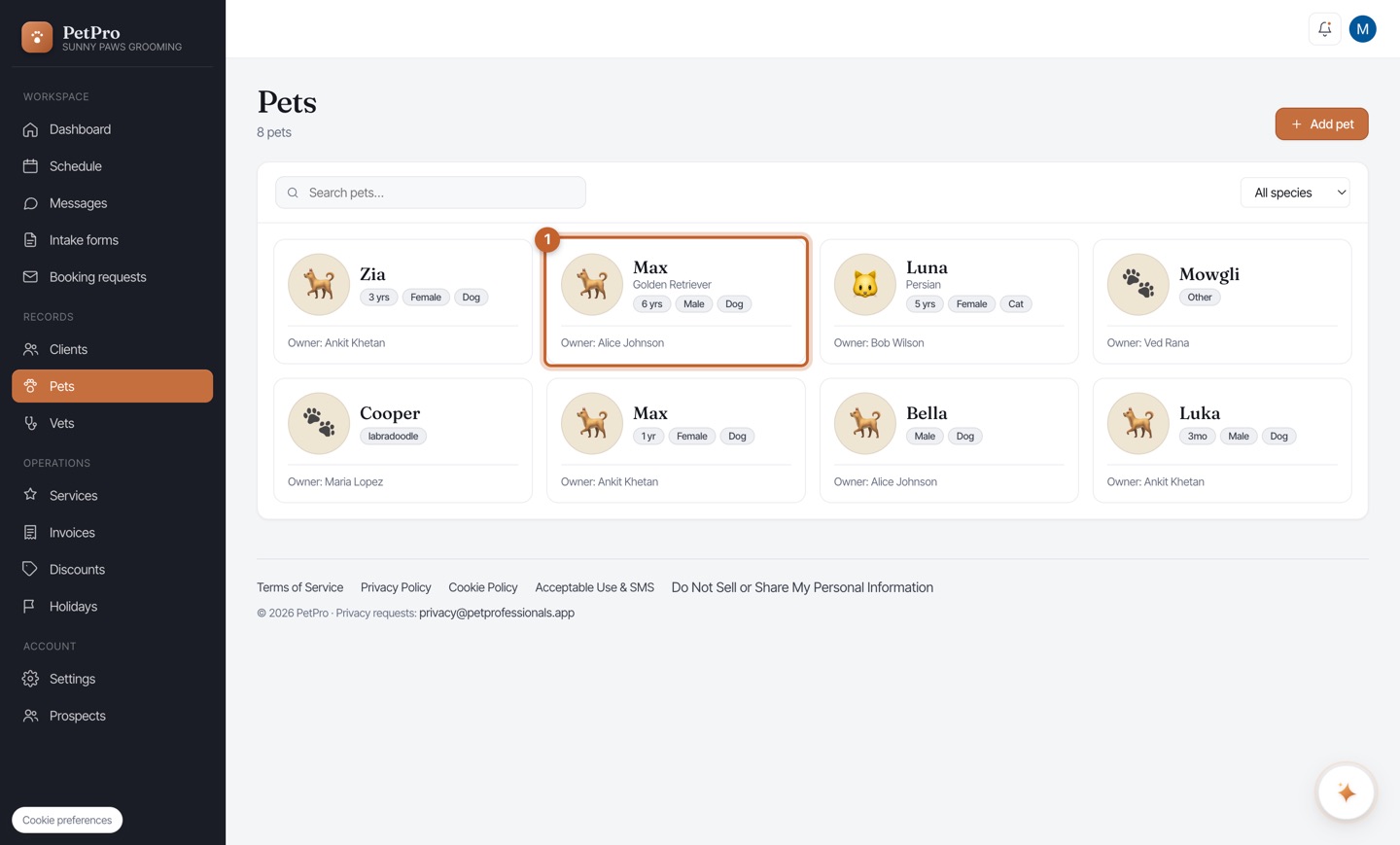
    Add pet photos — step 1
  2. 2

    In the pet's profile, use the Photos section to add images. They're saved to this pet's record — handy for before/after shots or sharing an update with the owner.
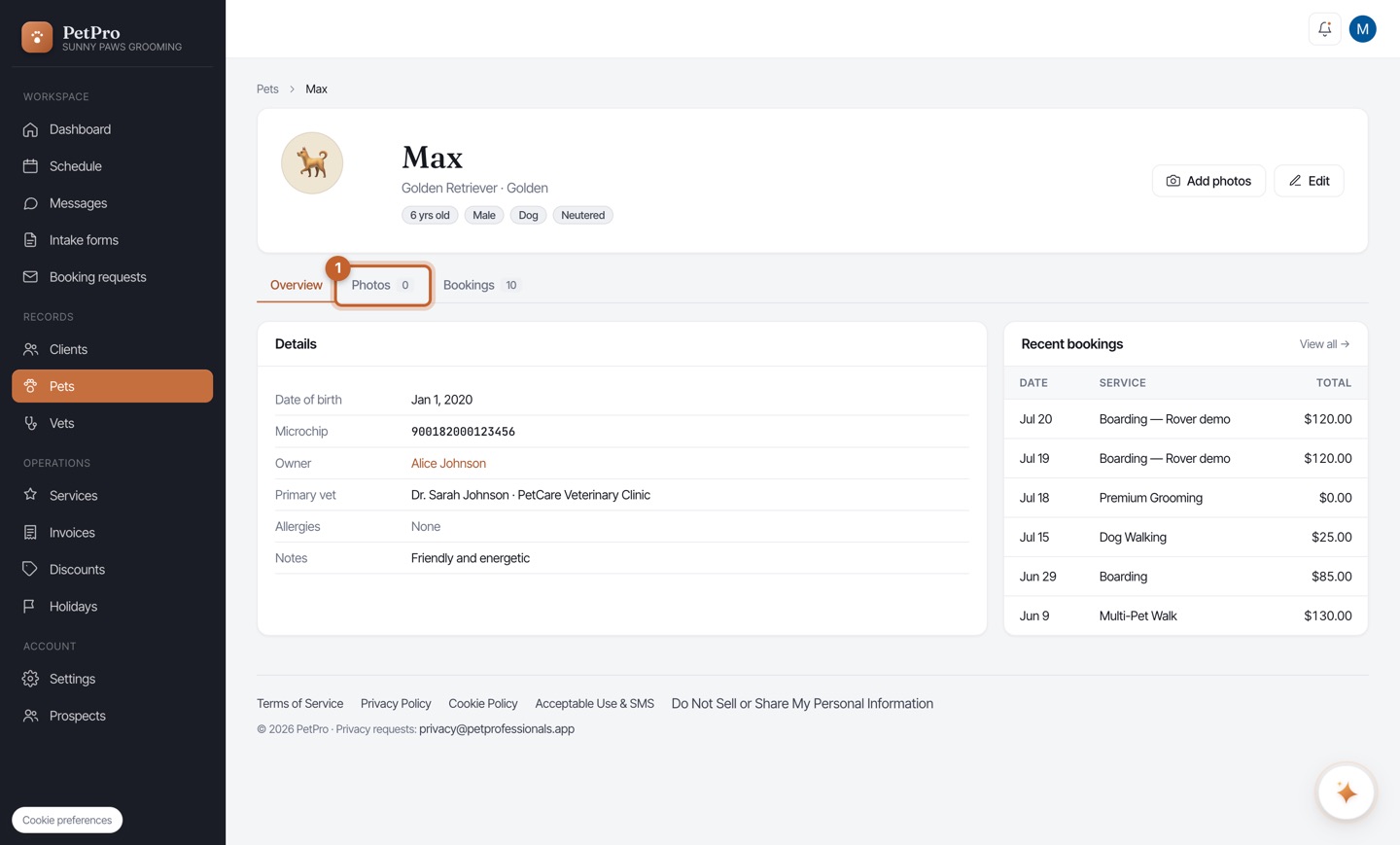
    Add pet photos — step 2
You're done

Each pet has a running gallery you can open any time — perfect for before/afters and owner updates.