PetPro · Help Open the app ↗
Bookings & care · Guide 5

Check a pet in and out

Record when a pet is dropped off and picked up — with automatic late-pickup charges.

For
Boarding · daycare · sitting
Time
Seconds
Before you start
Needs drop-off tracking on
  1. 1

    Open the booking on the Schedule — it has a Check in button.
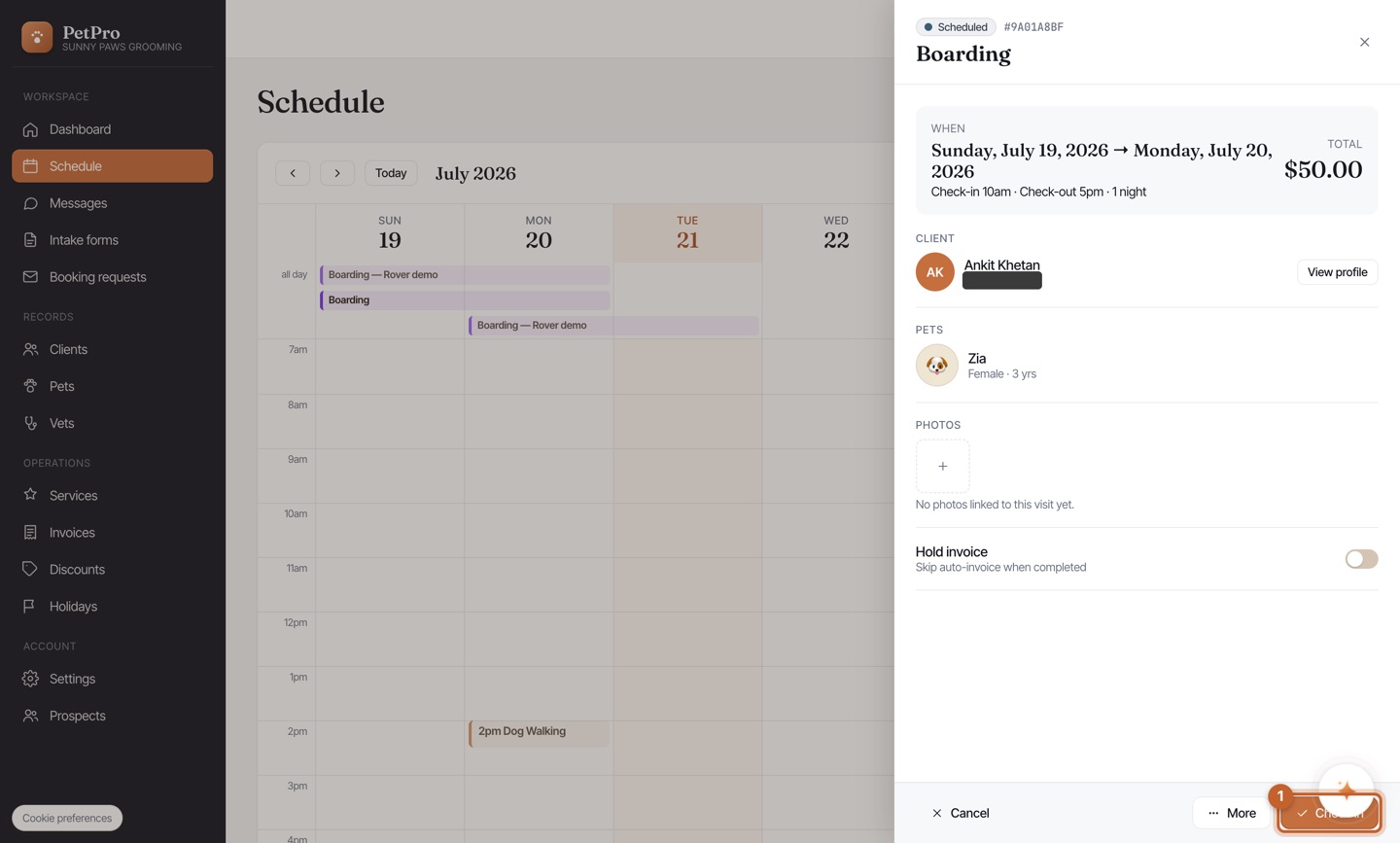
    Check a pet in and out — step 1
  2. 2

    Click Check in and confirm the drop-off time (defaults to now).
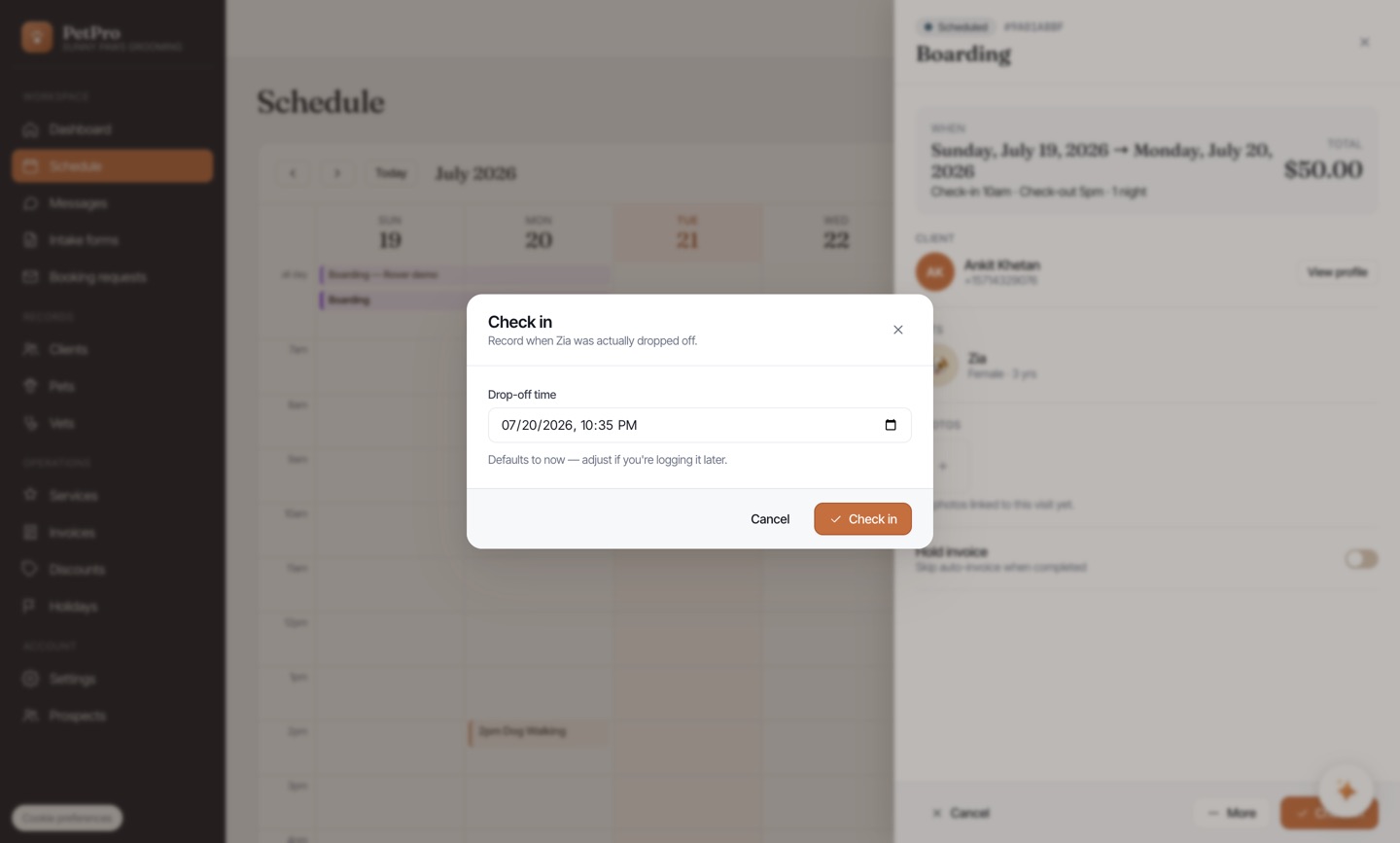
    Check a pet in and out — step 2
  3. 3

    The booking moves to In progress — the pet is in your care.
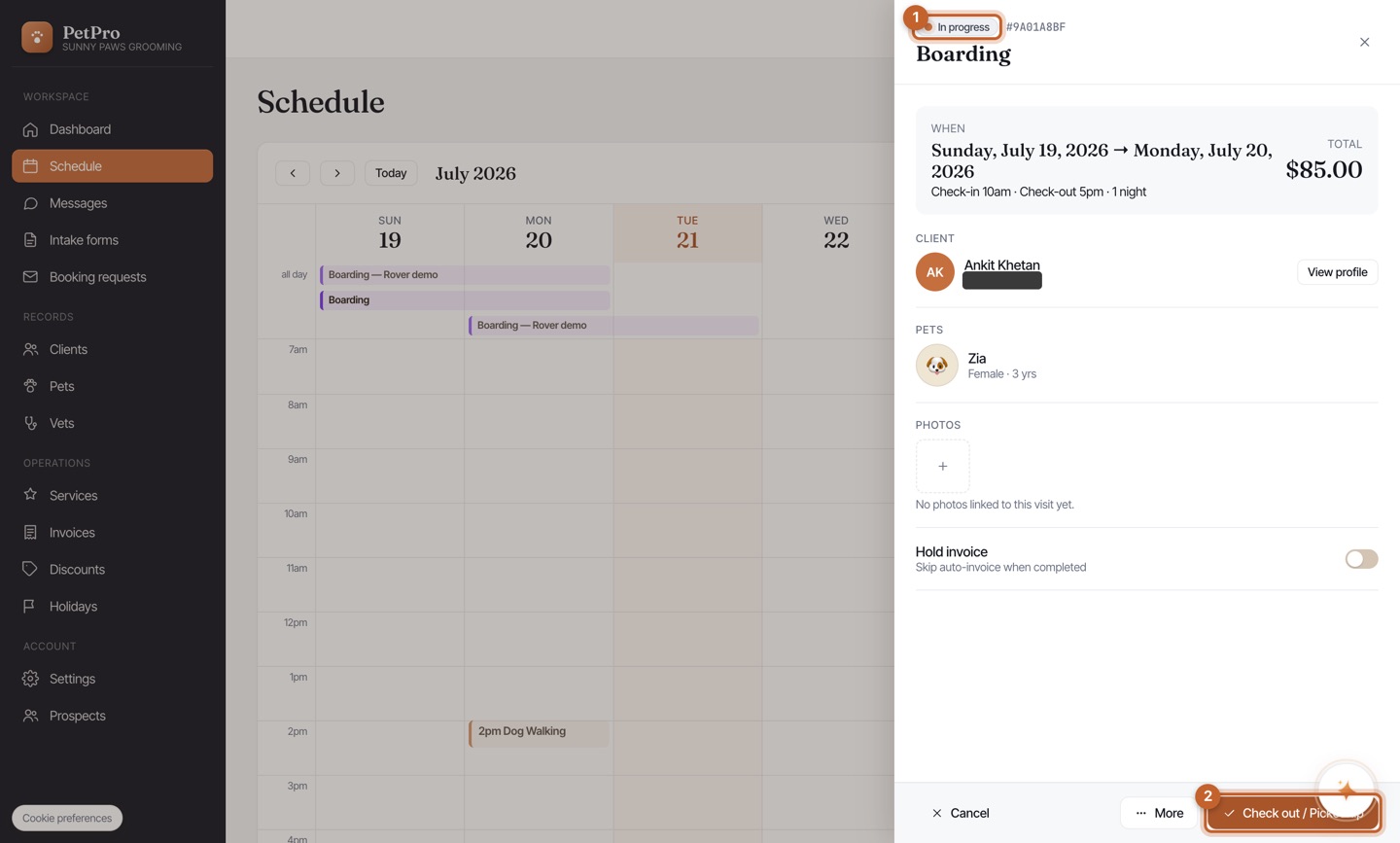
    Check a pet in and out — step 3
  4. 4

    At pickup, click Check out — PetPro shows any late-pickup charge, or waive it.
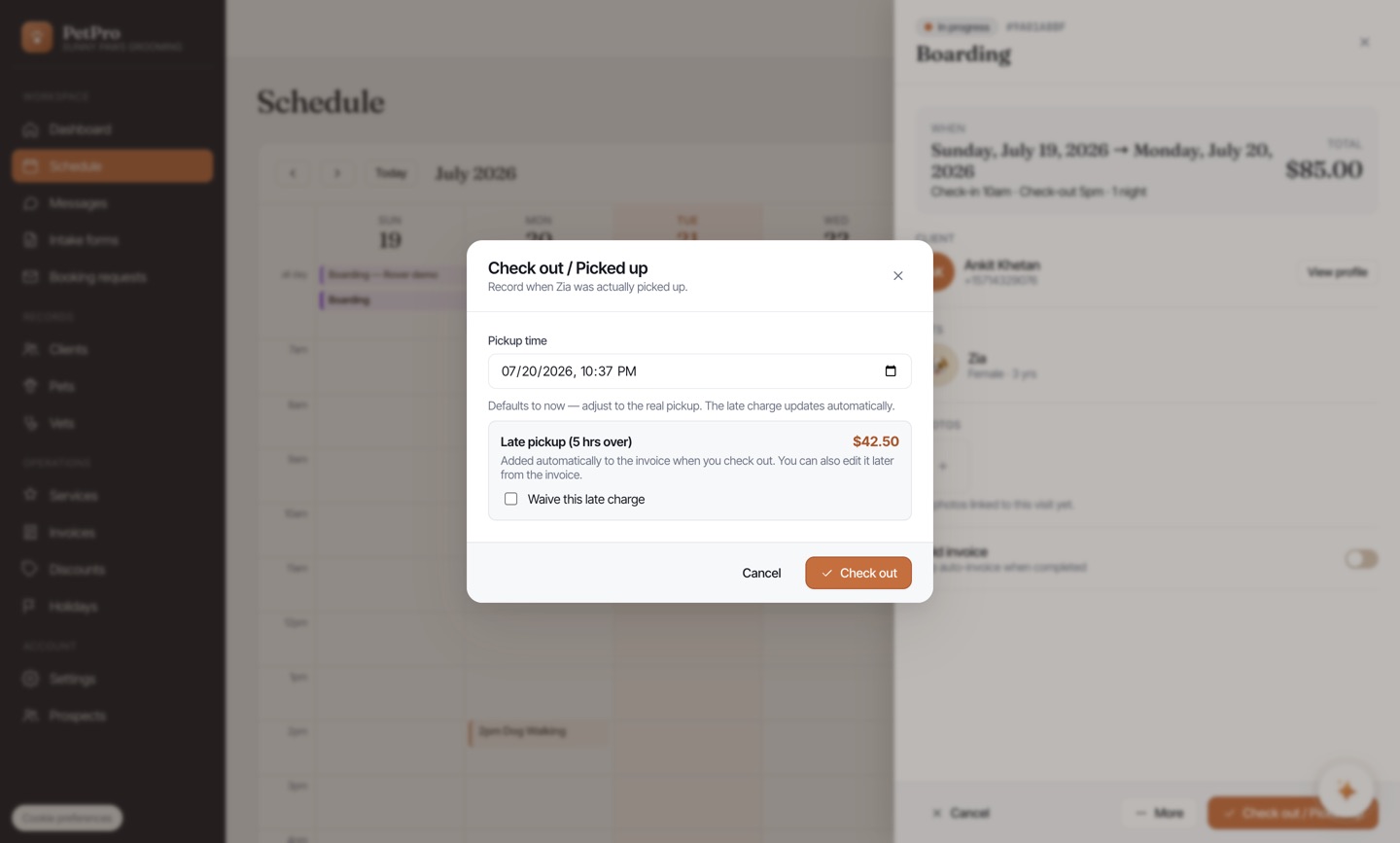
    Check a pet in and out — step 4
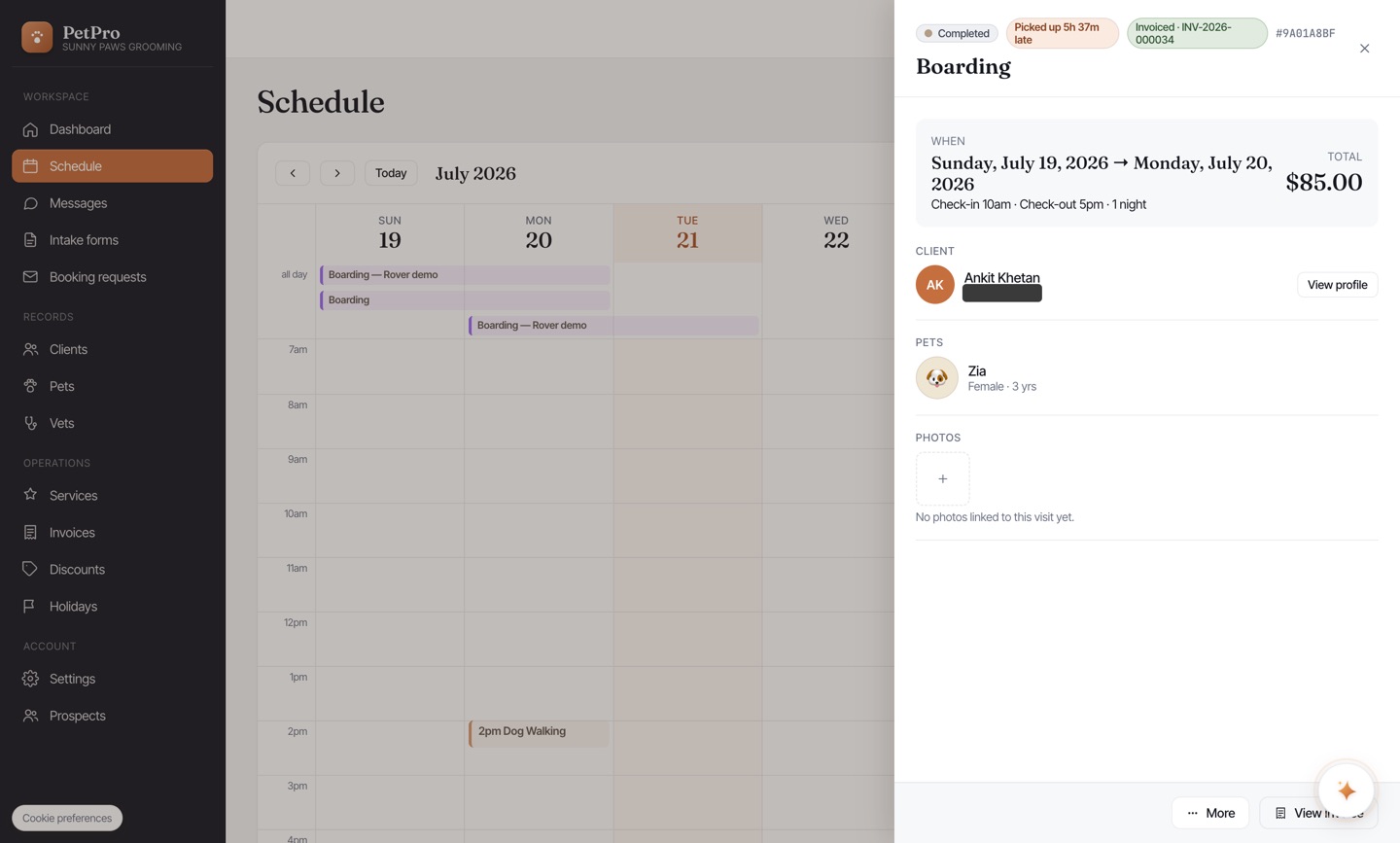
You're done

The booking is marked Completed with a late badge if applicable, and it's invoiced.

Check a pet in and out — result