1
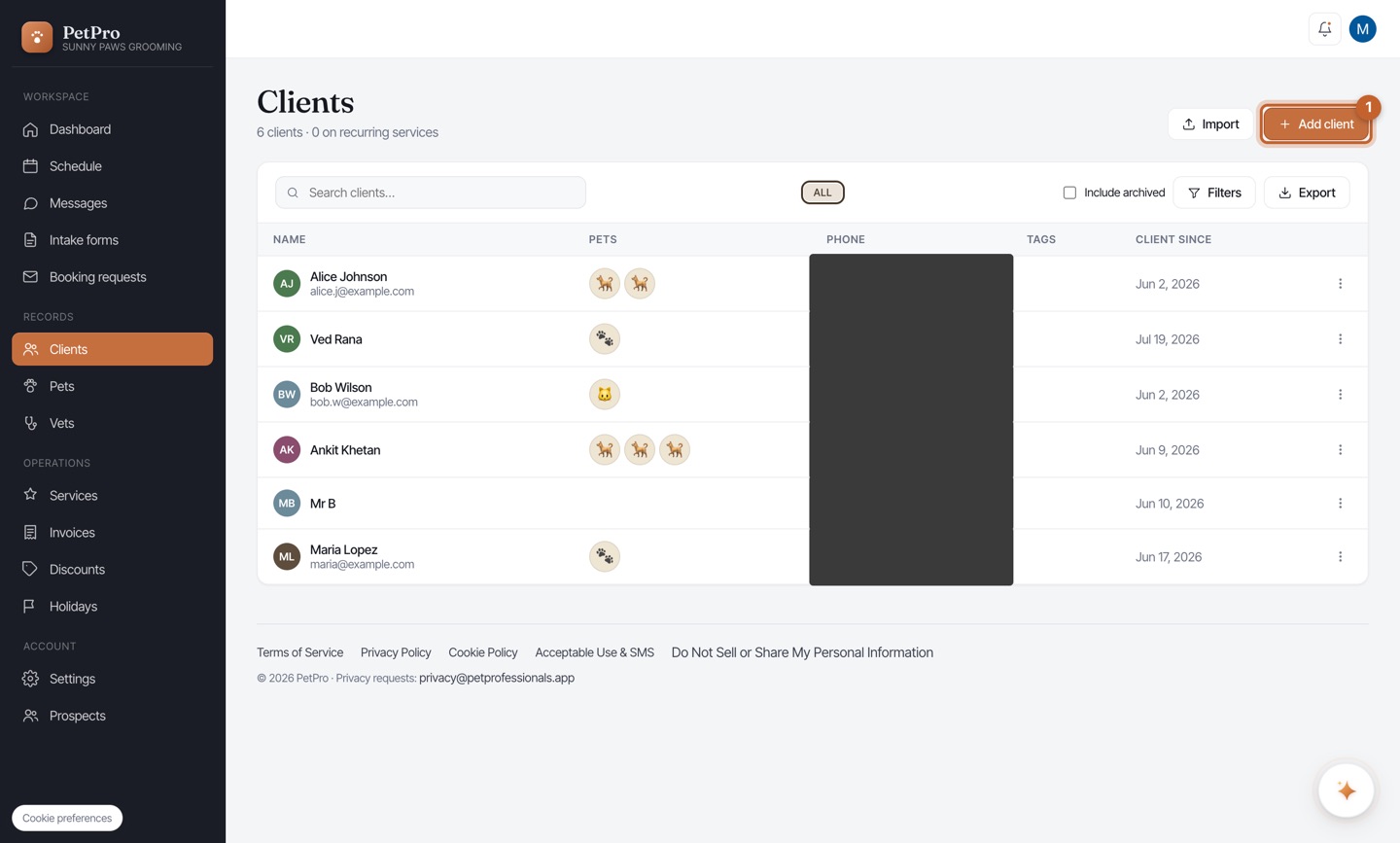
Open Clients and click + Add client.
2
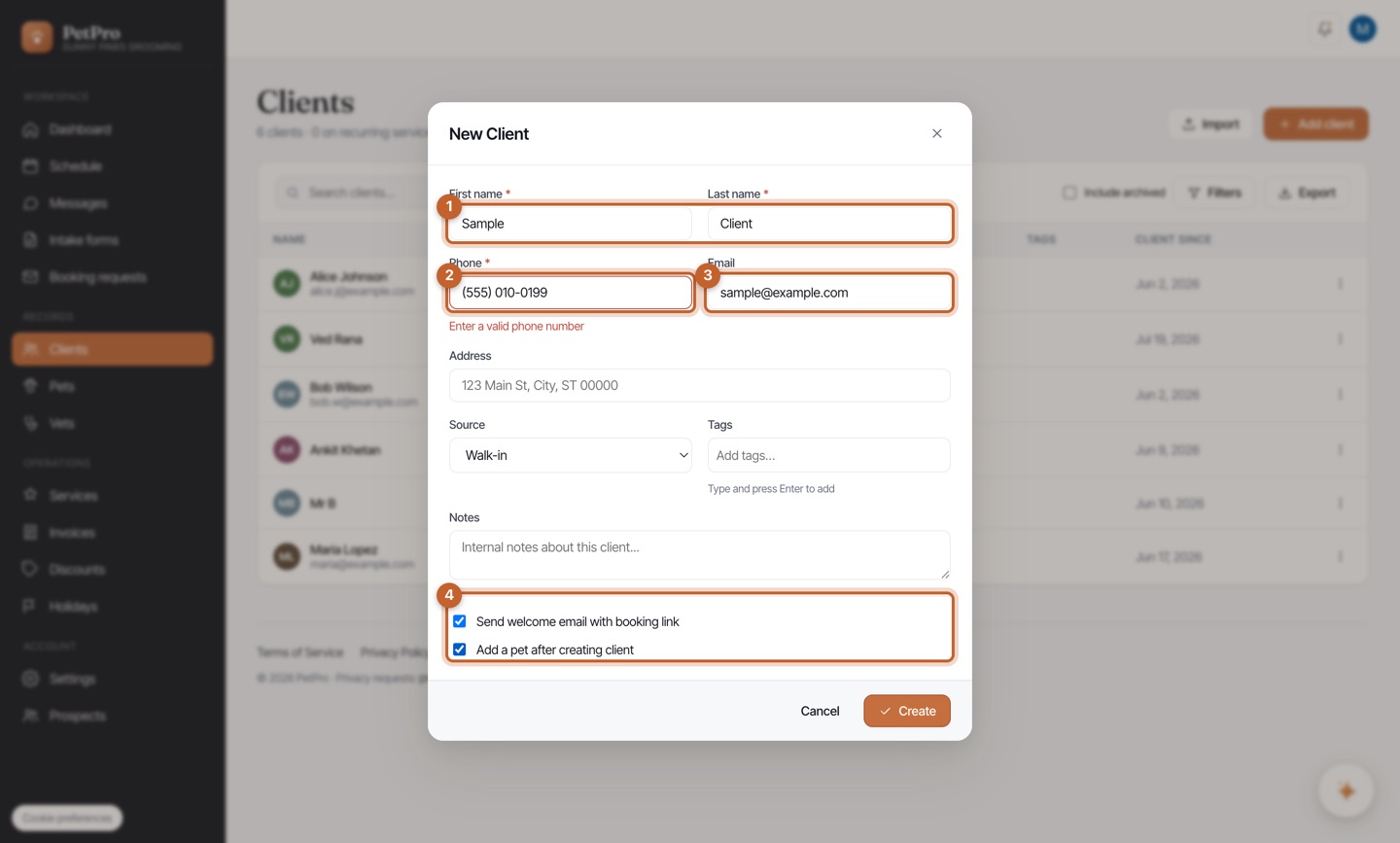
Enter their name, phone, and email. Tick Add a pet after creating client.
3
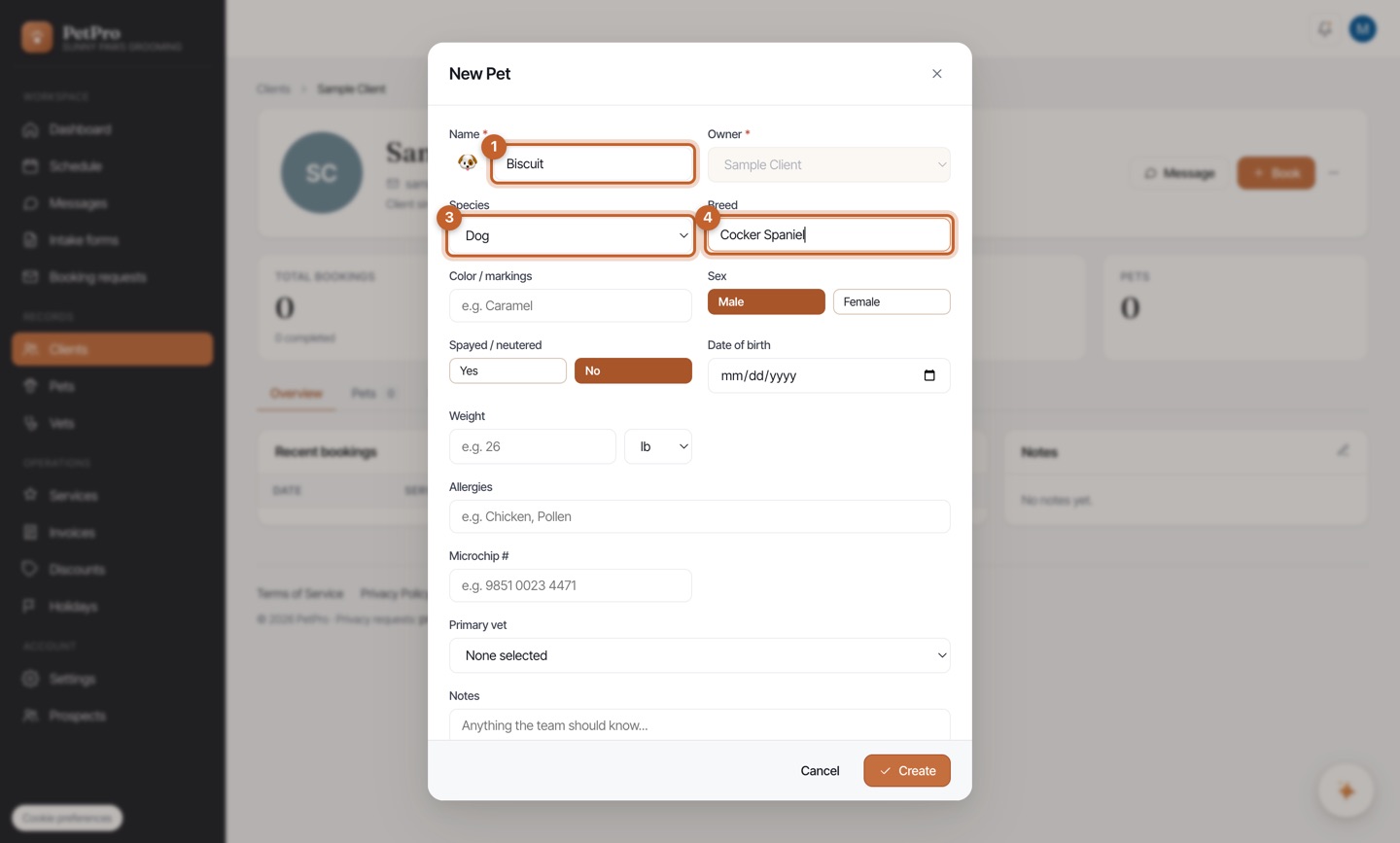
On the New Pet form, add the pet's name, species, and breed, then Create.
Add a client to your book and register their pet — the records everything is built on.
Open Clients and click + Add client.
Enter their name, phone, and email. Tick Add a pet after creating client.
On the New Pet form, add the pet's name, species, and breed, then Create.
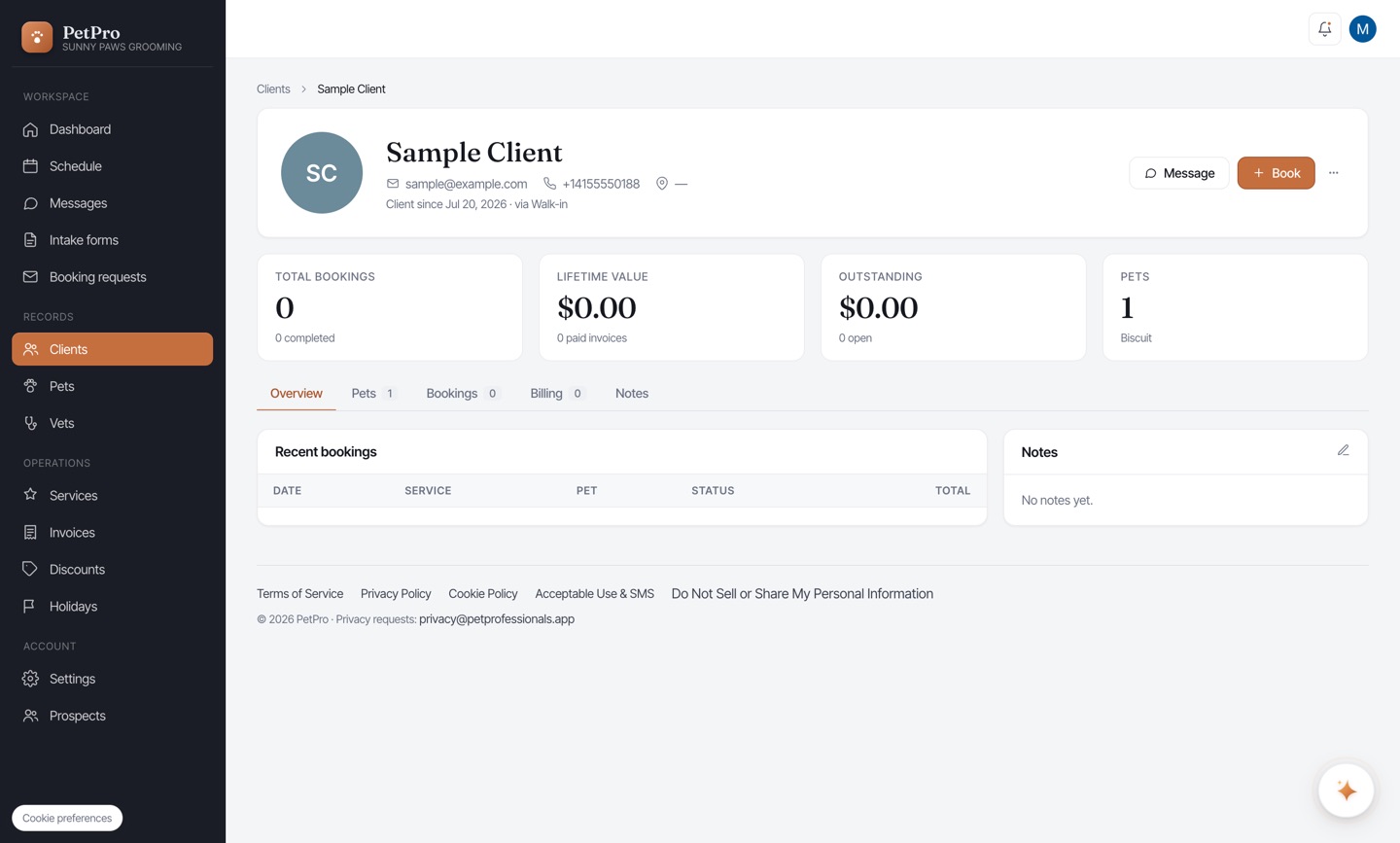
The client's profile now shows their pet, booking history, and balance — all in one place.