Open Settings → Booking page. Under Your booking page link, set the custom ending for your public URL (e.g. sunny-paws) — this is the link you'll share and print on a QR code. Keep it short and recognisable; PetPro tells you if it's already taken.
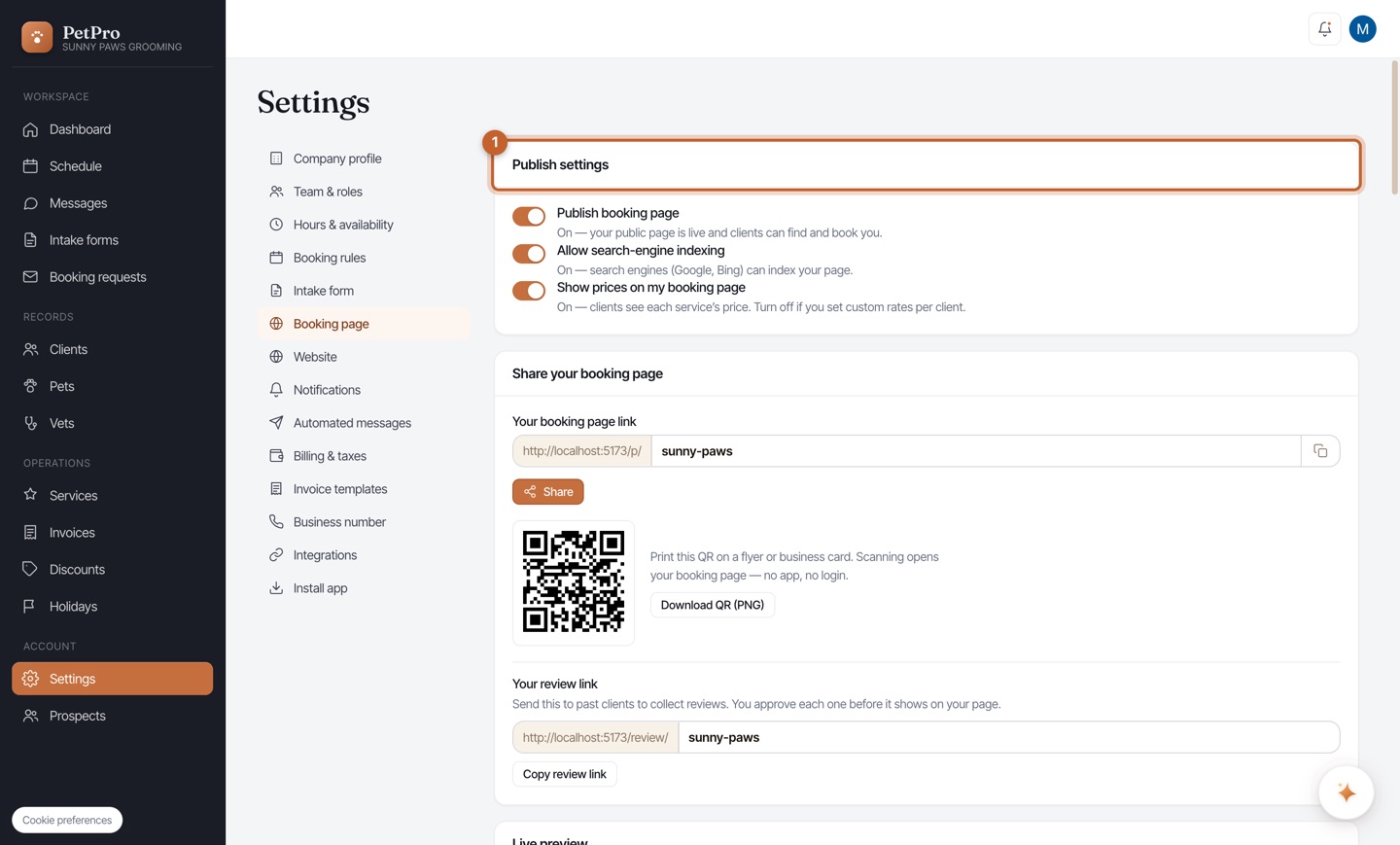
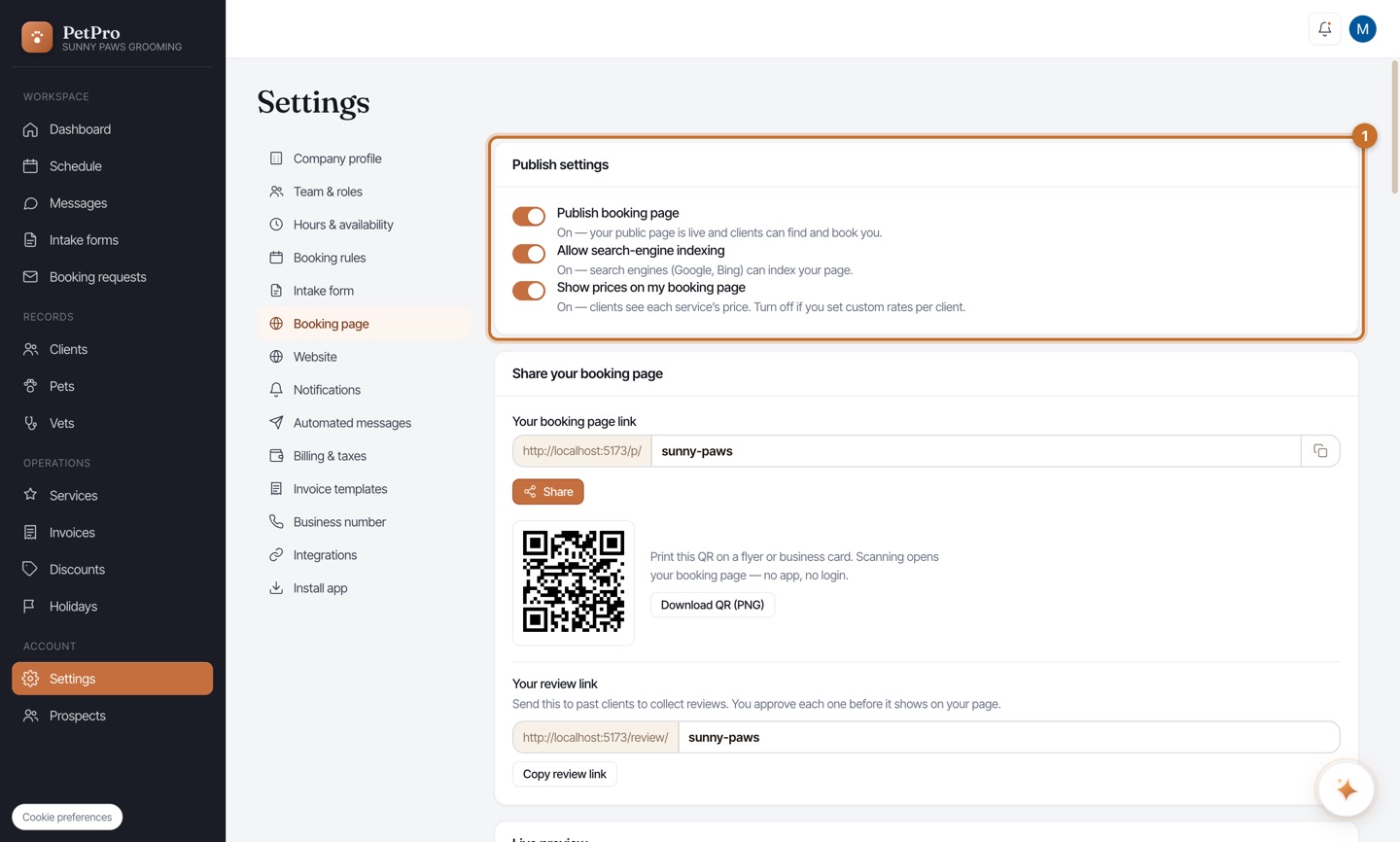
In Publish settings, flip the three toggles: Publish booking page makes it live so clients can find and book you; Allow search-engine indexing lets Google and Bing list it; and Show prices on my booking page — leave on to show each service's price, or turn off if you quote custom rates per client.
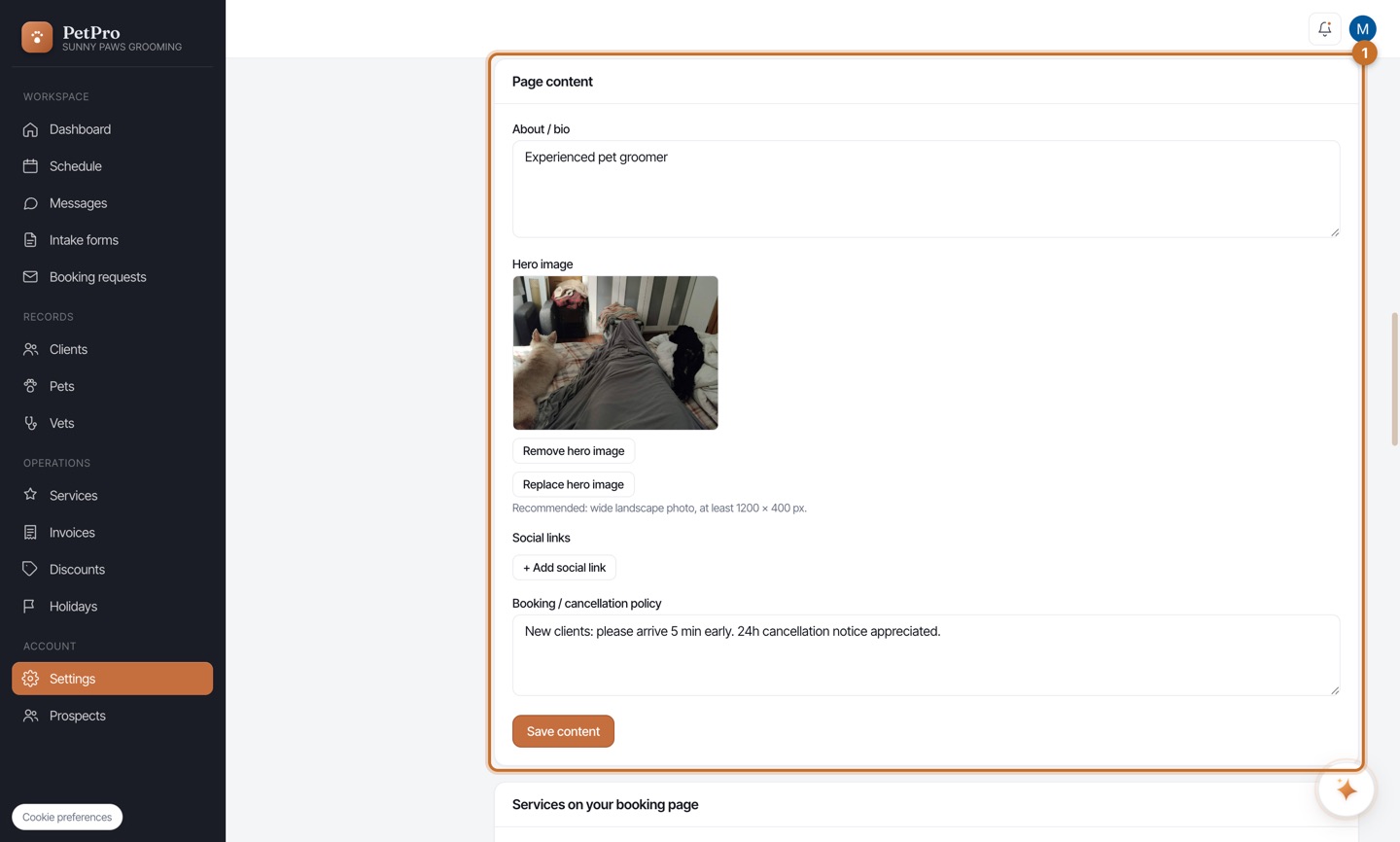
Scroll to Page content to add your branding: an About / bio, a wide Hero image for the top of the page, social links, and a Booking / cancellation policy clients see before they book. Click Save content when you're happy.
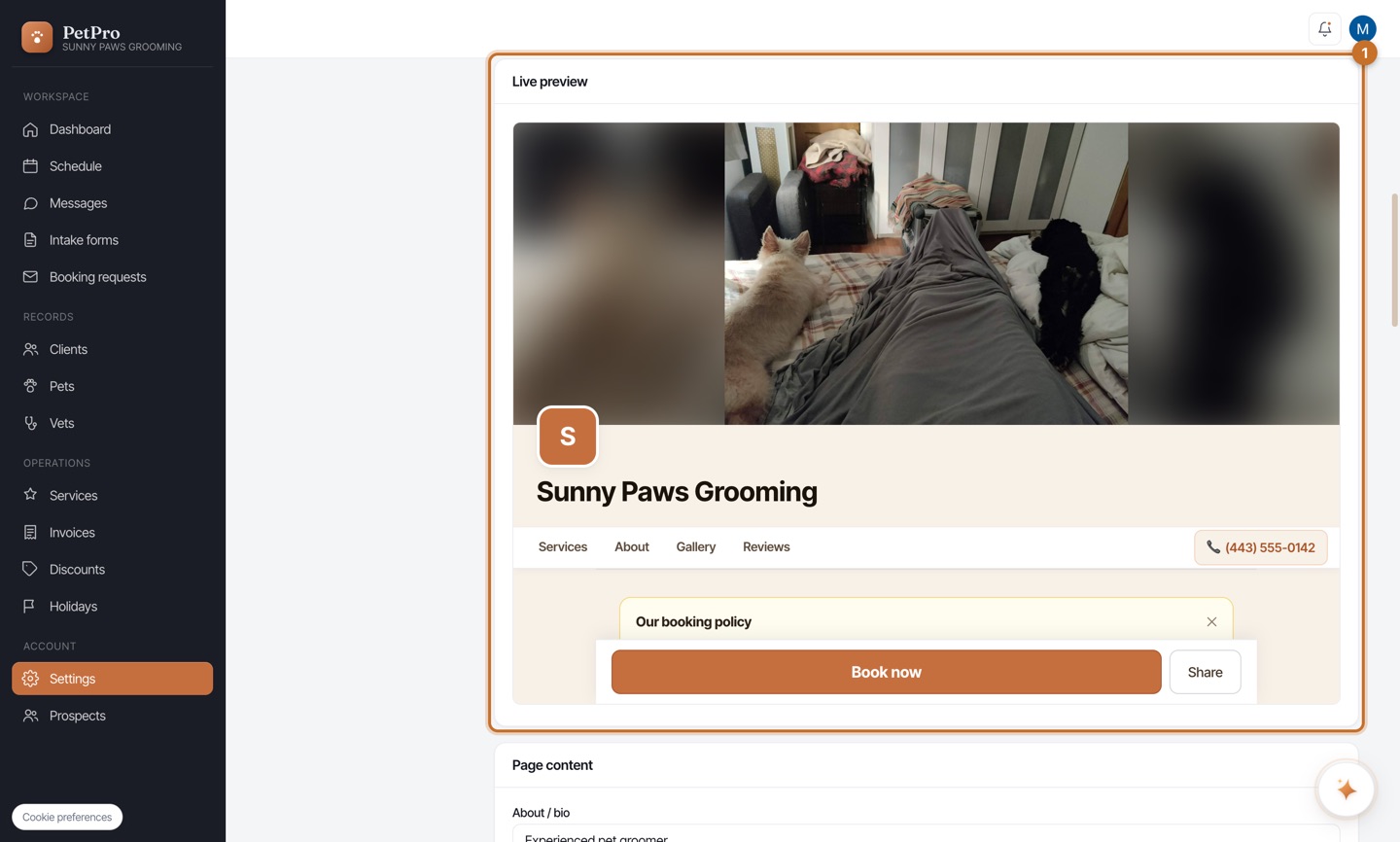
Watch the Live preview to see your real page — hero, logo, services, reviews, and a Book now button — updating as you edit. When it looks right, you're published. Every change here is reflected instantly for clients.