1
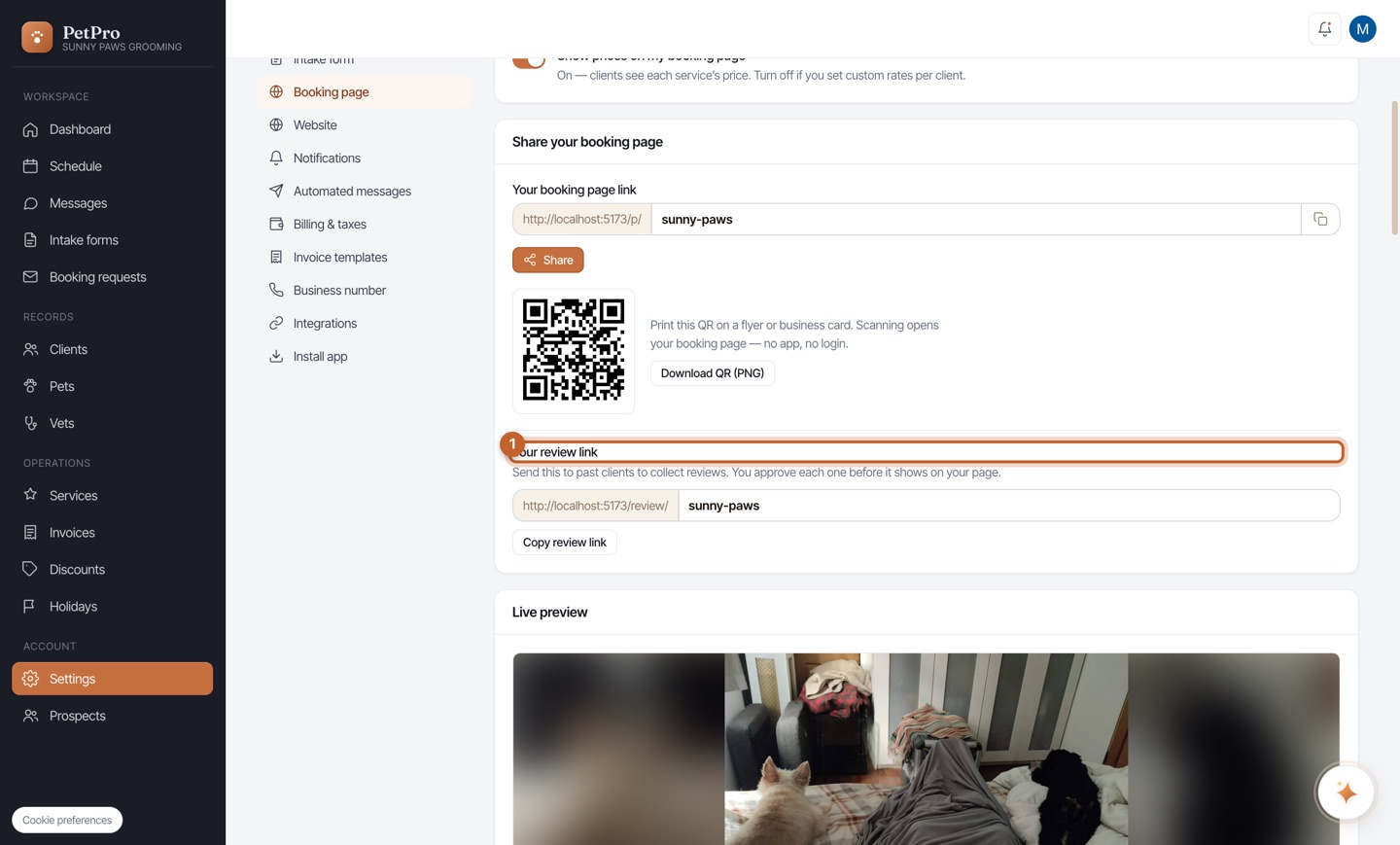
In Settings → Booking page, find Your review link and copy it. Send it to happy past clients by text or email — the same standing link works for everyone, and the note reminds you that you approve each review before it appears.
2
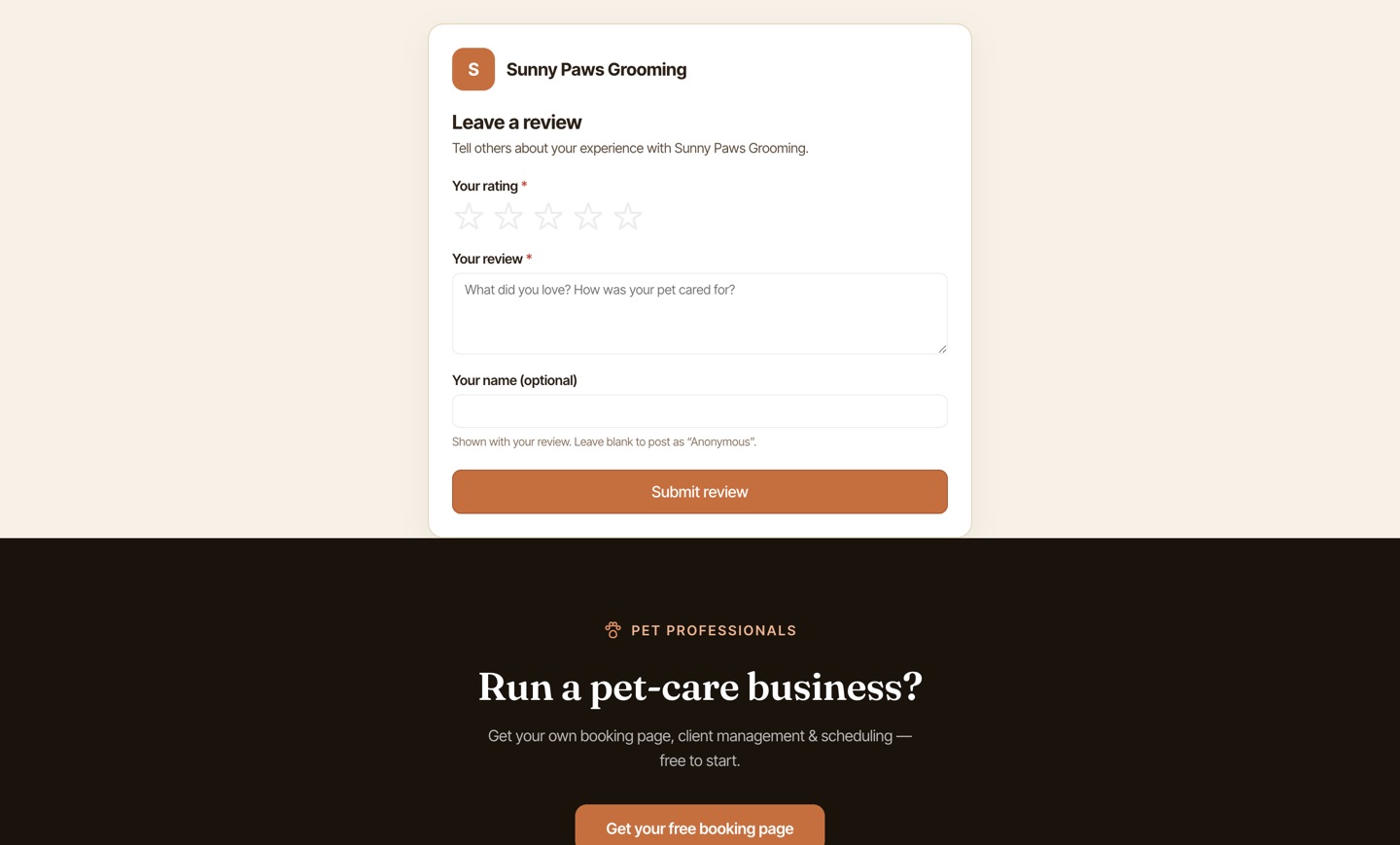
The link opens a simple public page where the client picks a star rating and writes a short comment — no app, no login. Once you approve it, it shows on your booking page and counts toward your rating.