1
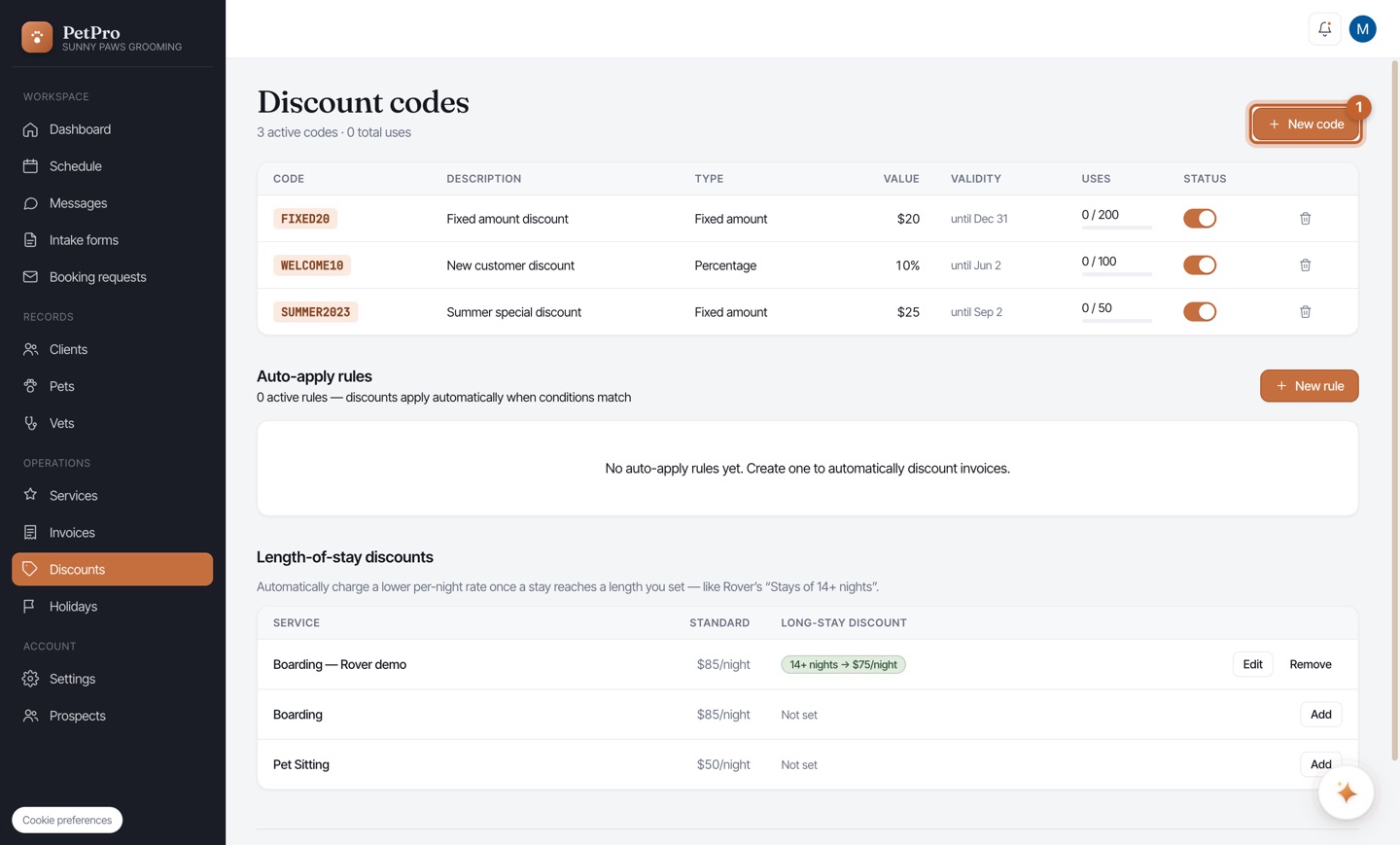
Open Discounts in the sidebar. Your existing codes are listed with their type, value, validity window, and how many times each has been used. Click + New code to create one.
2
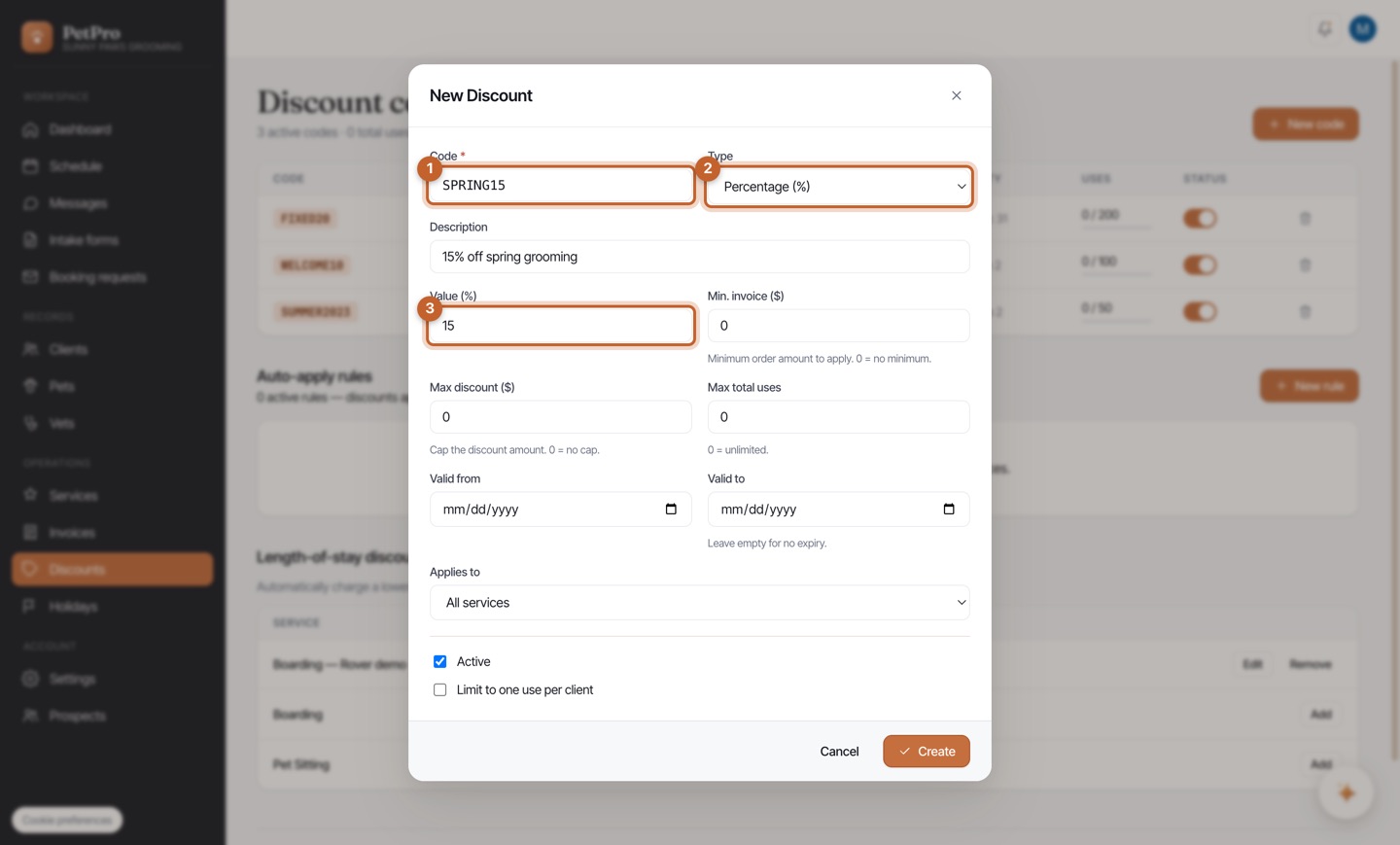
Name the code (e.g. SPRING15), choose a Type — Percentage (%) or Fixed amount ($) — and set the Value. The optional fields let you cap the discount, require a minimum invoice, limit total uses, set an expiry, and restrict it to one service. Tick Active and Create.
3
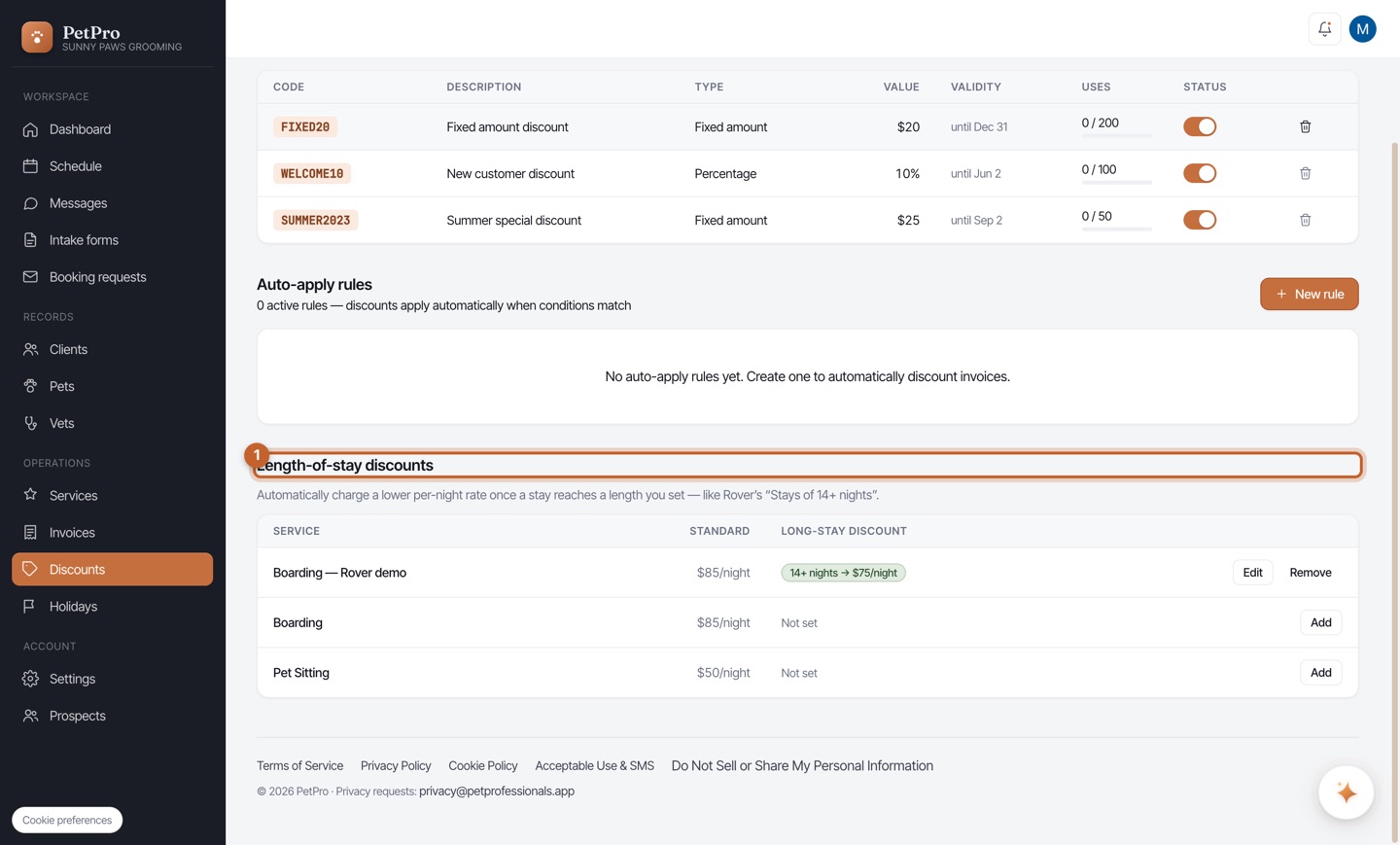
Scroll to Length-of-stay discounts to automatically charge a lower per-night rate once a boarding stay reaches a length you choose — like Rover's "Stays of 14+ nights." Set the night threshold and the discounted nightly rate for each service.