PetPro · Help Open the app ↗
Pricing & money · Guide 10

Send an invoice and get paid

Turn completed work into an invoice, send it, and record the payment.

For
Every pro
Time
~1 min
Before you start
A completed booking or client
  1. 1

    Open Invoices. Click + New invoice, or Generate invoices from an uninvoiced booking.
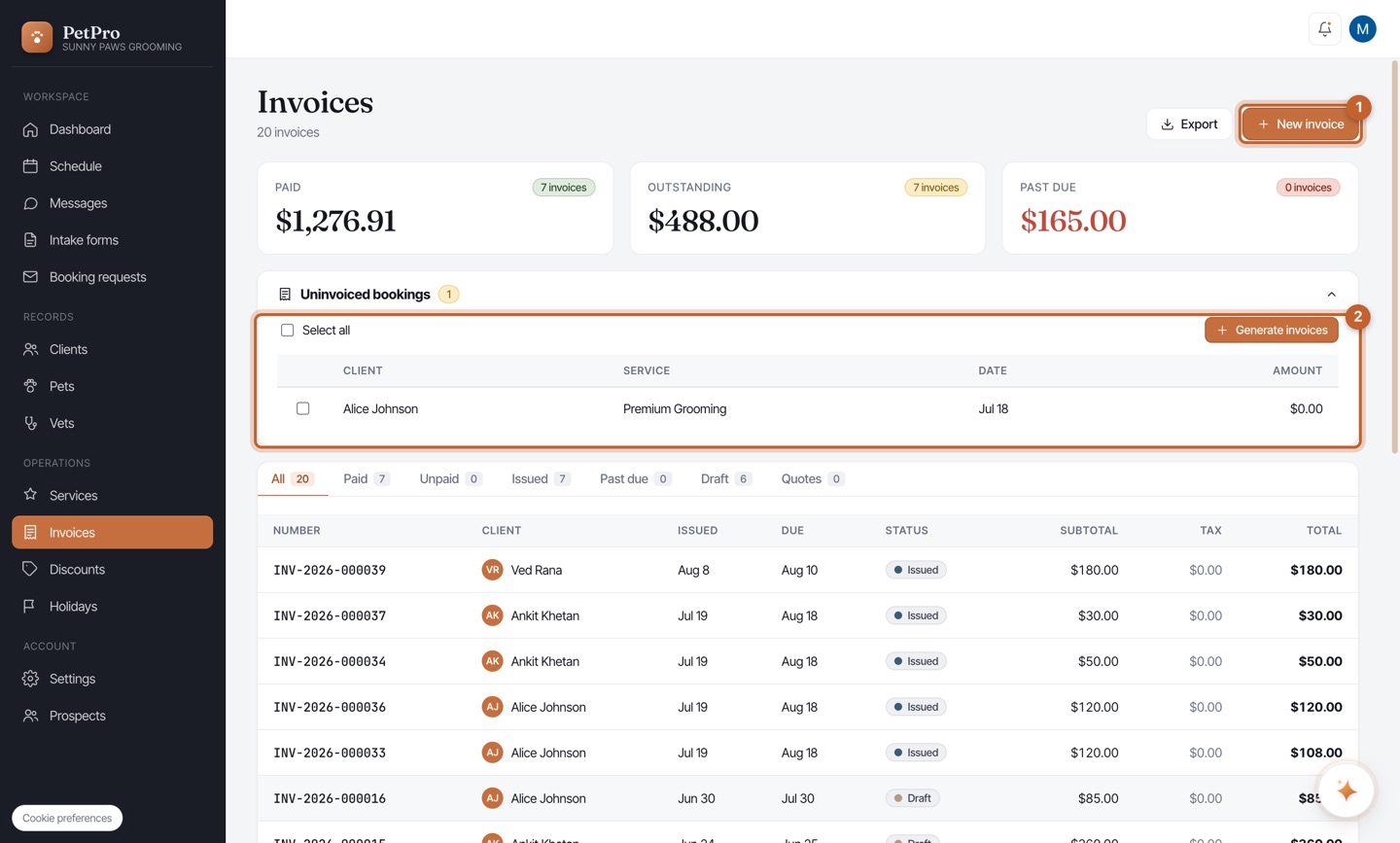
    Send an invoice and get paid — step 1
  2. 2

    Open the invoice to review its line items and total.
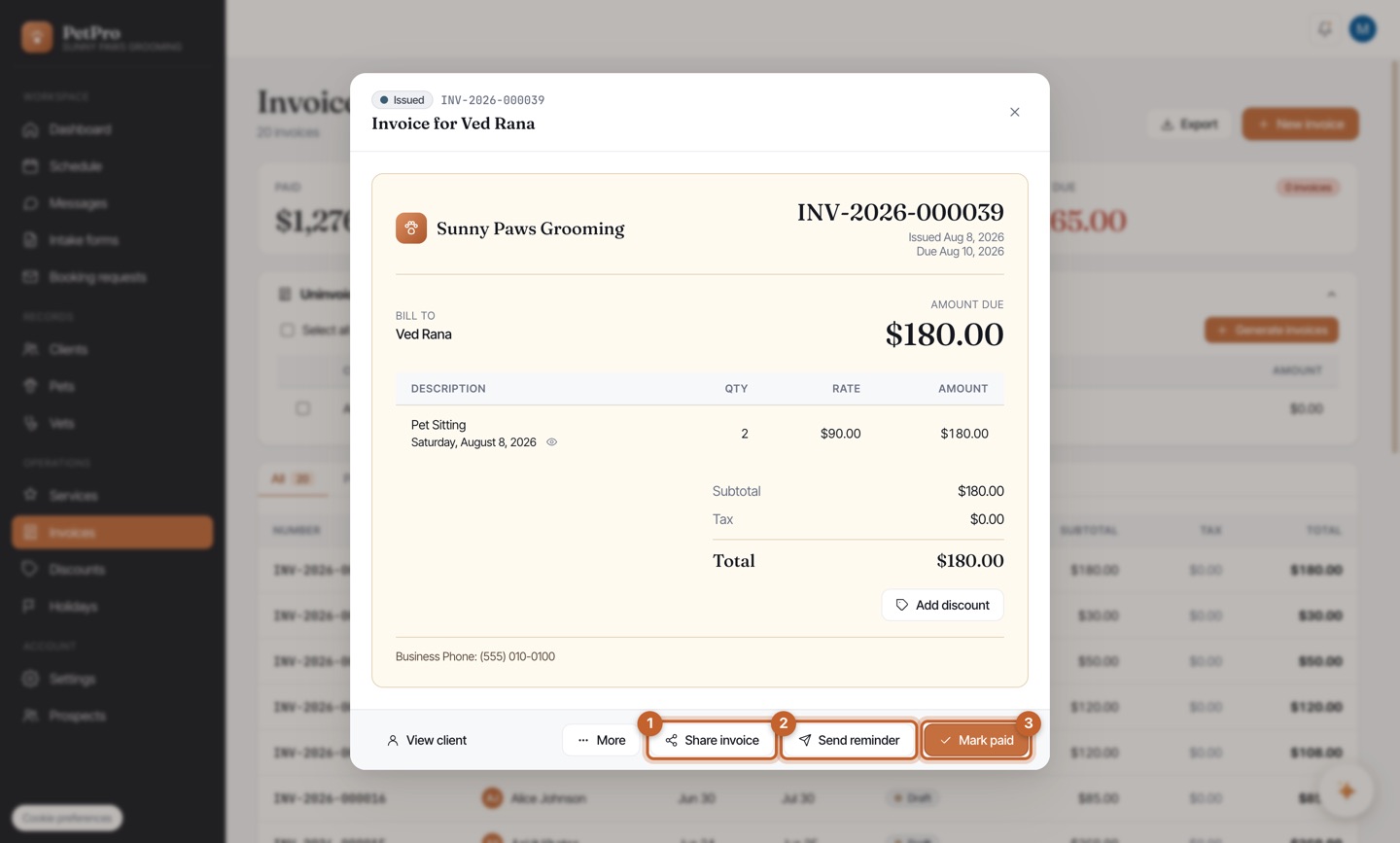
    Send an invoice and get paid — step 2
  3. 3

    Share invoice — send the client a link via text, WhatsApp, email, or copy.
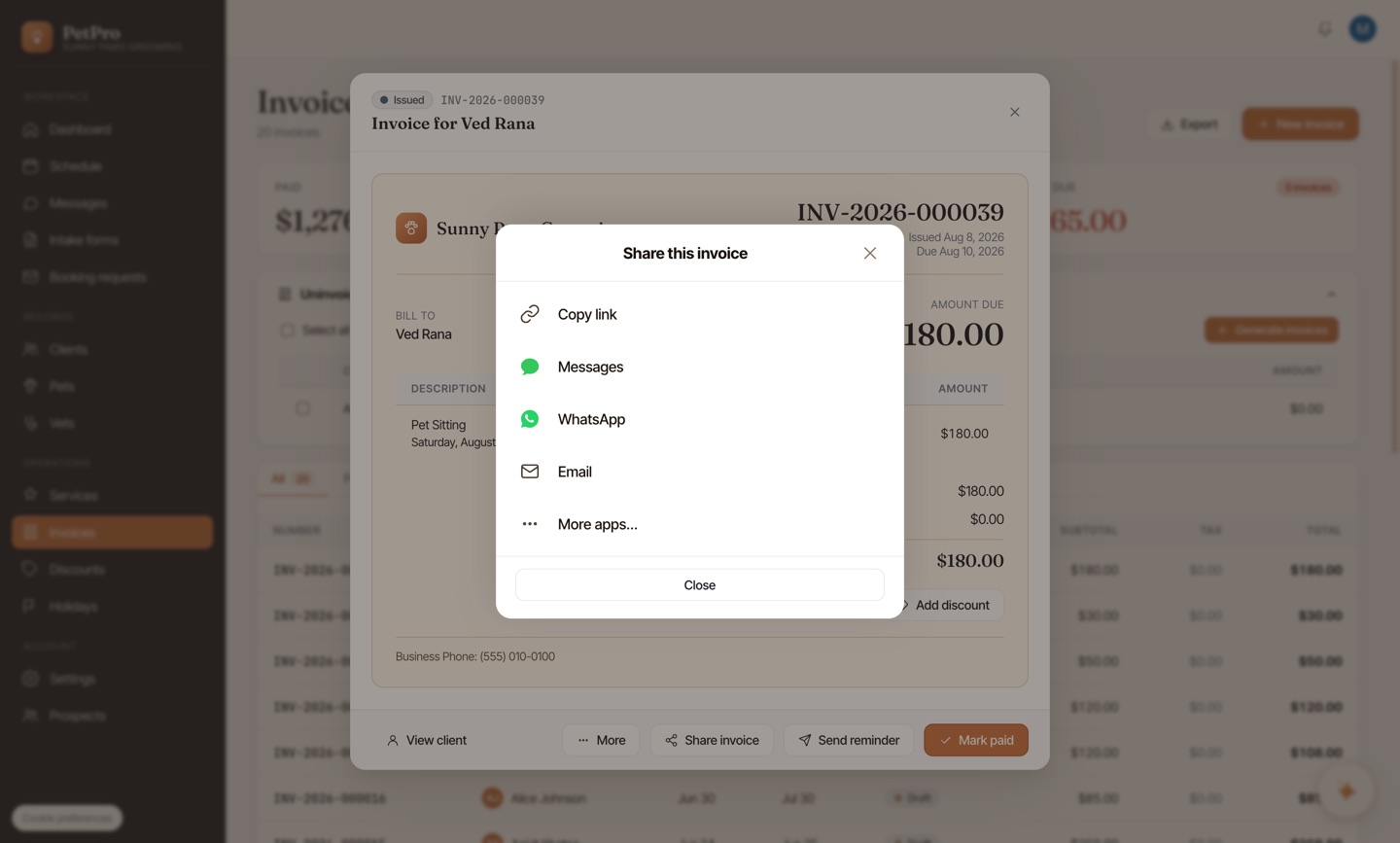
    Send an invoice and get paid — step 3
  4. 4

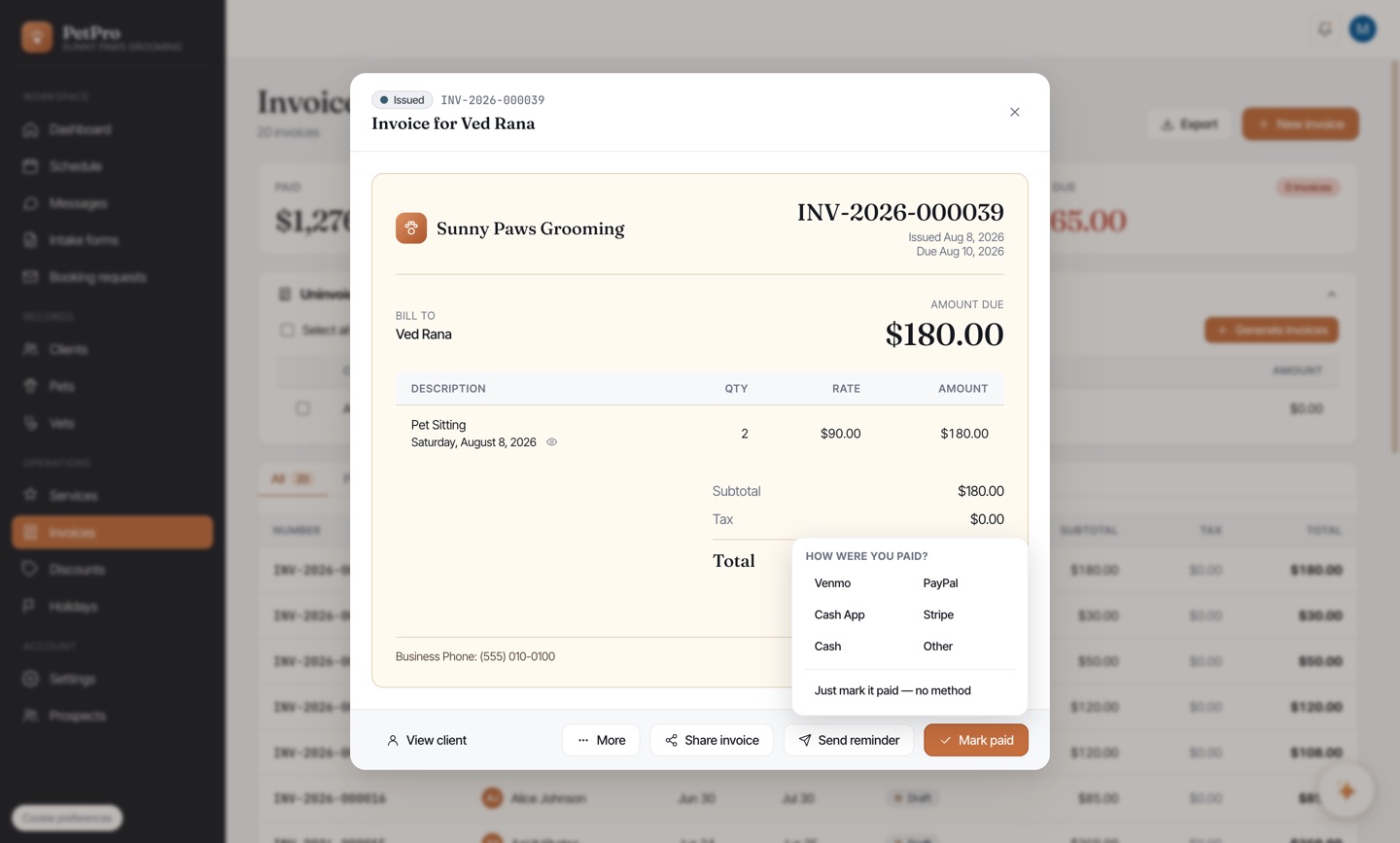
    When they pay, click Mark paid and pick how you were paid.

    Send an invoice and get paid — step 4
You're done

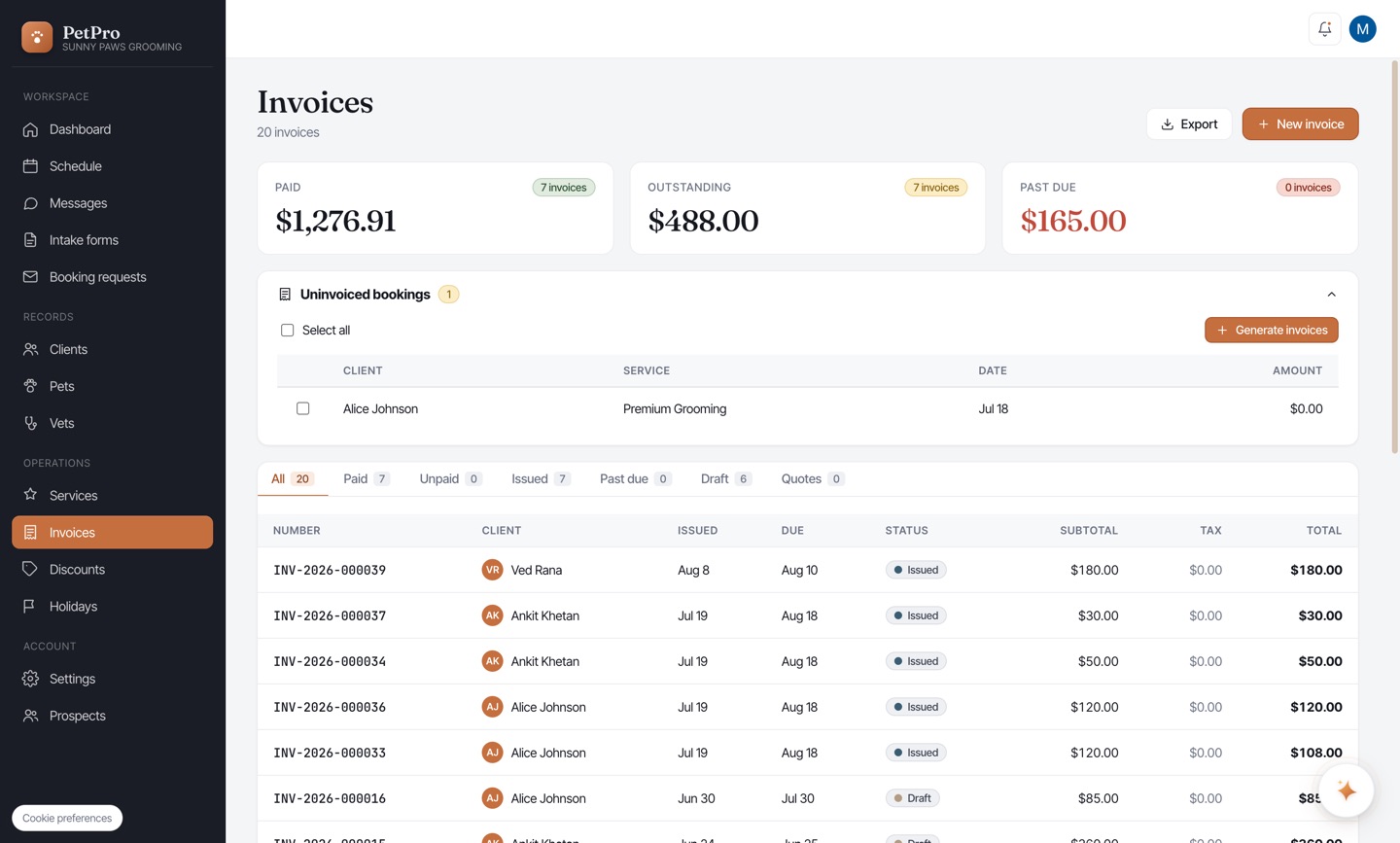
Your Invoices page tracks Paid, Outstanding, and Past due at a glance.

Send an invoice and get paid — result