Pet Professionals Help Open the app ↗
Records & extras · Guide 12

Save how to get into a client's home

Keep entry codes, key locations and gate quirks where your walker needs them — safely.

For
Walkers & drop-in pros
Time
~1 min per client
Before you start
A client on file

Door codes tend to live in text messages and someone's memory, which is exactly where you don't want them. PetPro keeps them on the client record: encrypted, hidden by default, and recorded every time one is shown. Most importantly they appear on the visit itself, so whoever is standing at the door has them without hunting.

  1. 1

    Open the client and find Getting in. It sits apart from Notes on purpose — notes are free text anyone can read and nothing is recorded, which is the wrong home for a door code.
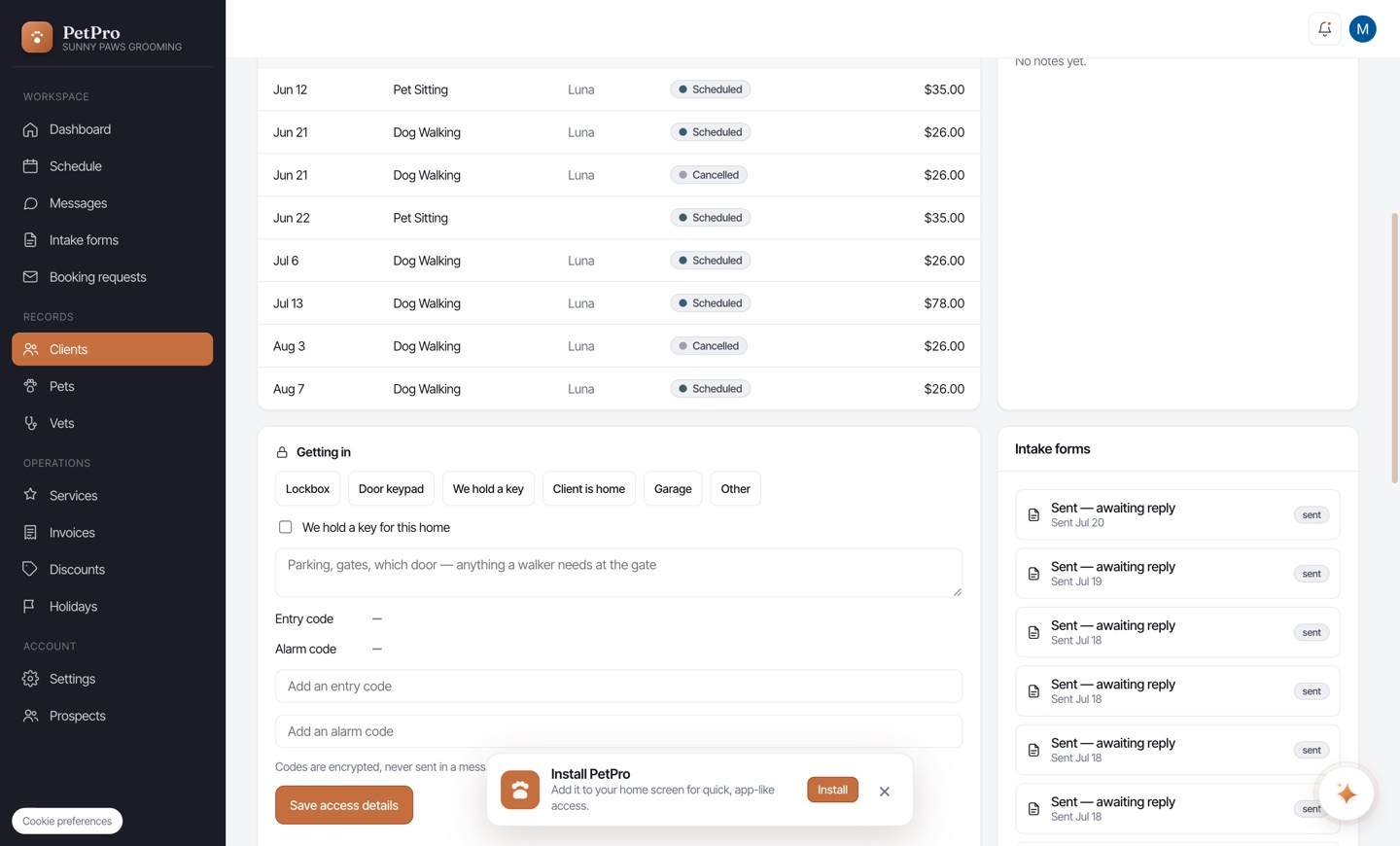
    Save how to get into a client's home — step 1
  2. 2

    Pick how your walker gets in — Lockbox, Door keypad, We hold a key, Client is home, Garage or Other — and add the things that only matter at the gate: where the lockbox is, which door, the gate that sticks. Then add the entry code (and an alarm code if there is one).
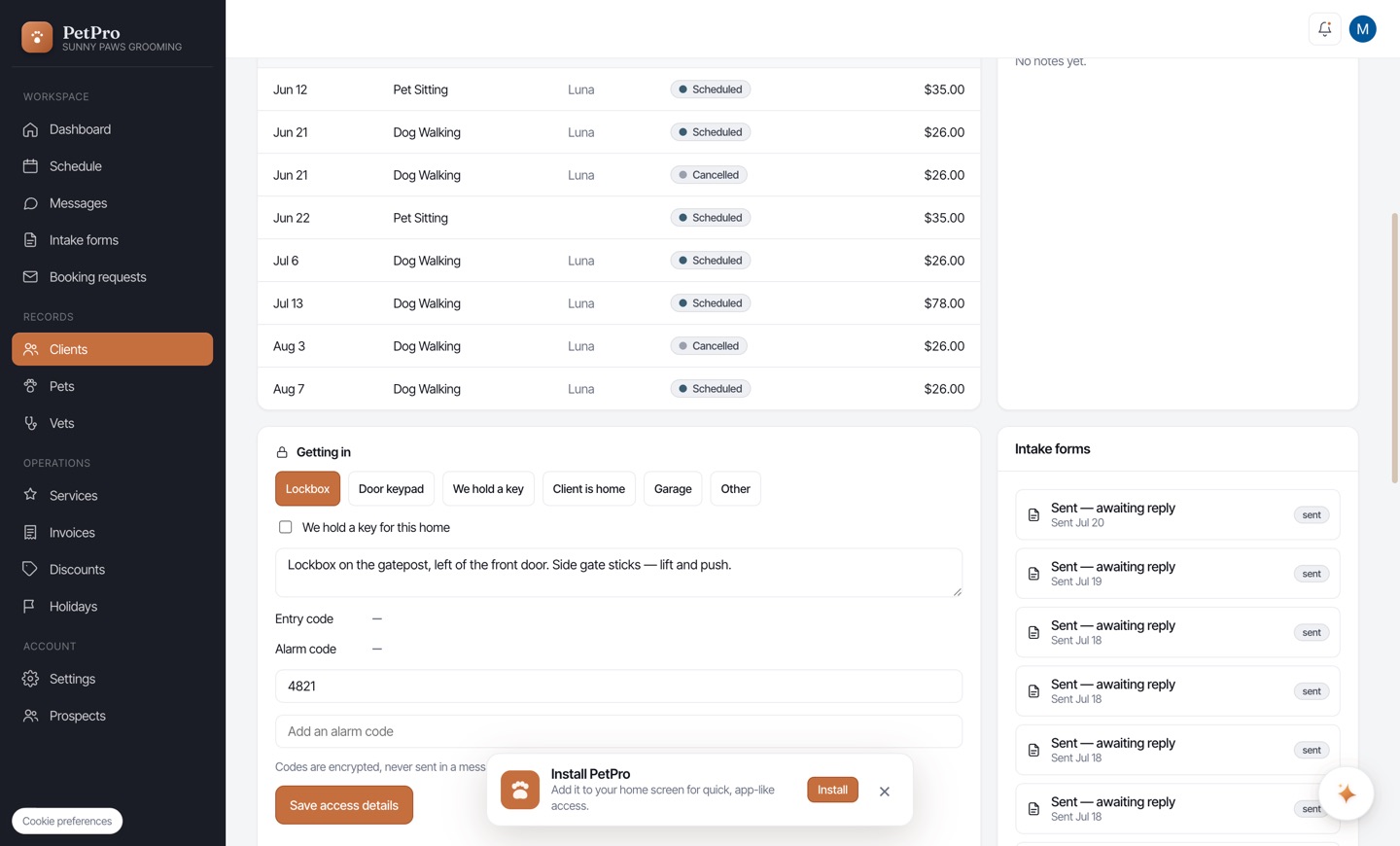
    Save how to get into a client's home — step 2
  3. 3

    Save. The code is stored encrypted and shows as dots — never its real length. Tap Reveal when you actually need it; that's a deliberate act, and it's recorded. Editing the notes later won't wipe the code.
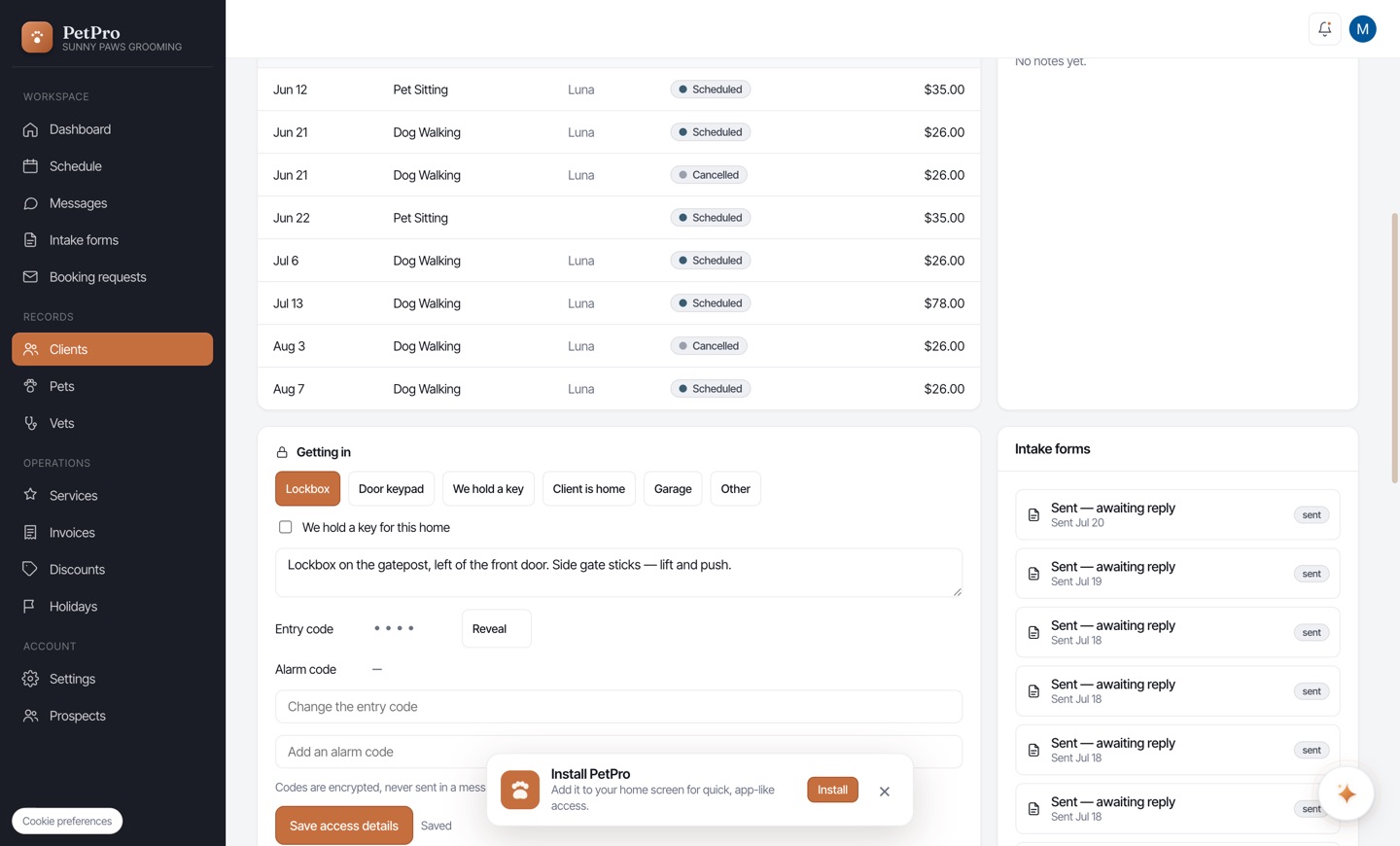
    Save how to get into a client's home — step 3
You're done

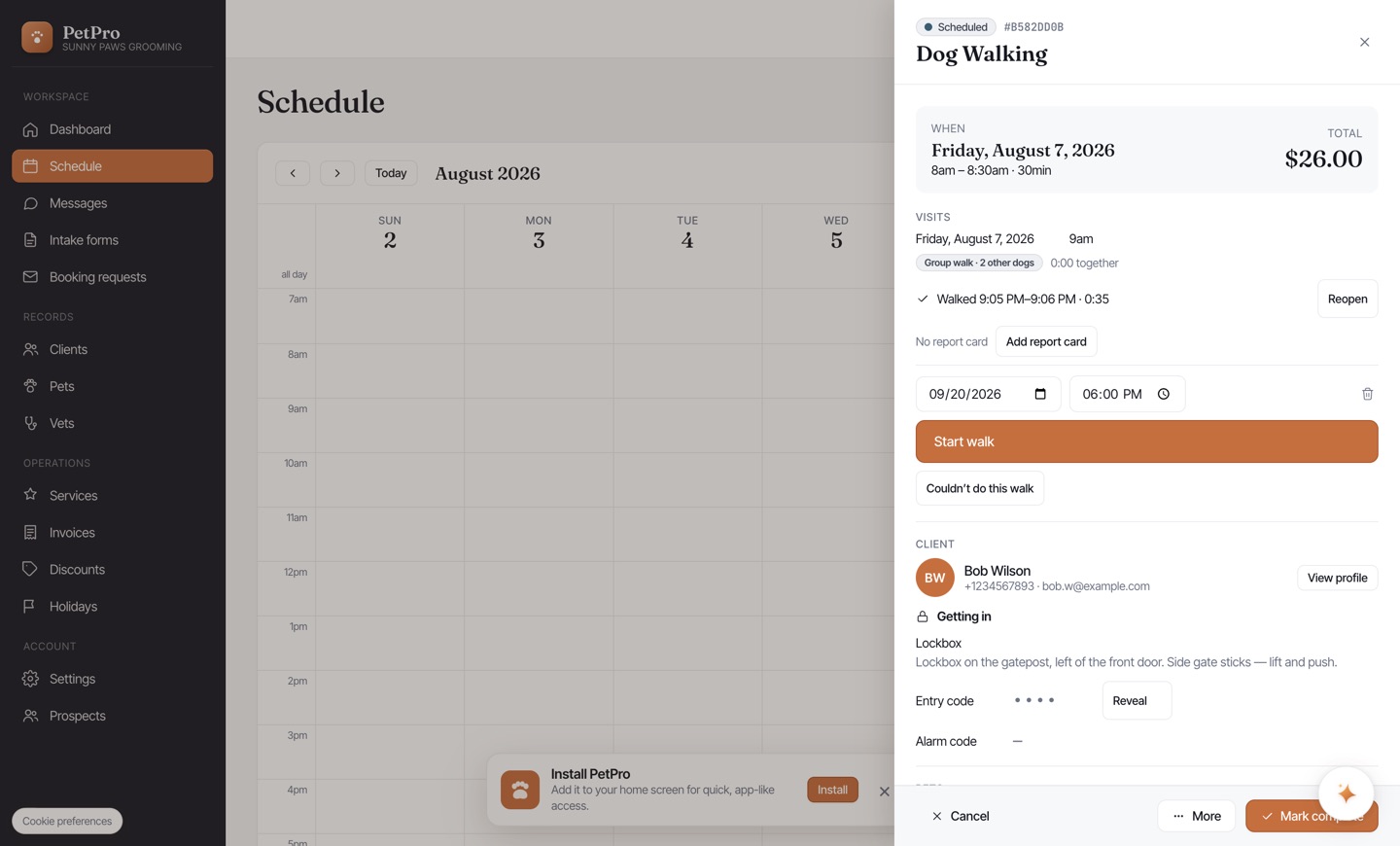
The same details now appear on the visit, so a walker standing at the door has them without leaving the booking. The code stays hidden behind Reveal there too.

Save how to get into a client's home — result