Pet Professionals Help Open the app ↗
Bookings & care · Guide 13

When a walk can't happen

Record why a visit didn't happen, tell the client, and decide whether to charge.

For
Walkers & drop-in pros
Time
Seconds
Before you start
A visit booked for today

Sometimes you get there and it can't happen — the code doesn't work, the dog isn't there, the weather turns. Recording it takes seconds, tells the client straight away so they can fix it before next time, and keeps your records honest about what you actually did.

  1. 1

    Open the visit and tap Couldn't do this walk. It sits quietly under Start walk — the overwhelmingly common case is that the walk happens — but it's right there on the visit, which is where you are when you find out.
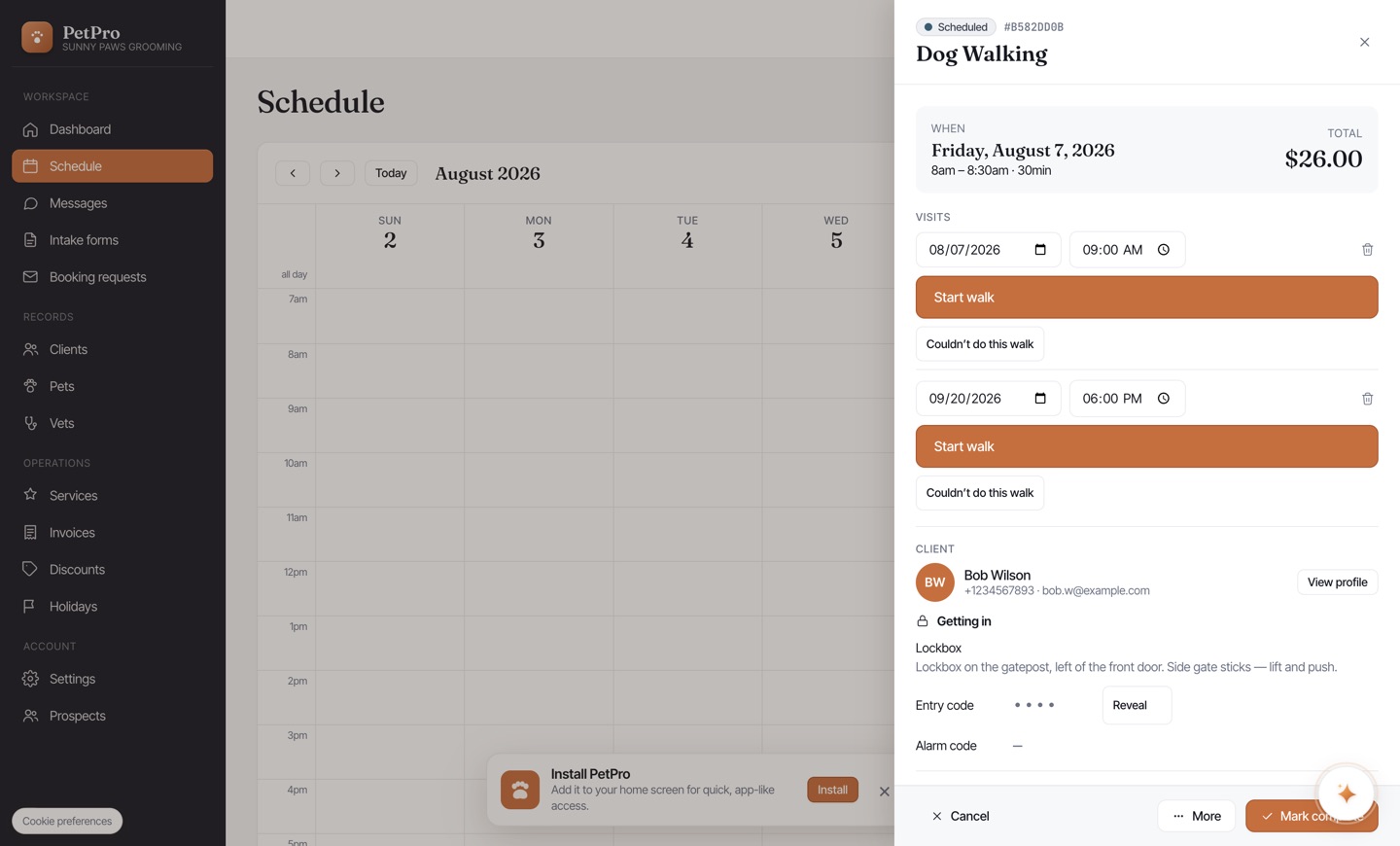
    When a walk can't happen — step 1
  2. 2

    Pick what happened. The reason shapes what the client is told: a lockout asks them to check the lockbox, which is the thing that stops it happening again tomorrow. Something else lets you write it in your own words.
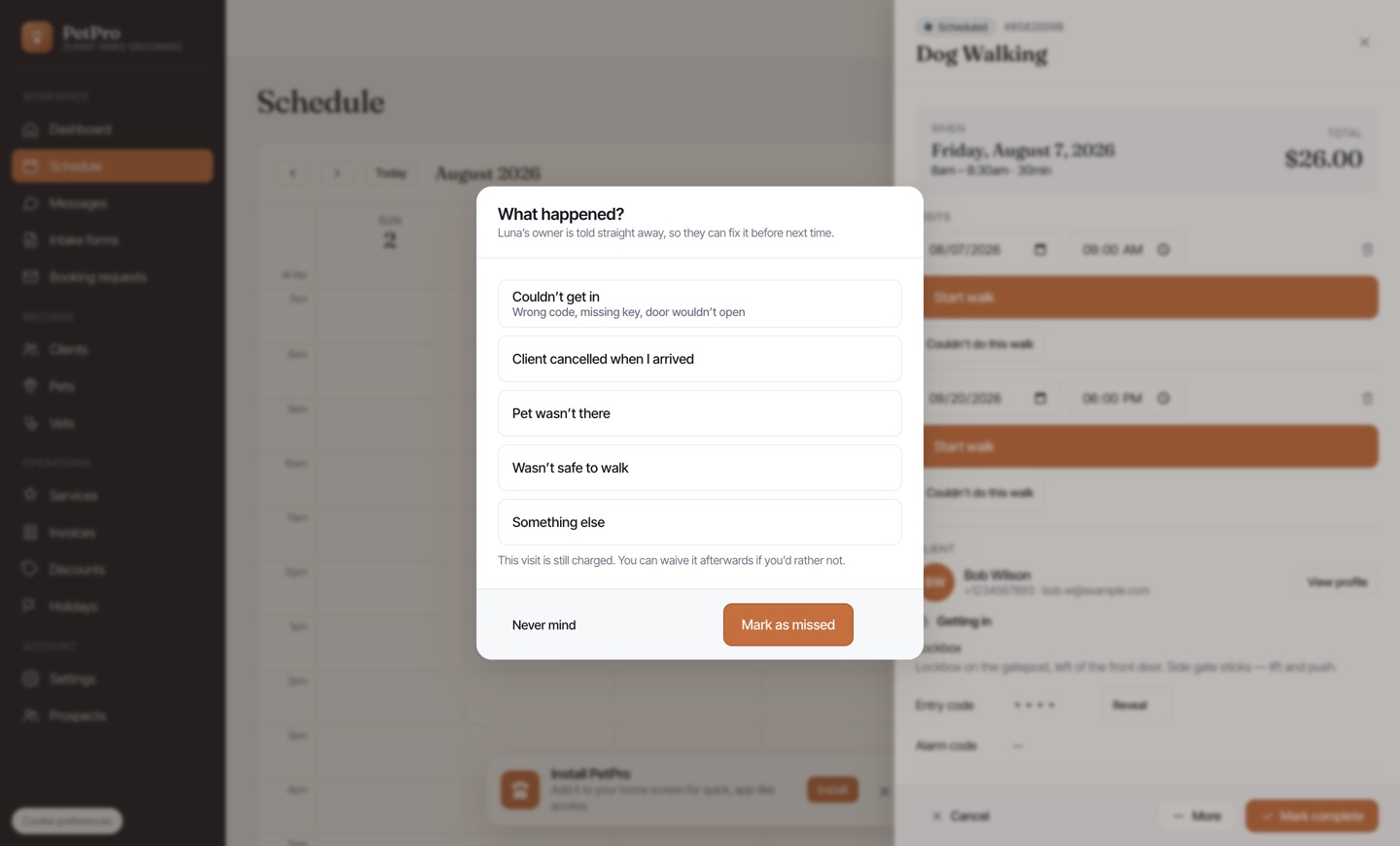
    When a walk can't happen — step 2
You're done

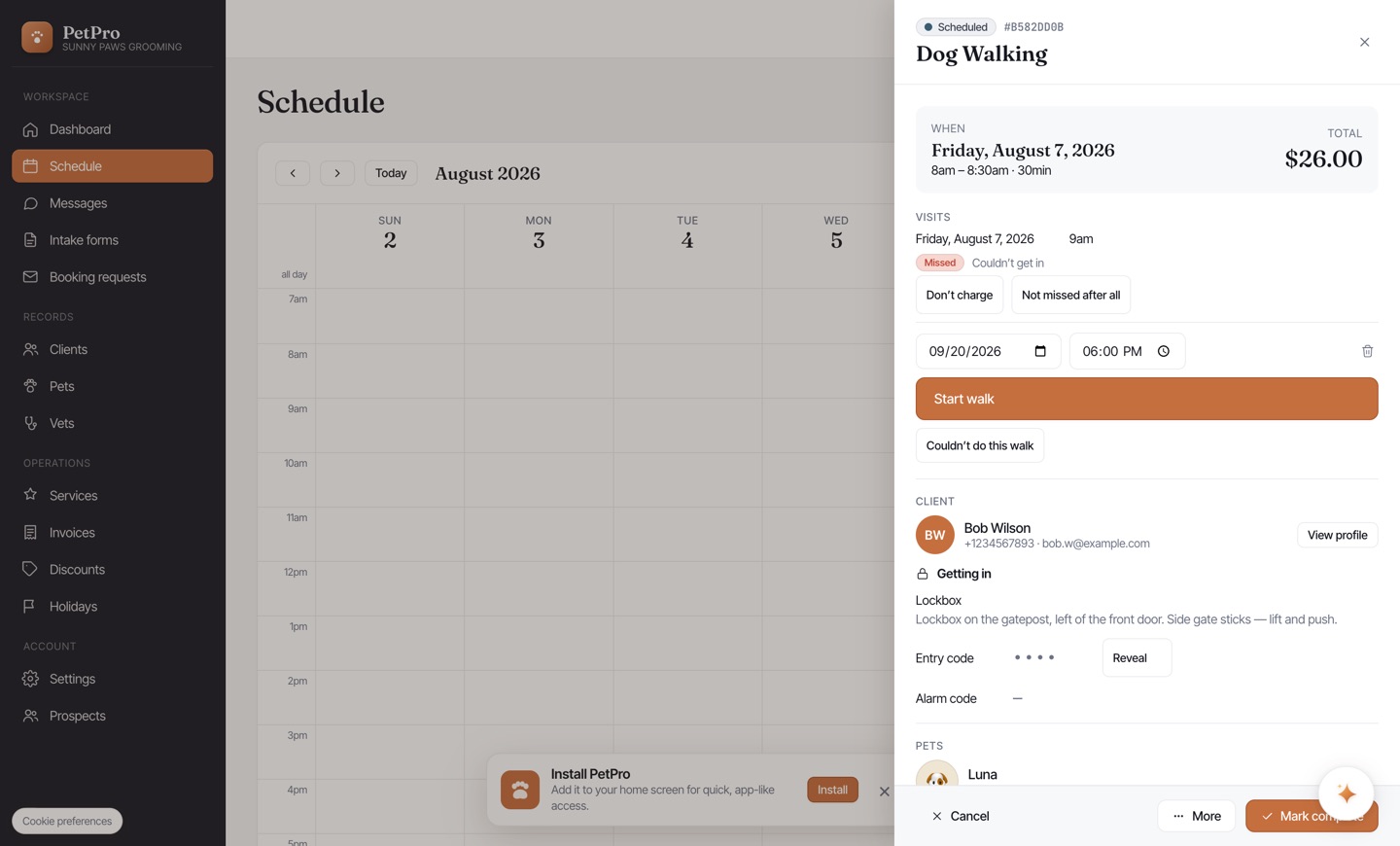
The visit shows a clear Missed badge with the reason, and the client has already been told. It's still charged by default — you drove there and lost the slot — but Don't charge waives it in one tap, and Not missed after all undoes the whole thing if you tapped it by mistake.

When a walk can't happen — result