Pet Professionals Help Open the app ↗
Bookings & care · Guide 11

Walk several dogs together

Take a pack out as one walk — one start, one route, and one block of your time.

For
Dog walkers running packs
Time
Seconds per round
Before you start
Two or more walks booked for today

If you walk five dogs from five owners, that's five bookings — but it's one walk. PetPro treats it that way: one tap starts them all, they share one GPS route, and it counts as one block of your time rather than five (which matters if you pay walkers by the hour). Each client still gets their own report card, and each dog's card shows only the part of the route their dog was actually on.

  1. 1

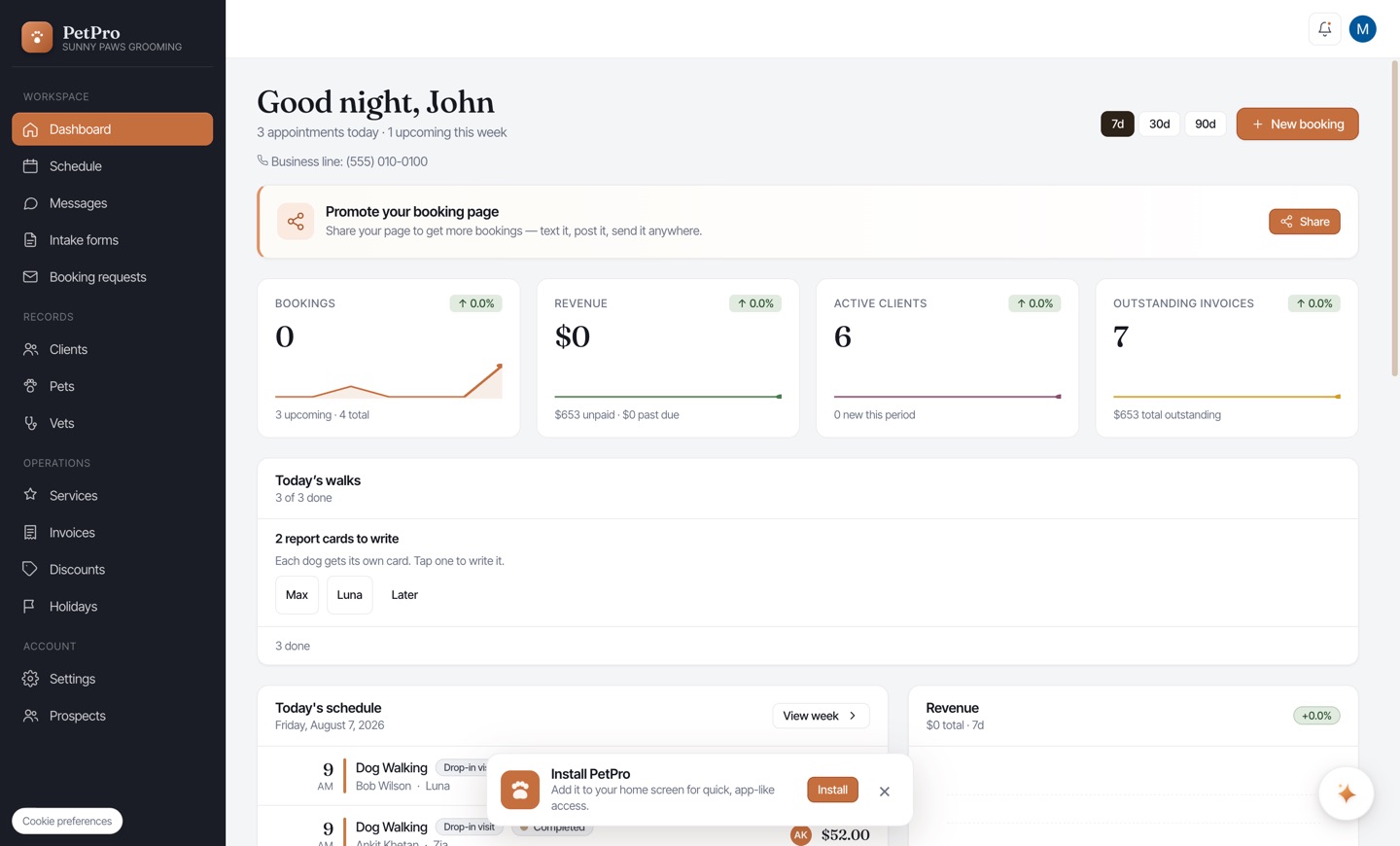
    On the Dashboard, today's walks appear under Walking several together? Tick the dogs going out on this round. They can be from completely different clients and bookings.
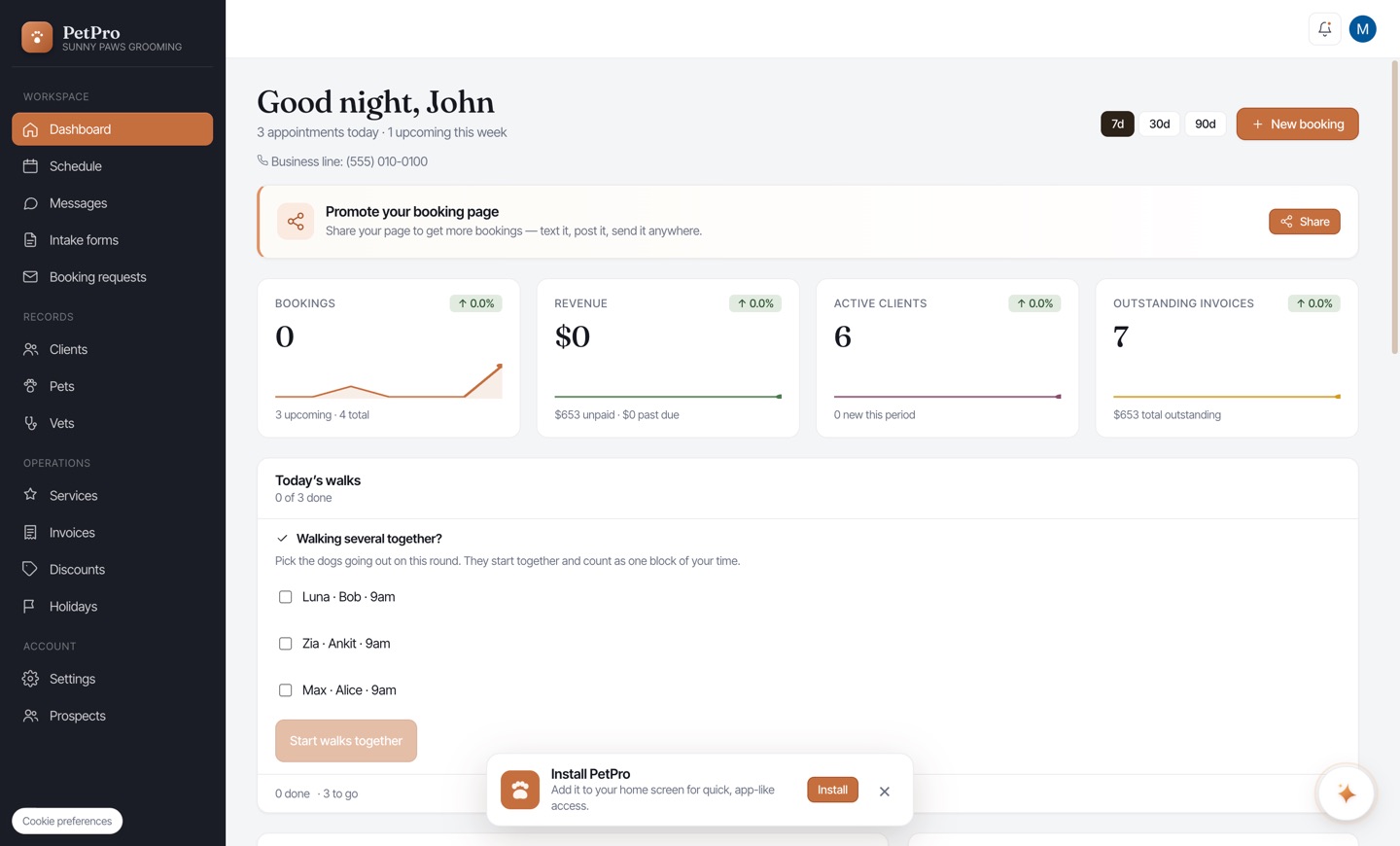
    Walk several dogs together — step 1
  2. 2

    The button counts what you picked — Start 3 walks together — so you can check before you tap. This starts several people's dogs at once, so the number is worth a glance.
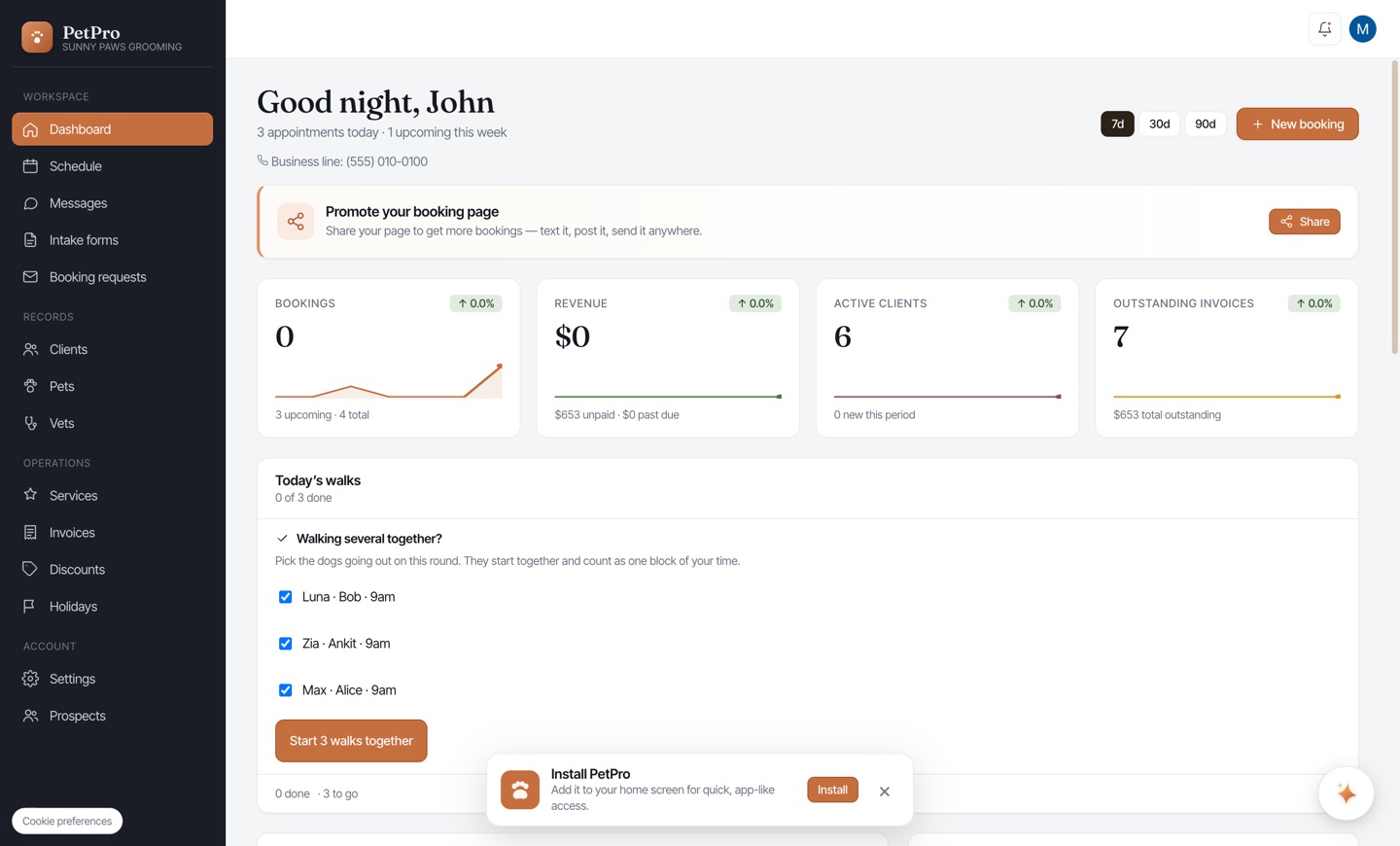
    Walk several dogs together — step 2
  3. 3

    The pack now shows as one row with a shared timer and every dog named, so you can check the list against the leads in your hand. One End walk finishes the whole round.
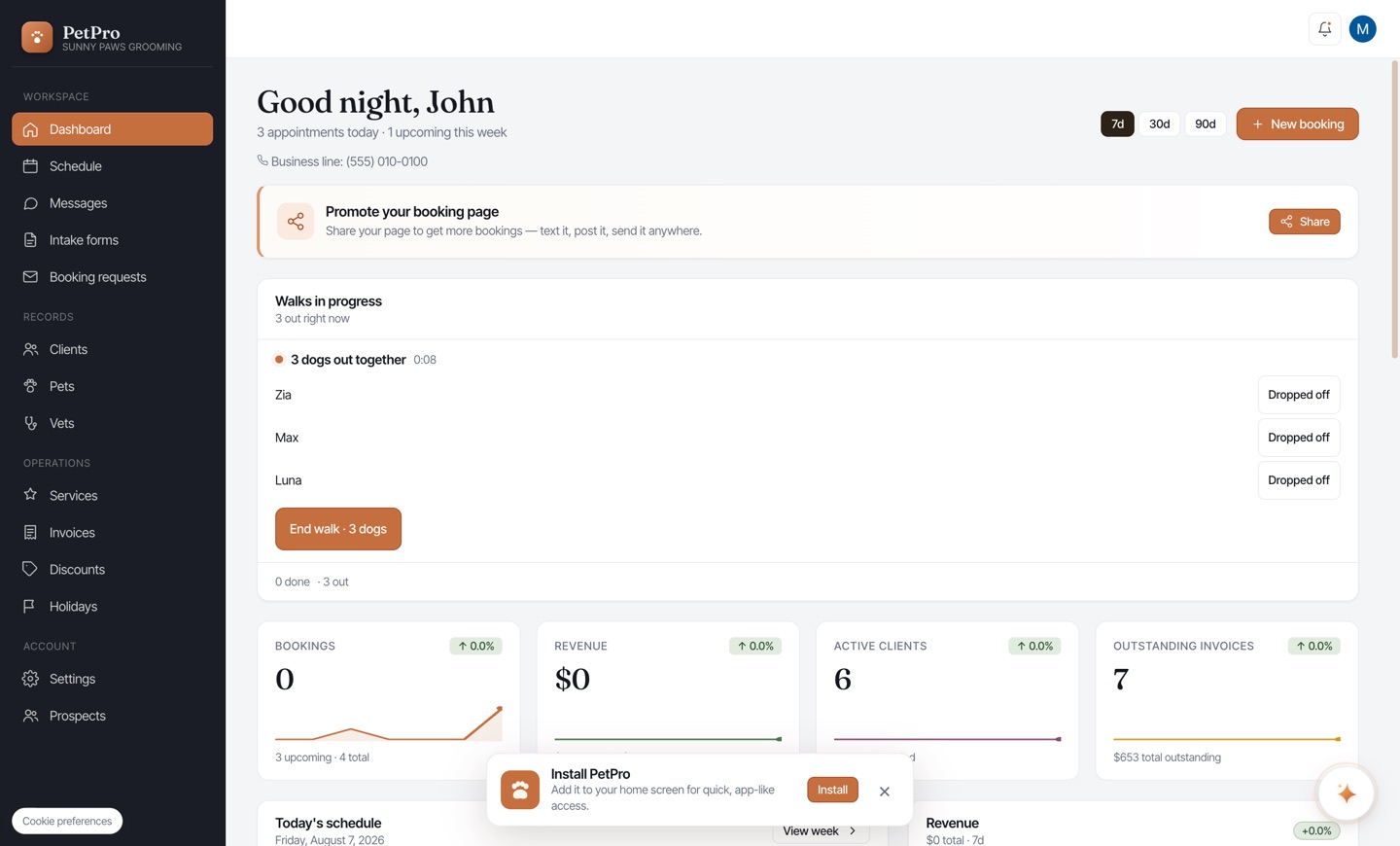
    Walk several dogs together — step 3
  4. 4

    Dropping one dog home early? Tap Dropped off next to that dog. Their walk finishes with its own time and the rest keep going — the row updates to show who's still out. Their report card will show the route up to the point they left, not where the others carried on to.
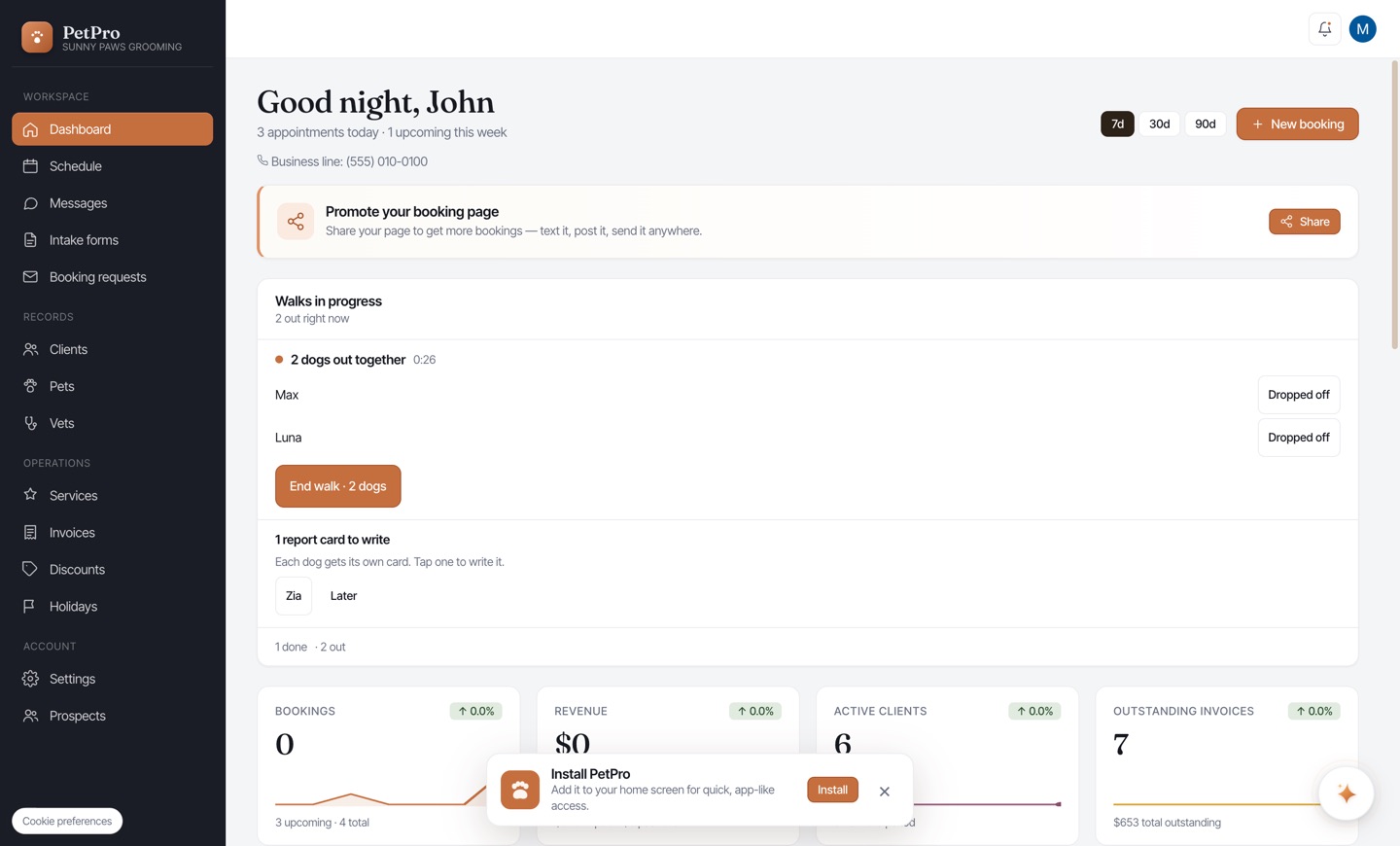
    Walk several dogs together — step 4
You're done

When the last dog is home the round is done, and you're offered one report card per dog. Each client hears about their own dog. Whether they're told it was a group walk at all is your call — see the Tell clients their dog walked with others setting on the service.

Walk several dogs together — result