Pet Professionals Help Open the app ↗
Bookings & care · Guide 8

Days off & holiday surcharges

Block the days you're closed, and charge more on high-demand dates — automatically.

For
Every pro
Time
Seconds
Before you start
After Get started

The Holidays screen does two jobs. It blocks days you're closed so clients can't book them, and it adds surcharges to high-demand dates (like public holidays) so those bookings are automatically priced higher. Set it once and PetPro handles both without you watching the calendar.

  1. 1

    Open Holidays in the sidebar. You'll see your system and custom holidays and whether each is active. Click + Add holiday to add a date.
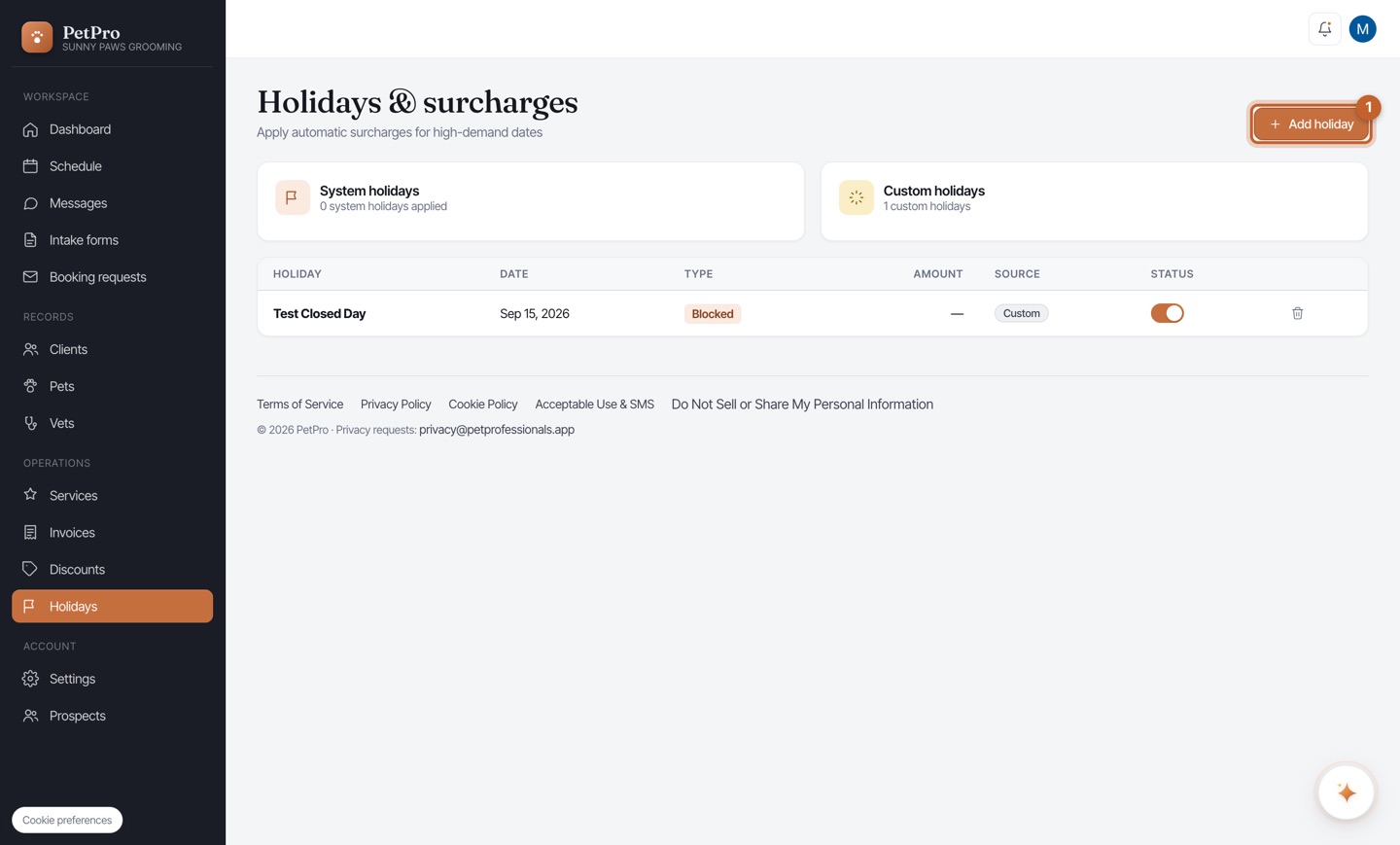
    Days off & holiday surcharges — step 1
  2. 2

    Pick the date and choose what it does: block bookings (you're closed that day) or add a surcharge (a busy day priced higher). Blocked days vanish from your booking page and schedule; surcharged days mark up bookings automatically.
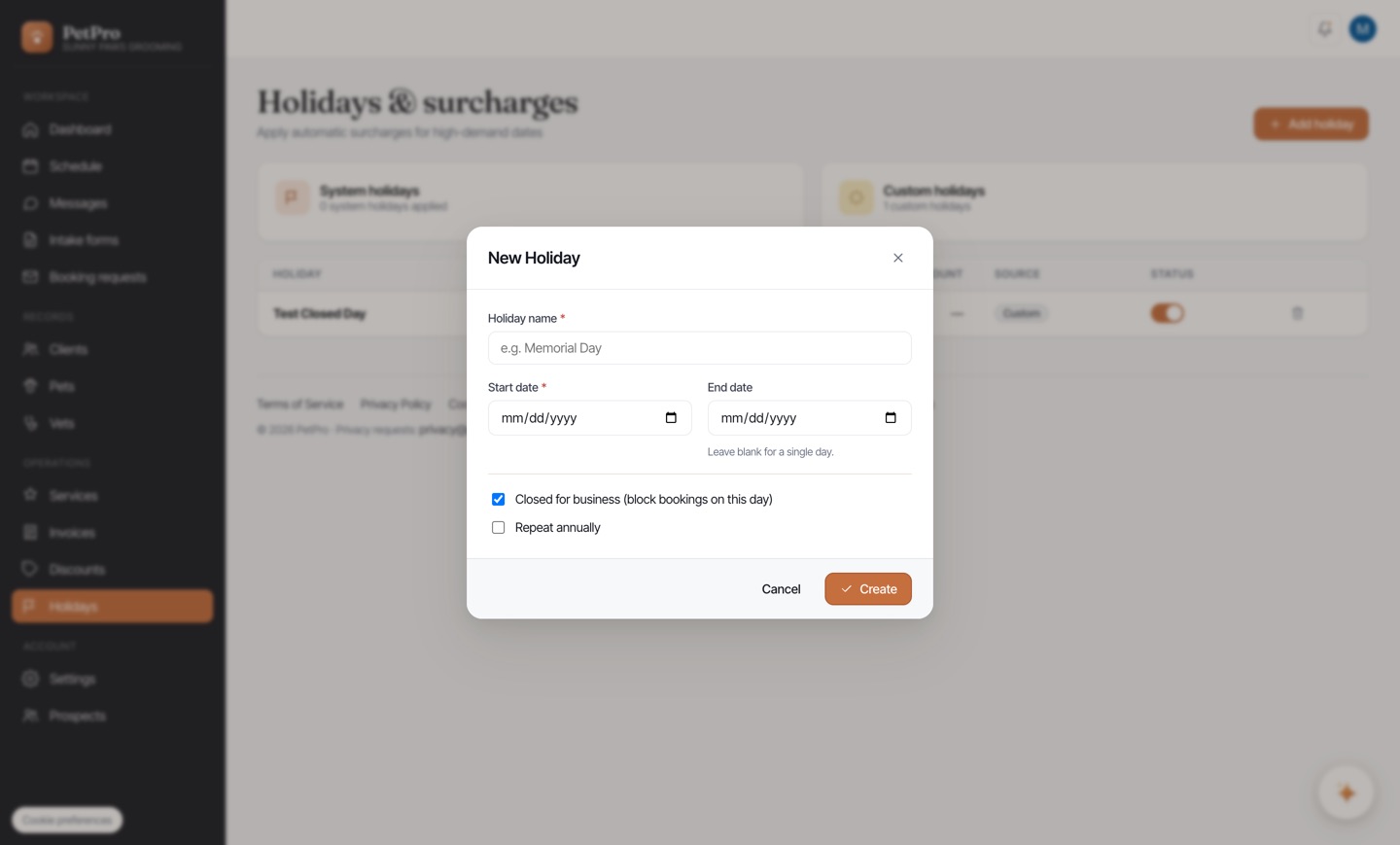
    Days off & holiday surcharges — step 2
You're done

Your days off are protected and your busy dates are priced right — automatically, without you watching the calendar.