Pet Professionals Help Open the app ↗
Pricing & money · Guide 18

Record a deposit or part-payment

Log money that lands before the job is finished — a deposit, or half up front — and keep track of what's still owed.

For
Every pro
Time
~1 min
Before you start
An invoice you've sent

Clients don't always pay in one go. Someone books a week of boarding and sends half to hold the dates; someone else pays a bit at drop-off and the rest at pick-up. Record each payment as it arrives and PetPro keeps the running balance for you — so the invoice, your outstanding total, and the reminder your client gets all show the amount actually still owed.

  1. 1

    Open the invoice from Invoices. Under the total you'll find Payments — click + Record a payment.
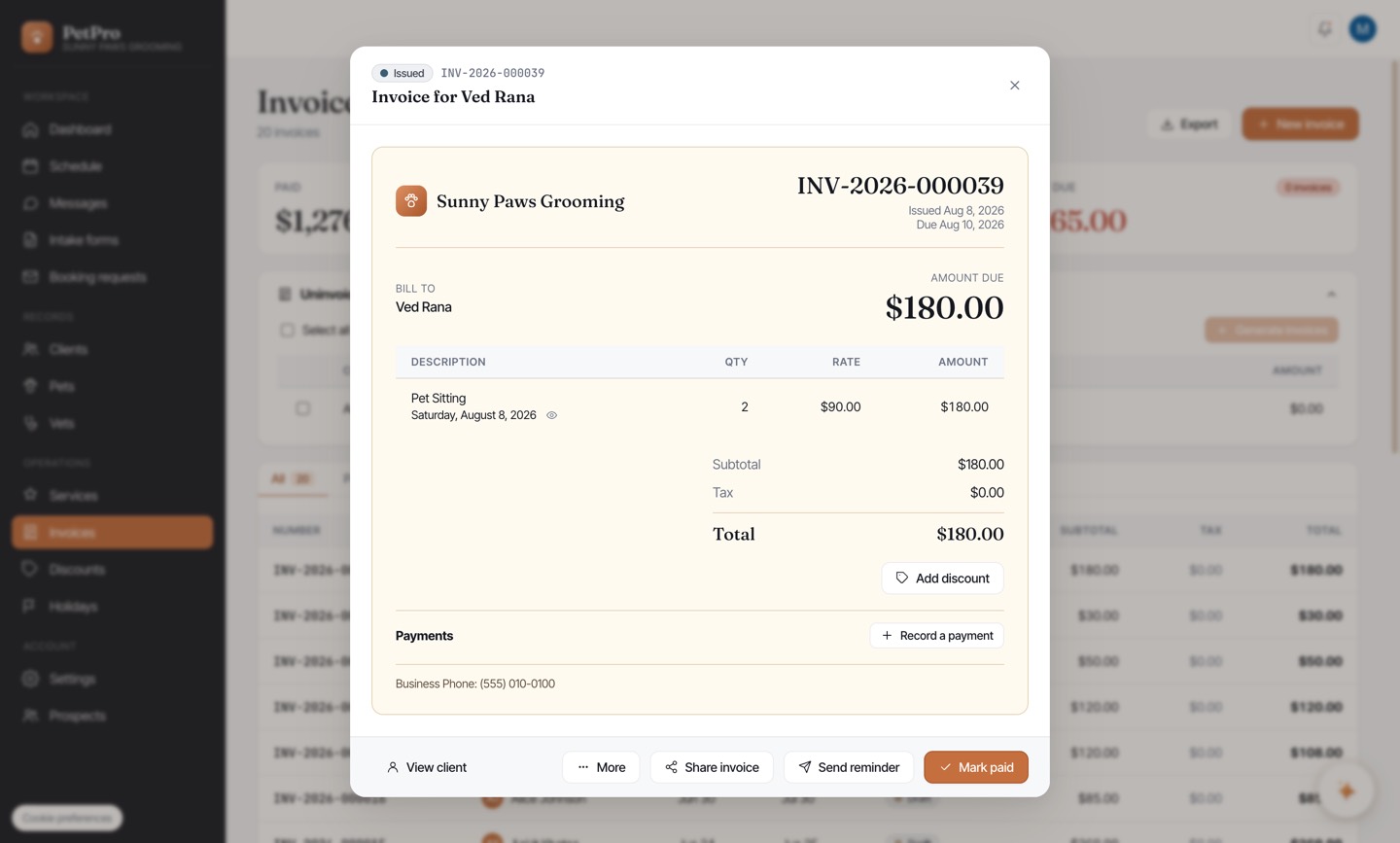
    Record a deposit or part-payment — step 1
  2. 2

    Enter the amount you received — it starts filled in with the full balance, so change it to the part they've paid. Set the date it arrived and how they paid, and add a note if it helps ("50% deposit", a Venmo reference).
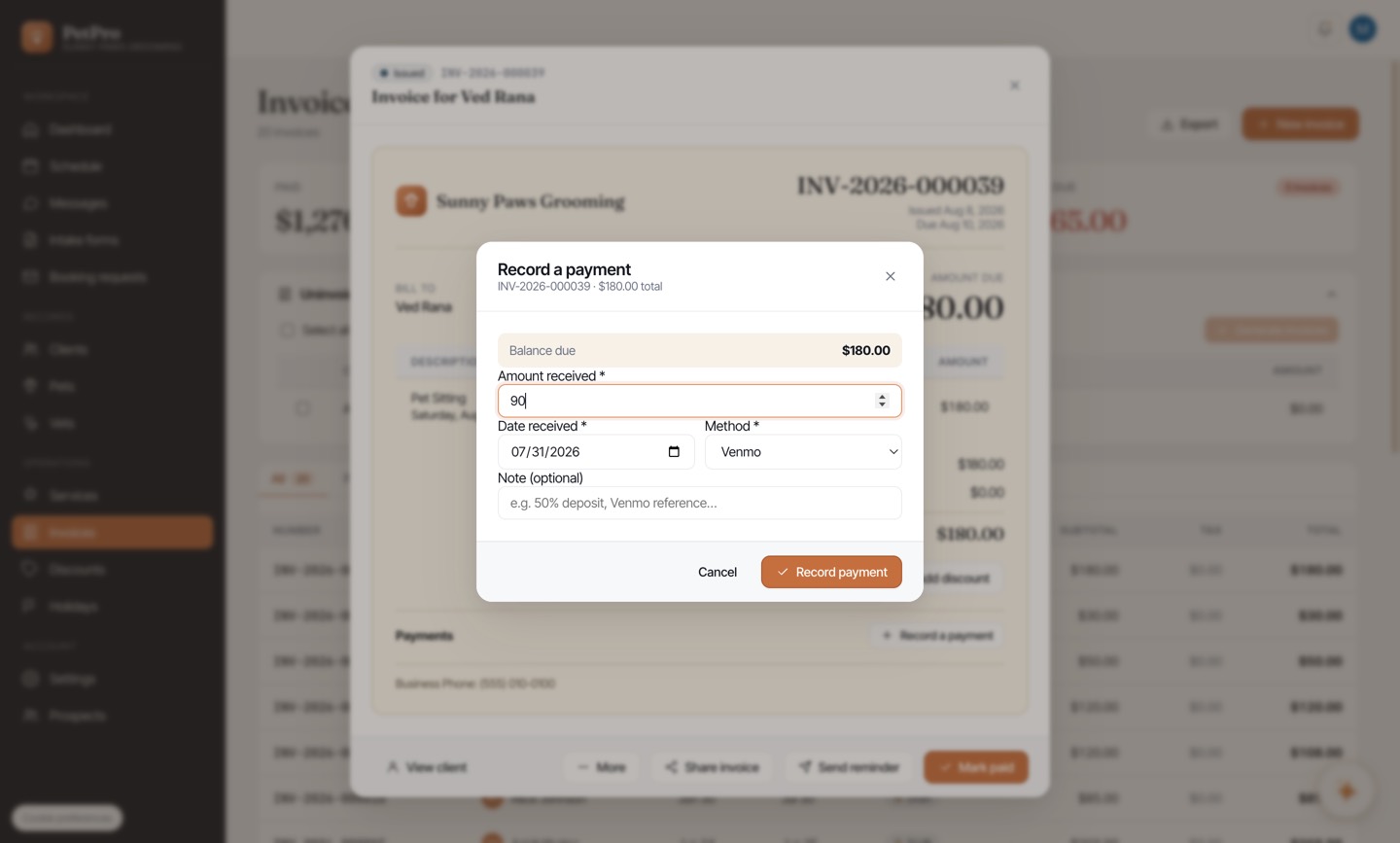
    Record a deposit or part-payment — step 2
  3. 3

    The invoice now shows Paid and Balance due, and is marked Partially paid. Every payment is listed underneath — use the pencil to fix a wrong amount or the bin to remove one you shouldn't have added.
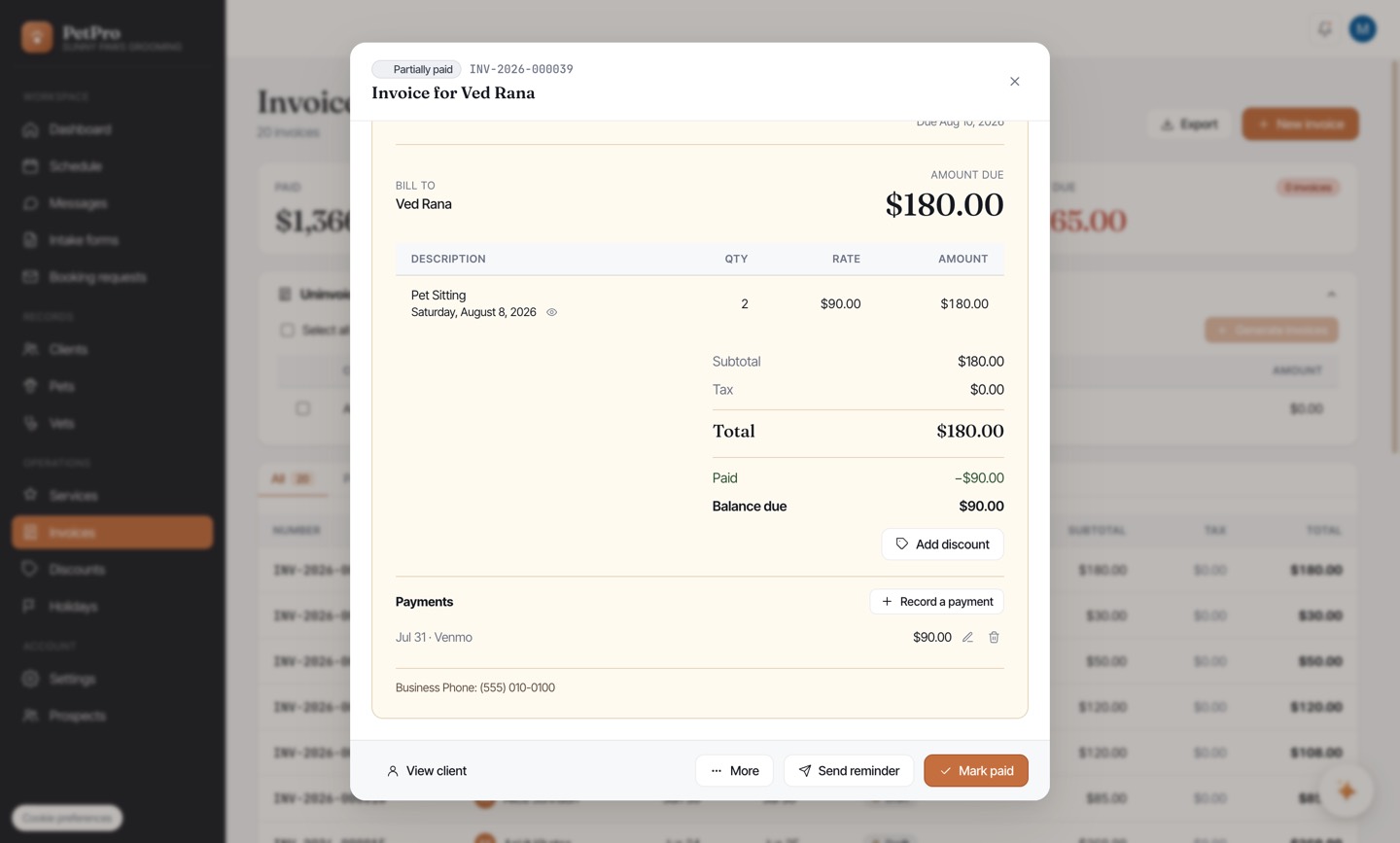
    Record a deposit or part-payment — step 3
  4. 4

    When the rest arrives, click Mark paid and pick the method. That settles the remaining balance — it won't charge the client twice for the part they already paid.
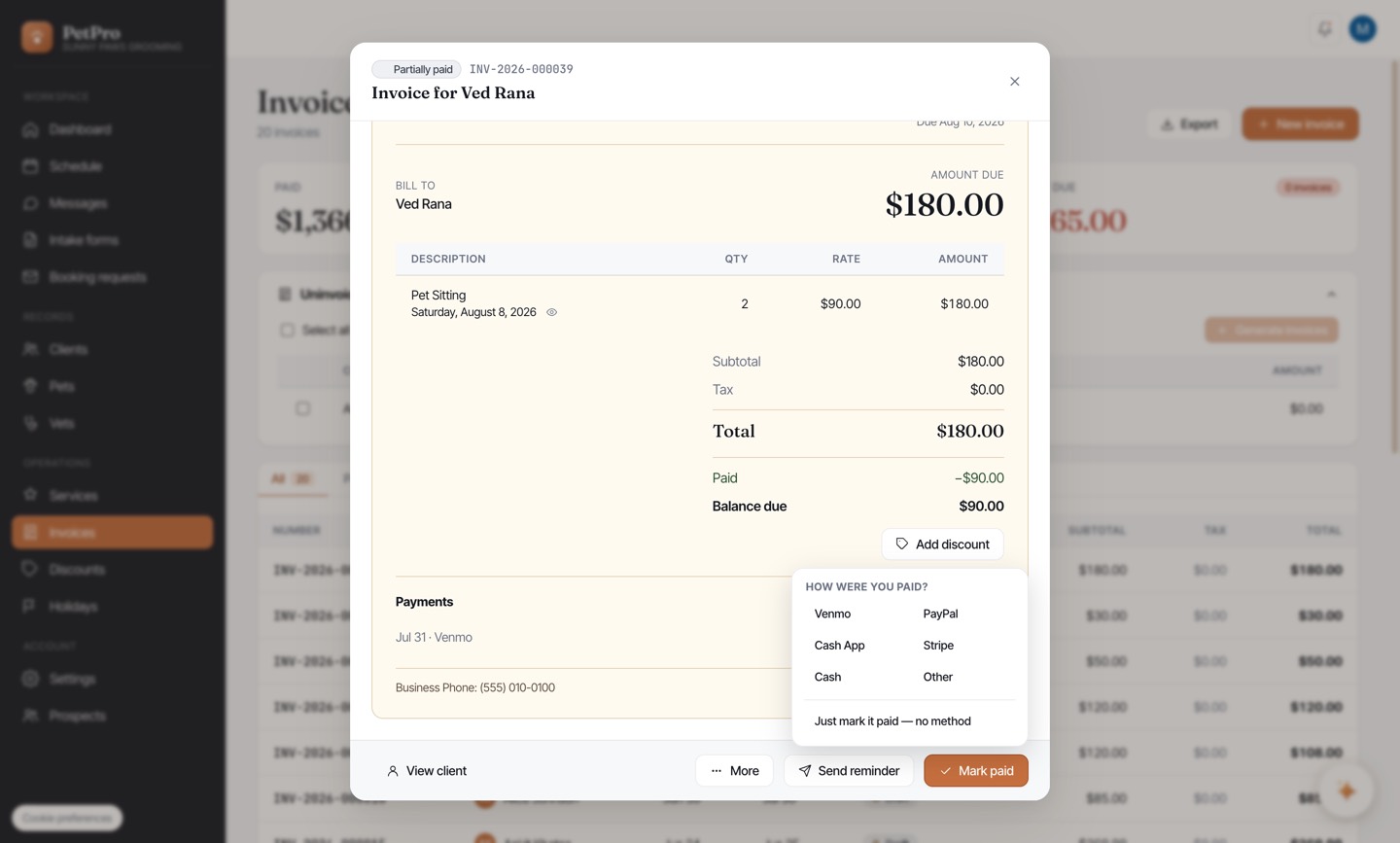
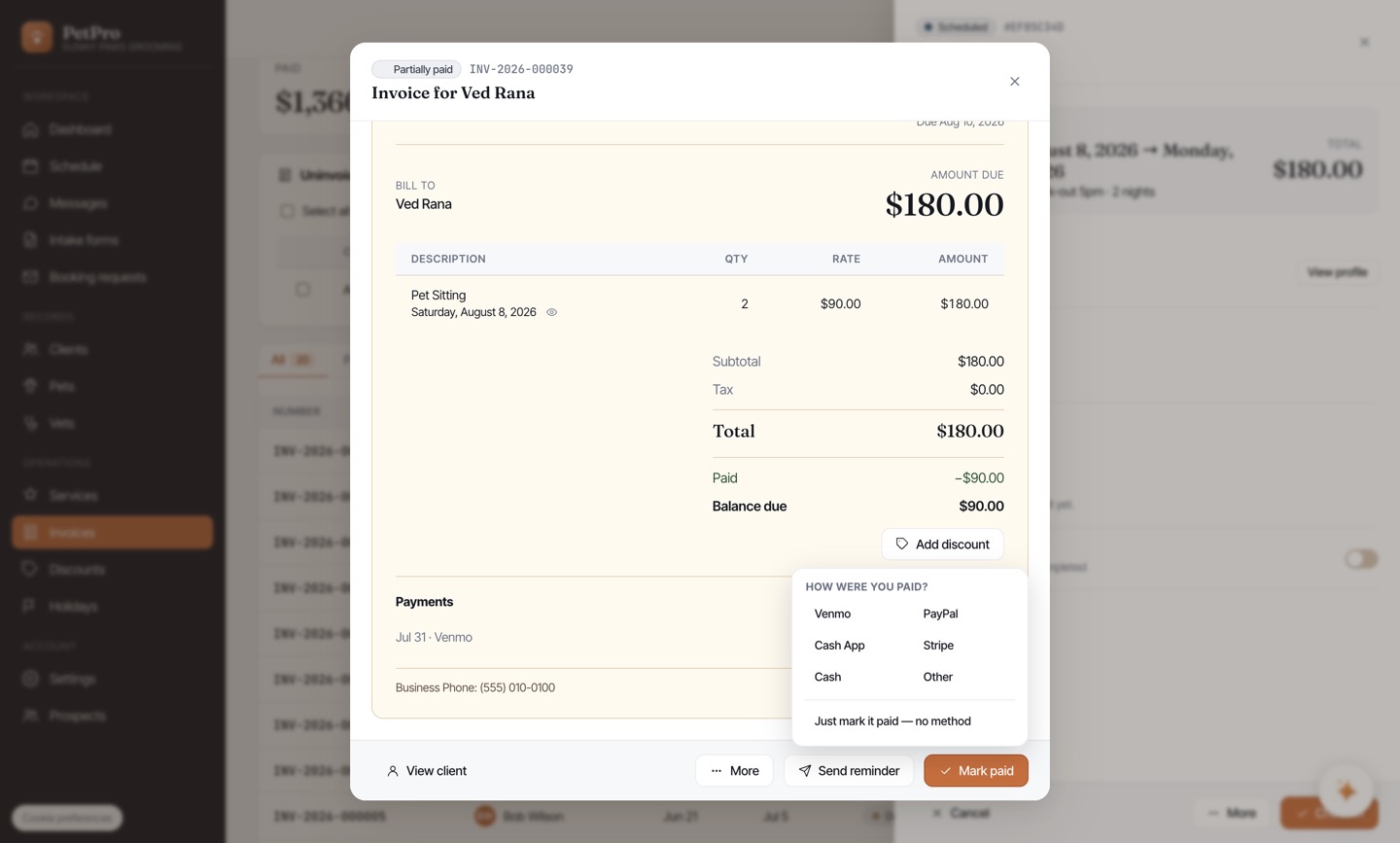
    Record a deposit or part-payment — step 4
You're done

The invoice reads Partially paid until it's settled, and your Outstanding total counts only the balance — not the full invoice. Payment reminders ask for the balance too, so nobody gets chased for money they've already sent.

Record a deposit or part-payment — result