Pet Professionals Help Open the app ↗
End-to-end workflows · Guide 25

New client, first visit

Set up a brand-new client end to end — add them + their pet, send an intake form, and book their first appointment.

For
Every pro
Time
~3 min
Before you start
After Get started

A new client just reached out — here's the whole setup, start to finish. You add them and their pet, send an intake form so you have everything before they arrive, and book their first appointment. By the end, the client, pet, intake, and booking all live on one profile.

  1. 1

    Open Clients → + Add client. Enter their name, phone, and email, tick Add a pet after creating client, and click Create.
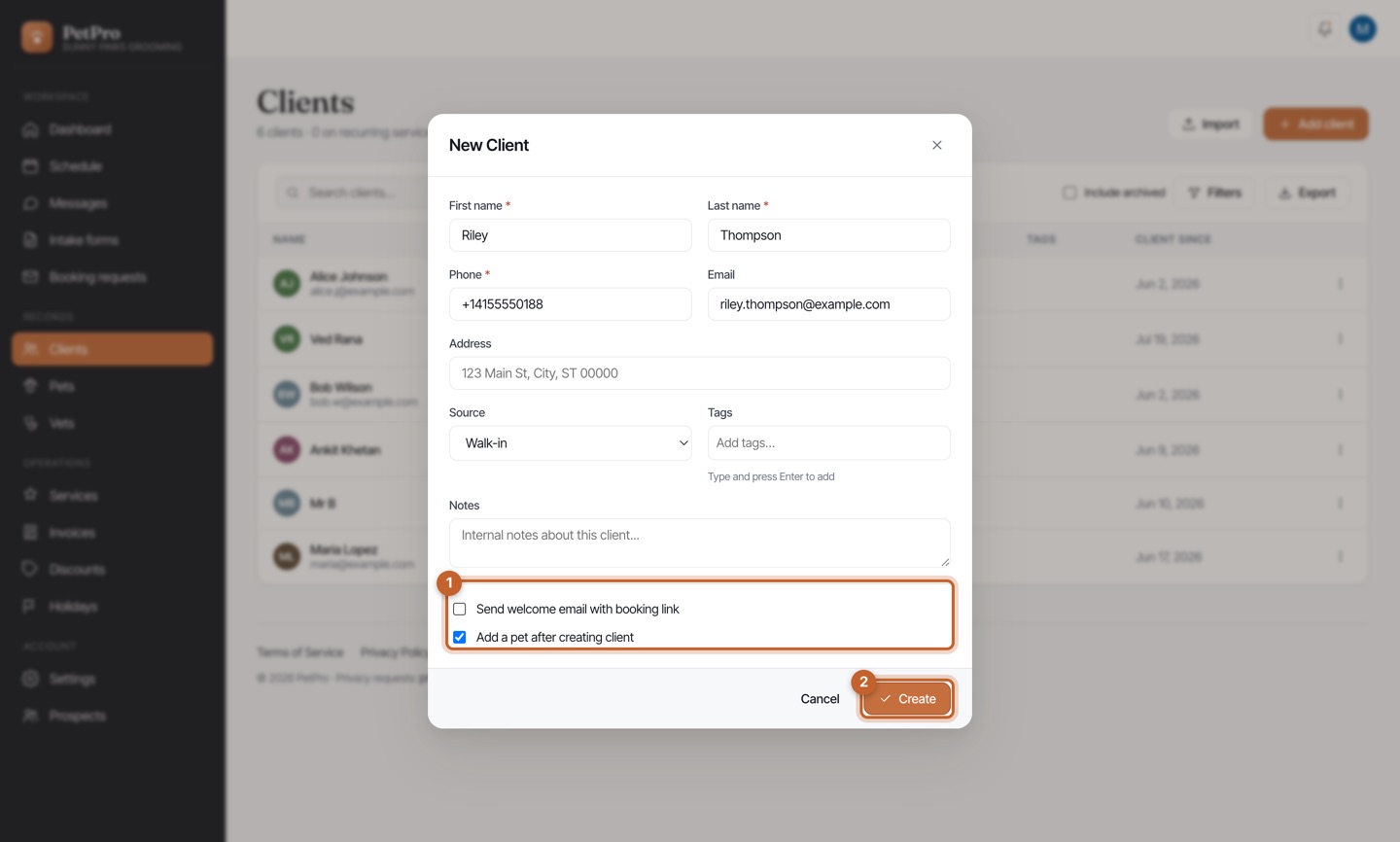
    New client, first visit — step 1
  2. 2

    The New Pet form opens with the owner already set. Add the pet's name, species, and breed, then Create.
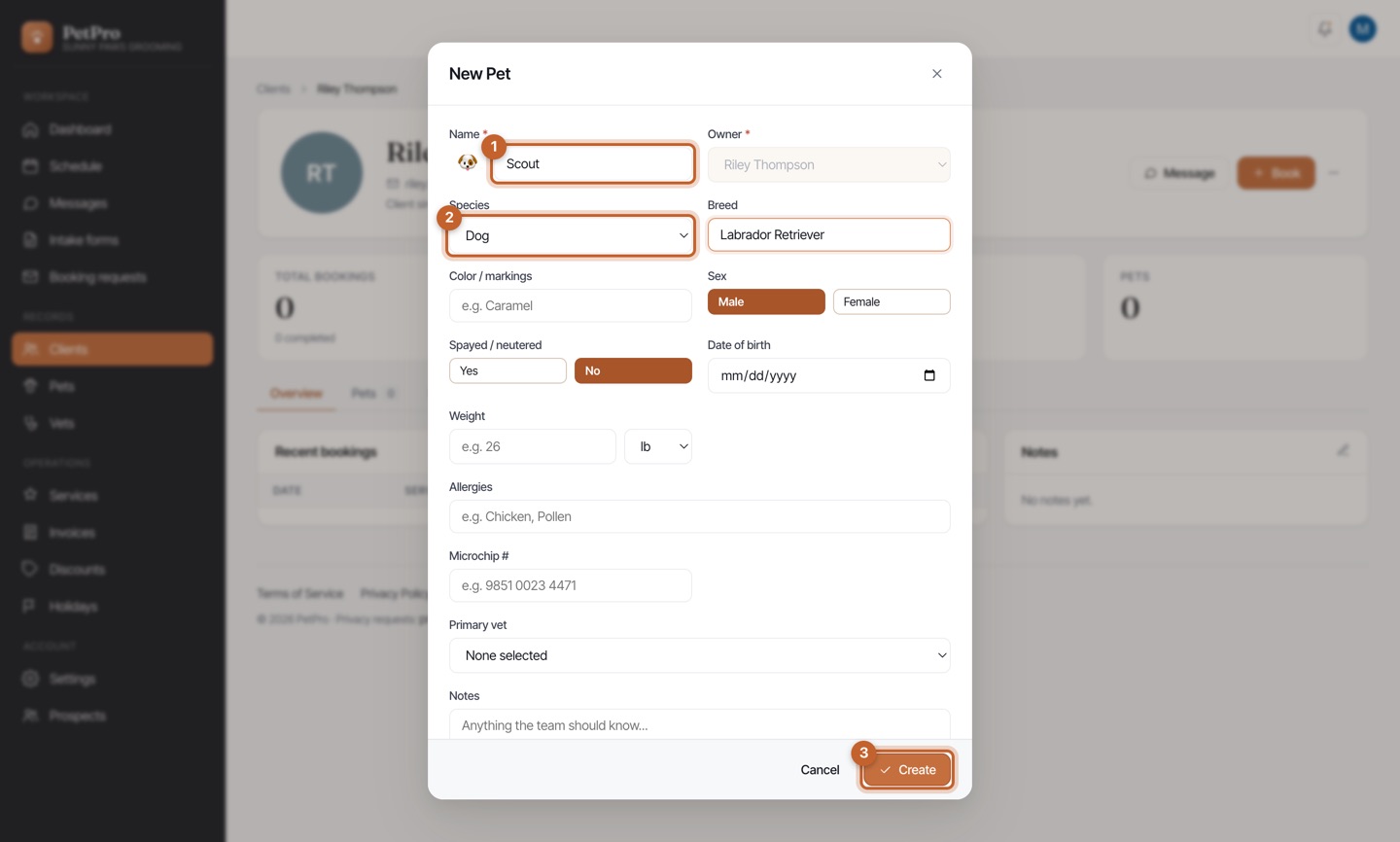
    New client, first visit — step 2
  3. 3

    On the client's profile, open the ⋯ More menu and click Send intake form — collect pet details, vet, and consent before the first visit.
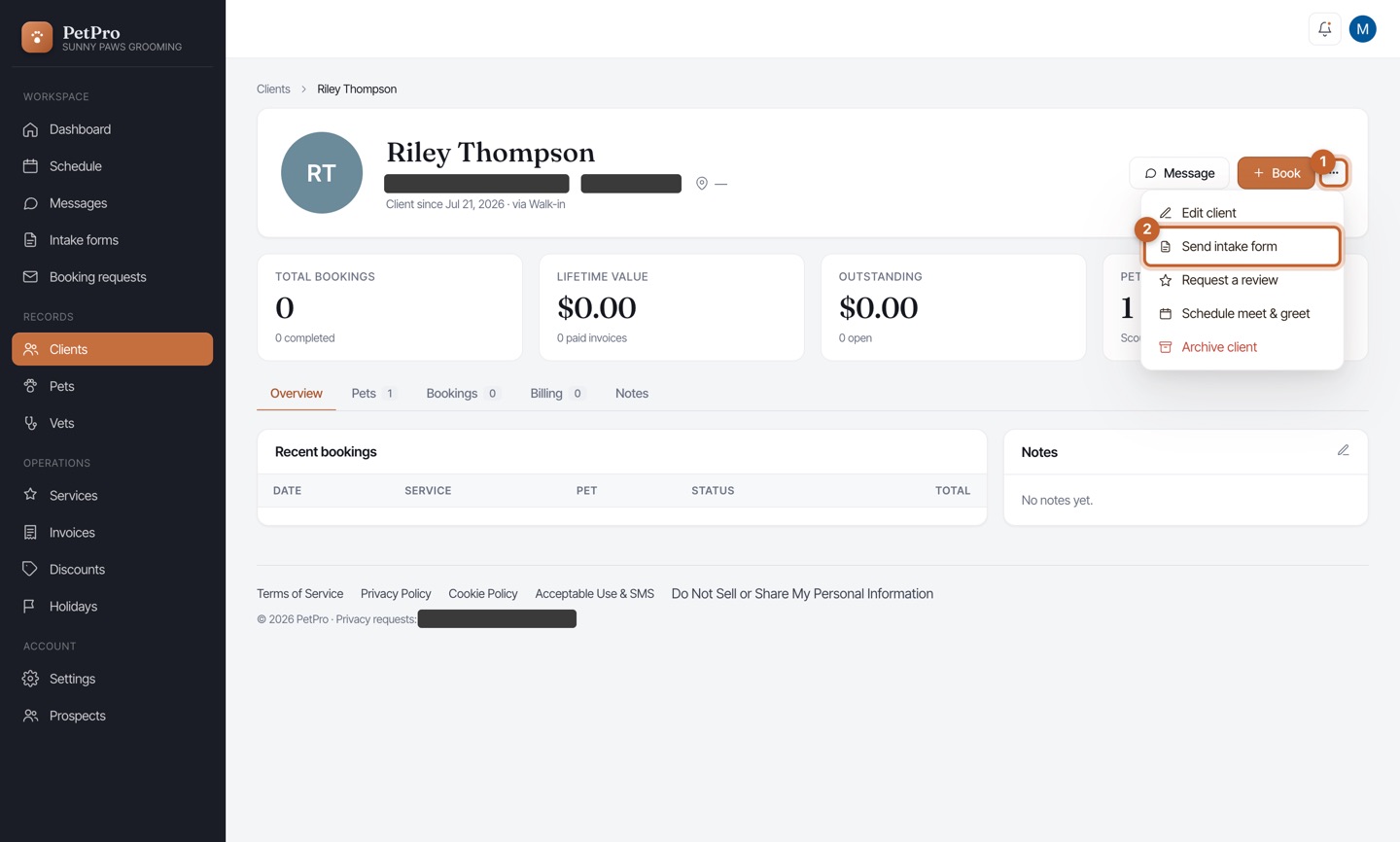
    New client, first visit — step 3
  4. 4

    Click Book to schedule their first appointment: pick the pet & service, set the time, and Create booking. (You'll set the price when you invoice.)
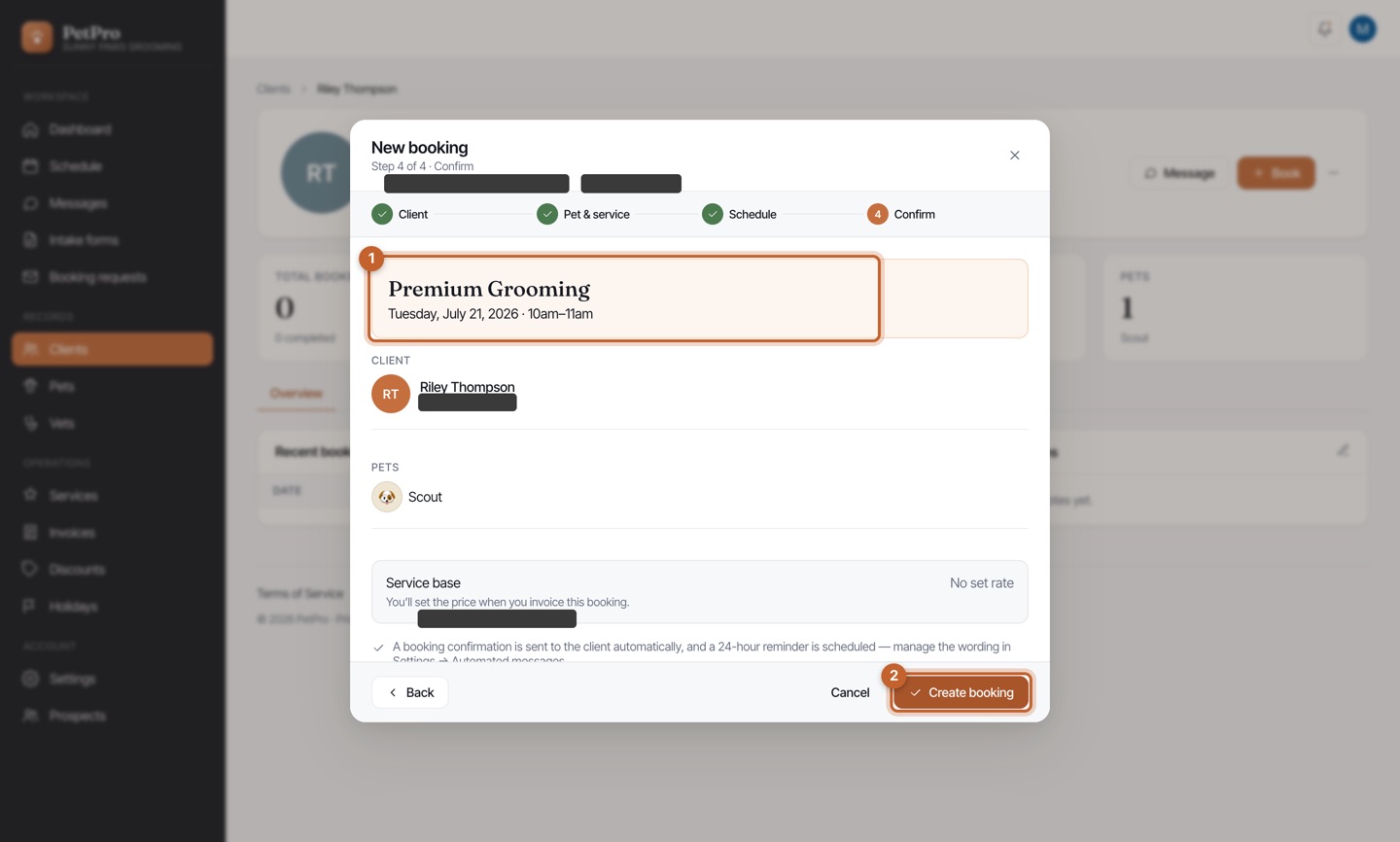
    New client, first visit — step 4
You're done

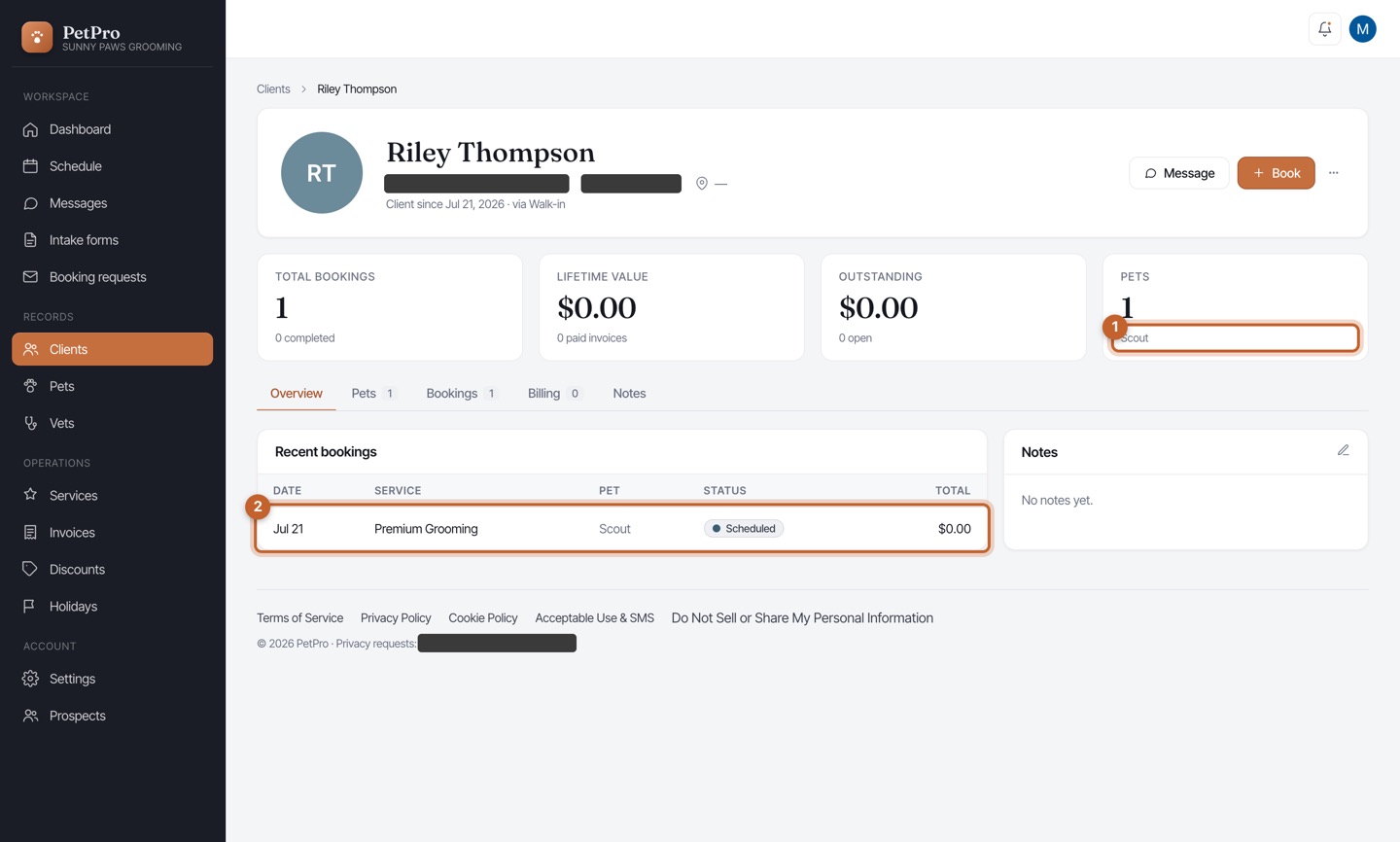
The client's profile now ties it all together — their pet, the intake you sent, and their first booking, ready to go.

New client, first visit — result