Pet Professionals Help Open the app ↗
End-to-end workflows · Guide 22

From request to booking

Turn an online request into a booking the client has already agreed to pay — request → quote → accept → booking.

For
Custom-rate pros
Time
~3 min
Before you start
A published booking page

This is the whole journey for pros who agree a price with each client before committing a slot. A new client requests online → you send a quote → they accept the price on a simple page → and only then does it become a booking and an invoice, with the total locked to exactly what they agreed. No slot is held and nothing is owed until the money is settled. It stitches together three features — Booking requests, Quotes, and Bookings — into one clean hand-off.

  1. 1

    A new client fills in your booking page and it arrives under Booking requests — nothing is booked yet. Open the inbox to see who's asking, for what, and when.
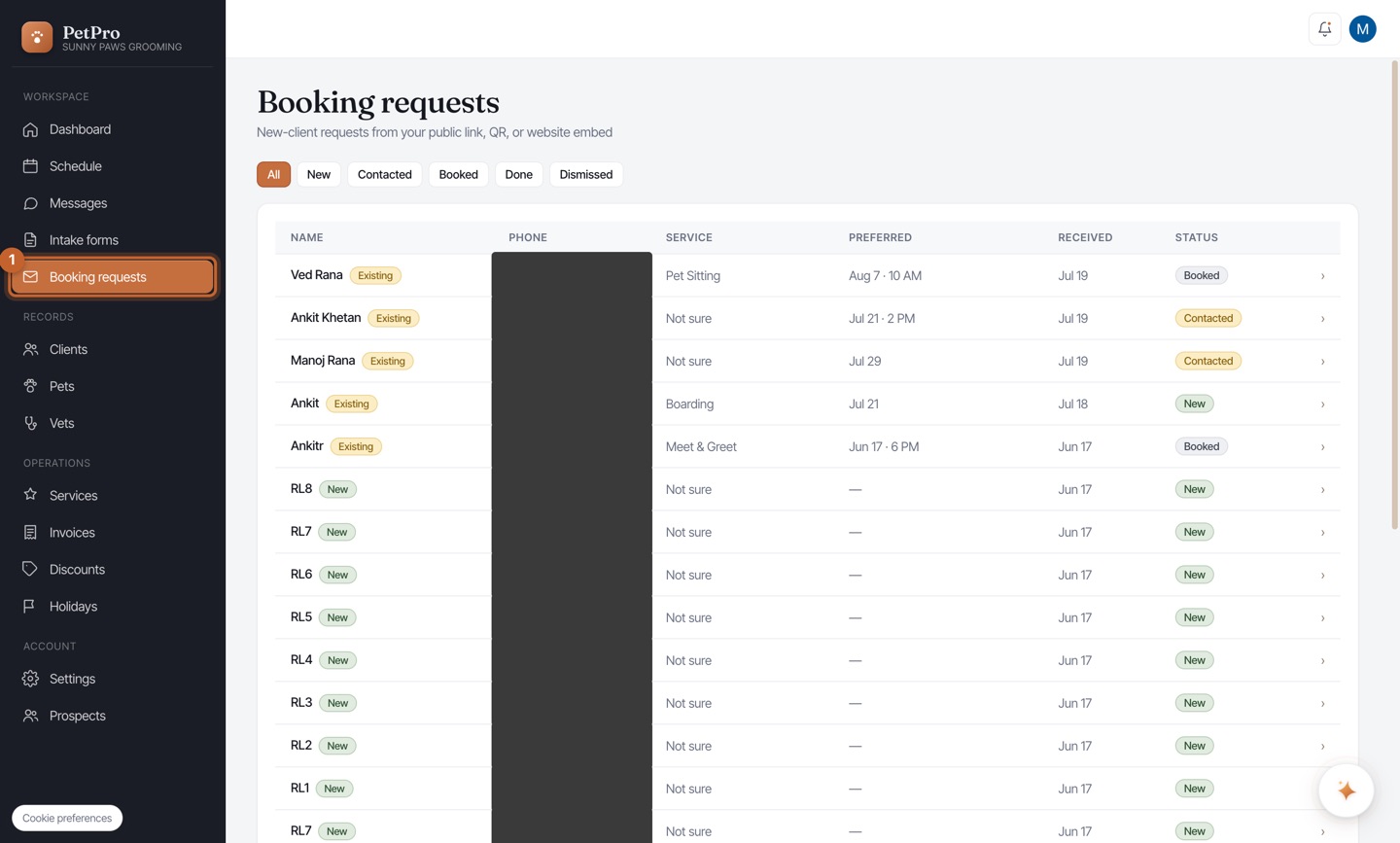
    From request to booking — step 1
  2. 2

    Click the request to expand it, then click Send quote. Because you price this client custom, you agree the number first instead of booking blind.
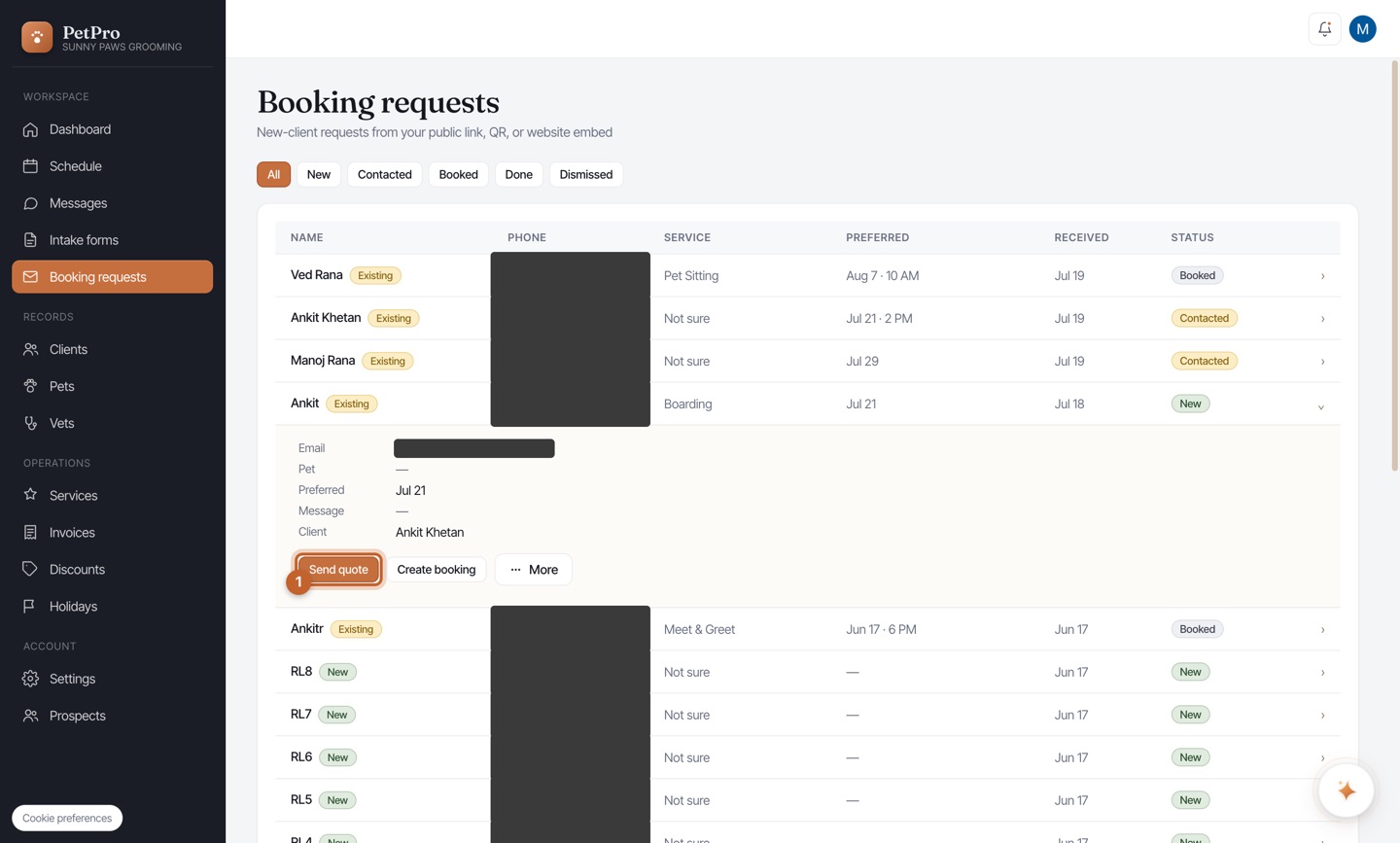
    From request to booking — step 2
  3. 3

    The quote opens pre-filled with the client and the service they asked for. Add or adjust the line items and rate, then click Save as quote — it's a quote the client must accept, not an invoice, so nothing is owed yet.
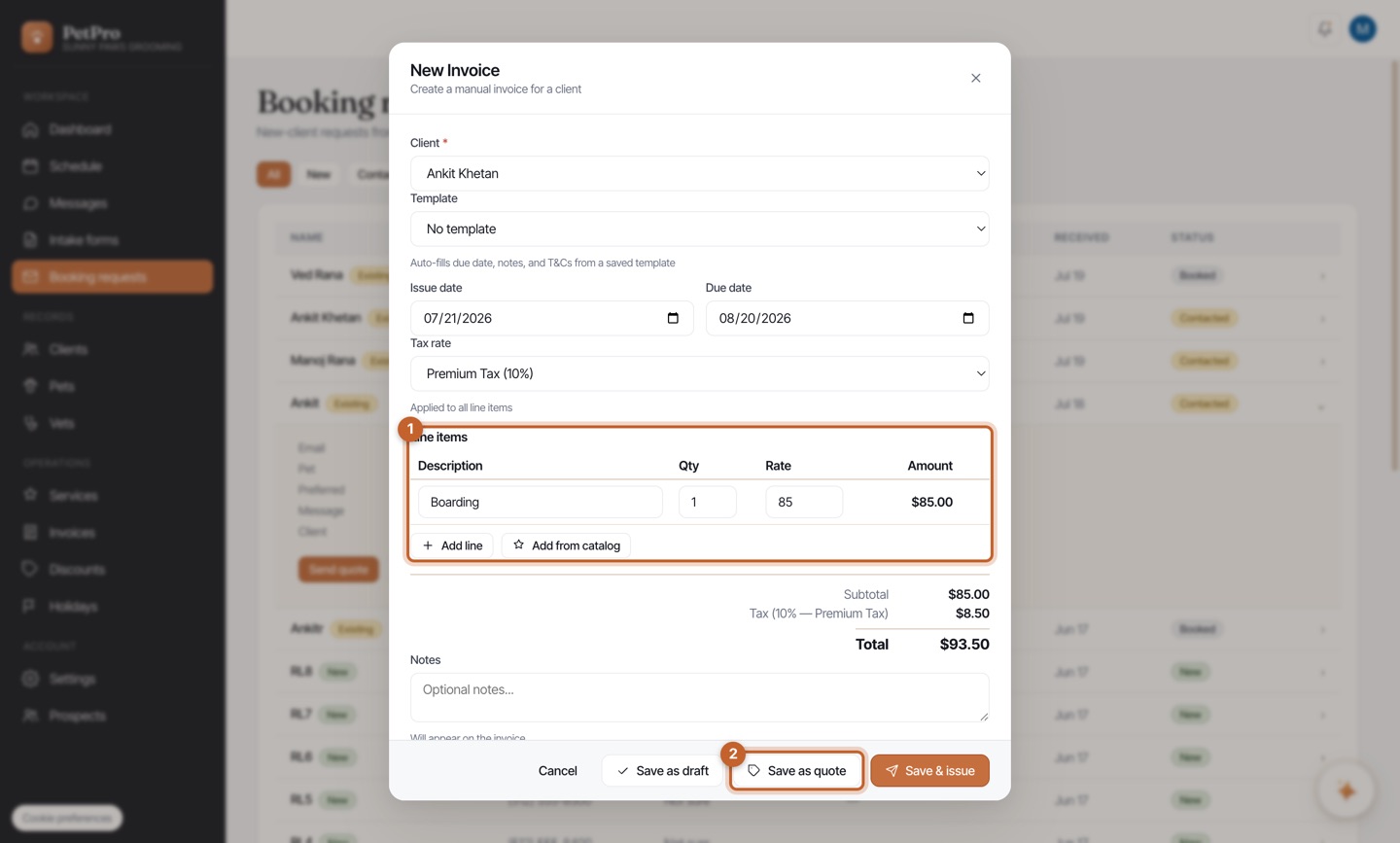
    From request to booking — step 3
  4. 4

    The quote lands under Invoices → Quotes with a Quote status. Open it and click Share quote to send the client the link — the request is marked Contacted so you know a quote is out.
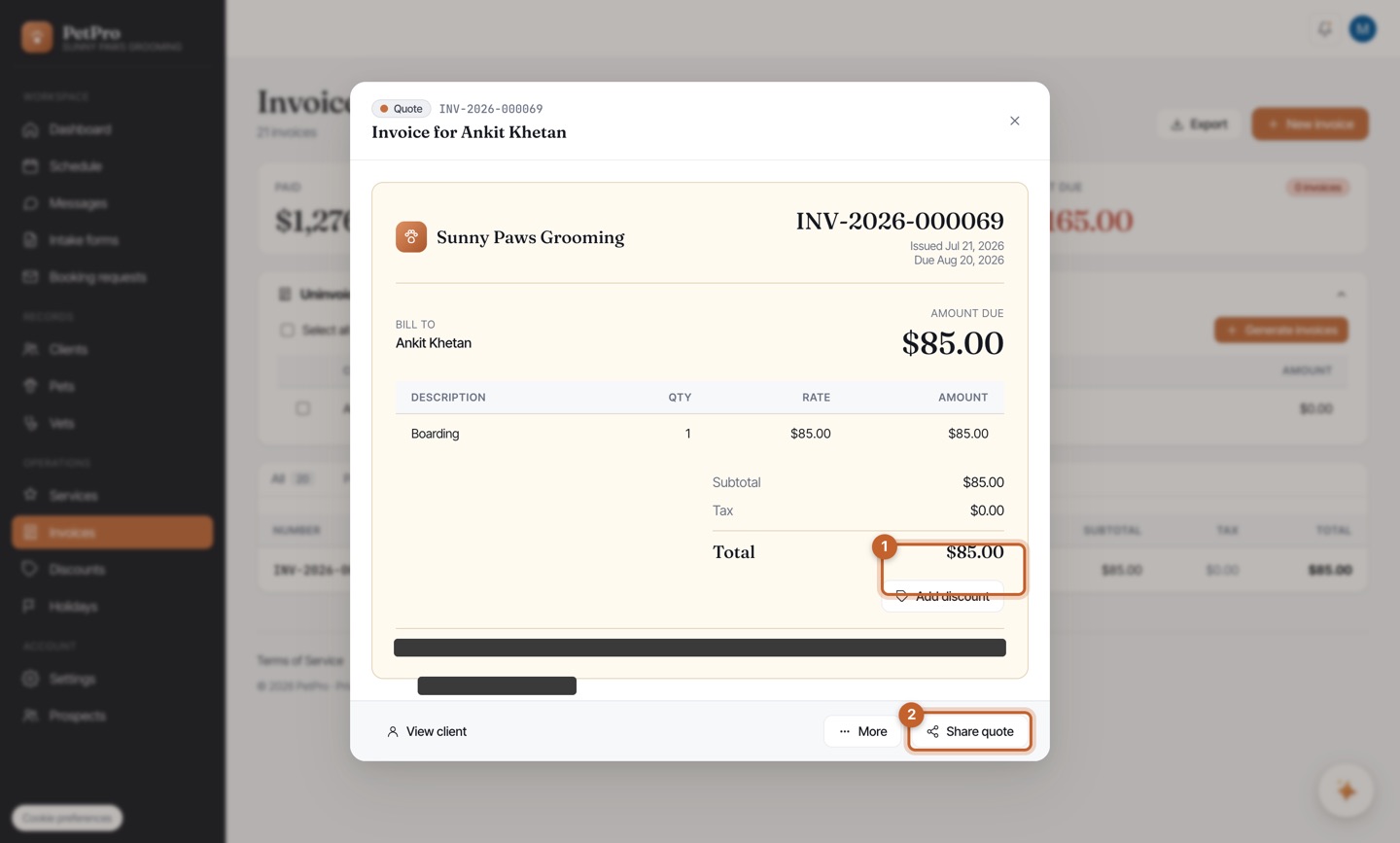
    From request to booking — step 4
  5. 5

    The client opens the link to a clean page — your quote, the price, and Accept quote or Decline, no login. This is where they agree the number.
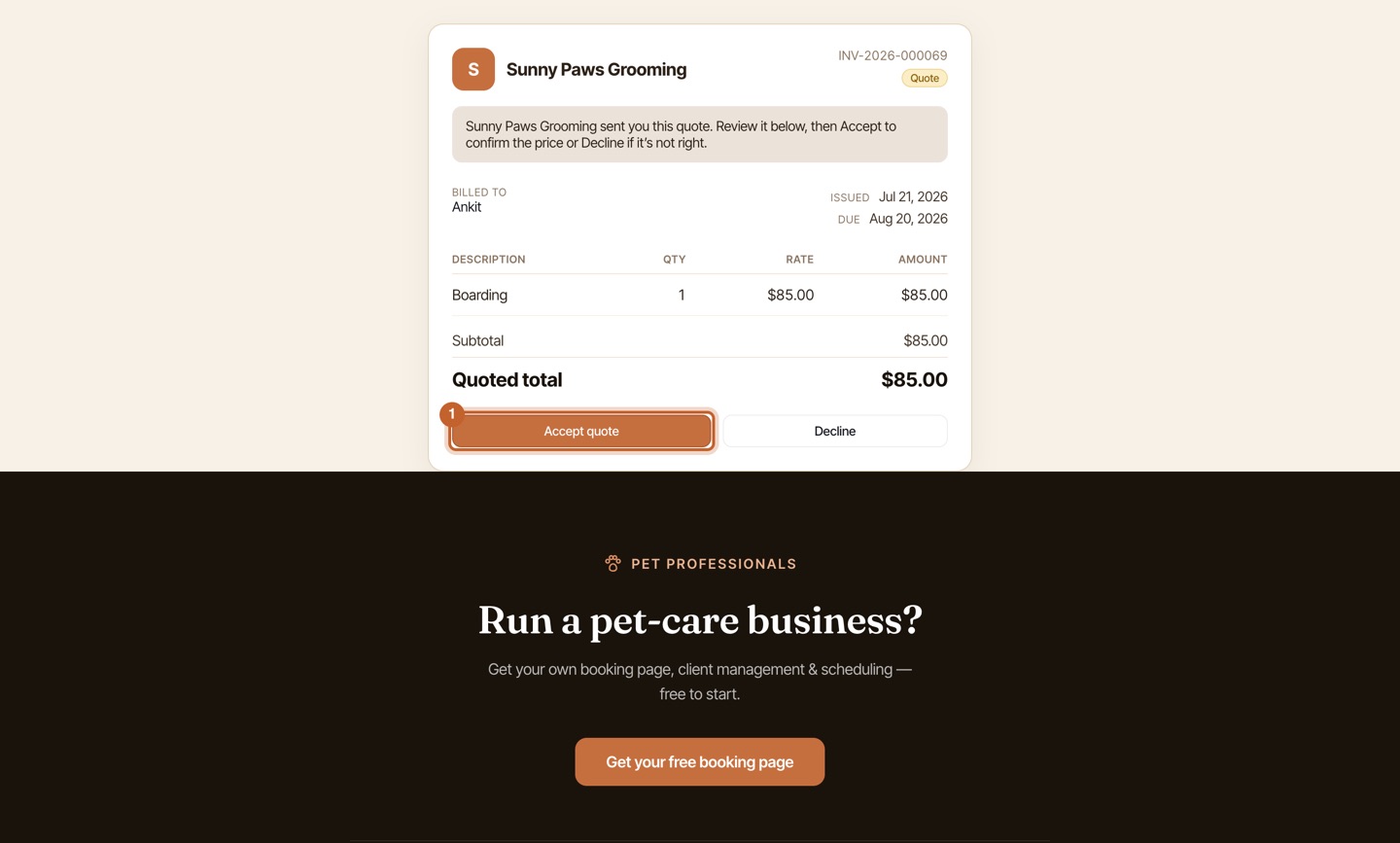
    From request to booking — step 5
  6. 6

    When they tap Accept, the quote flips to Accepted and you're notified. You finalize it into a booking — the calendar slot is committed and an invoice is created, both locked to the accepted total. The price never drifts.
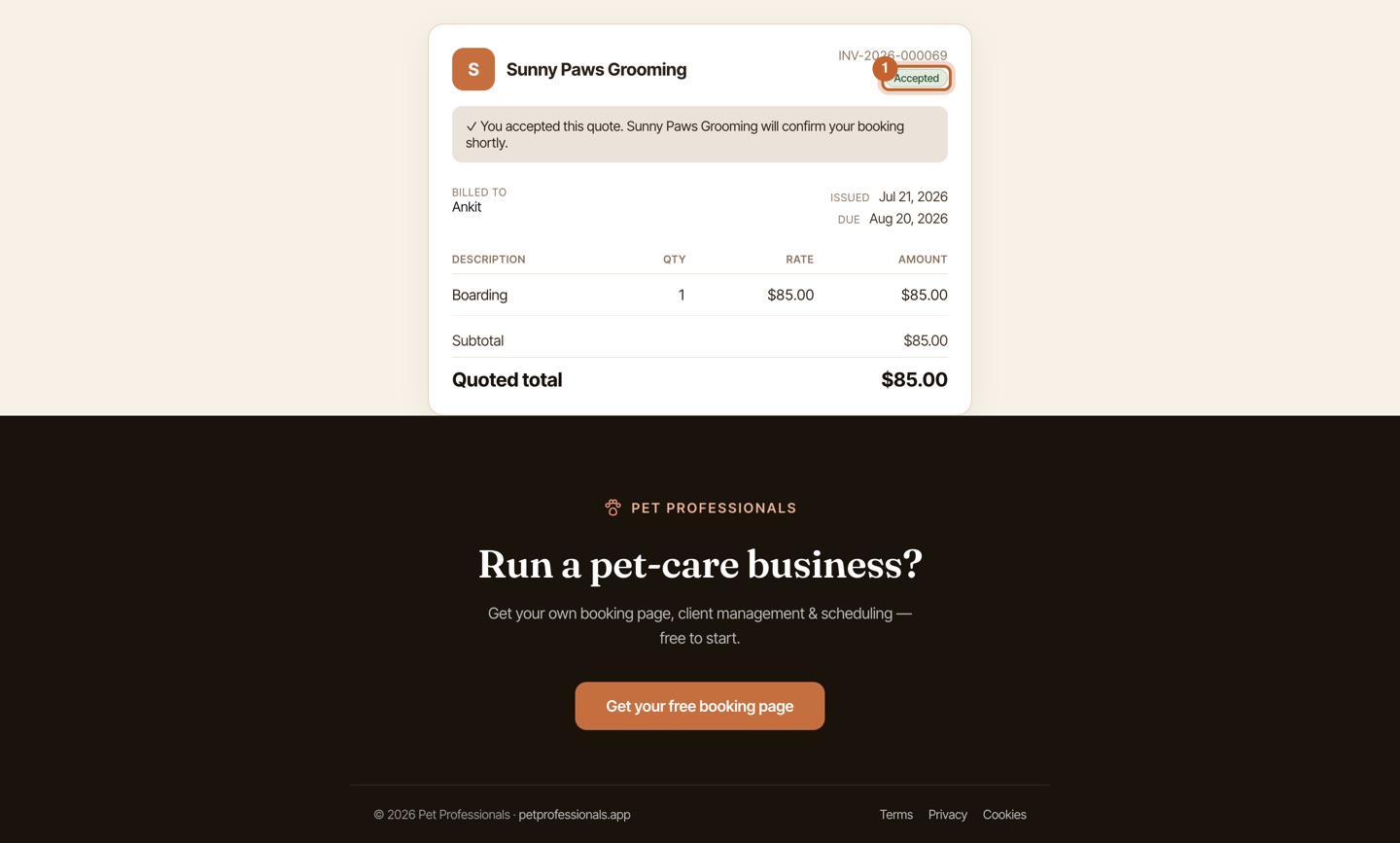
    From request to booking — step 6
You're done

One smooth journey: the client agreed the price before you gave up a slot, and the booking and invoice match the quote to the dollar. No awkward money talk, no surprises.