Pet Professionals Help Open the app ↗
Bookings & care · Guide 10

Walk a dog: start, track, and send a report card

Record a walk as it happens, then send the client a card showing how it went.

For
Dog walkers & drop-in pros
Time
Seconds per walk
Before you start
A drop-in or walking service (see [Set up any service type](/set-up-services))

A walk in PetPro is two taps and a card. You tap Start when you set off, PetPro records the route in the background, and when you tap End walk it opens a report card for the client — the map, how the dog was, and any photos. Most of it fills itself in; you only add what you want to say. Nothing here is required, and a walk records perfectly well without GPS if the phone says no.

  1. 1

    Your Dashboard lists today's walks. This is the quickest way in — but you can start a walk from the Schedule too, which is what the next step shows.
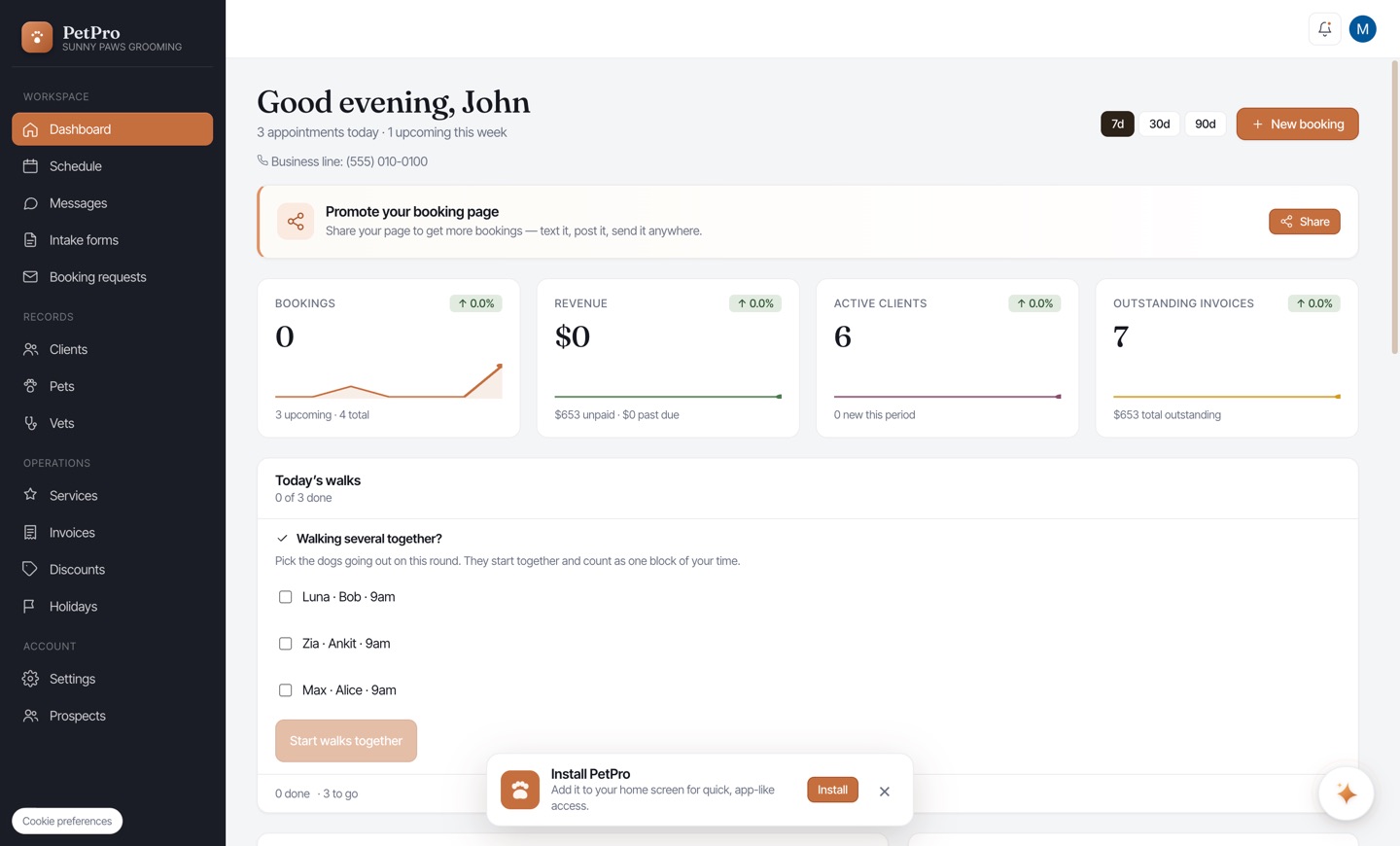
    Walk a dog: start, track, and send a report card — step 1
  2. 2

    Open the walk from the Schedule and you'll see everything for that visit: the client, the dog, how to get in, and a Start walk button. Tap it when you actually set off — the time it records is the time you tapped.
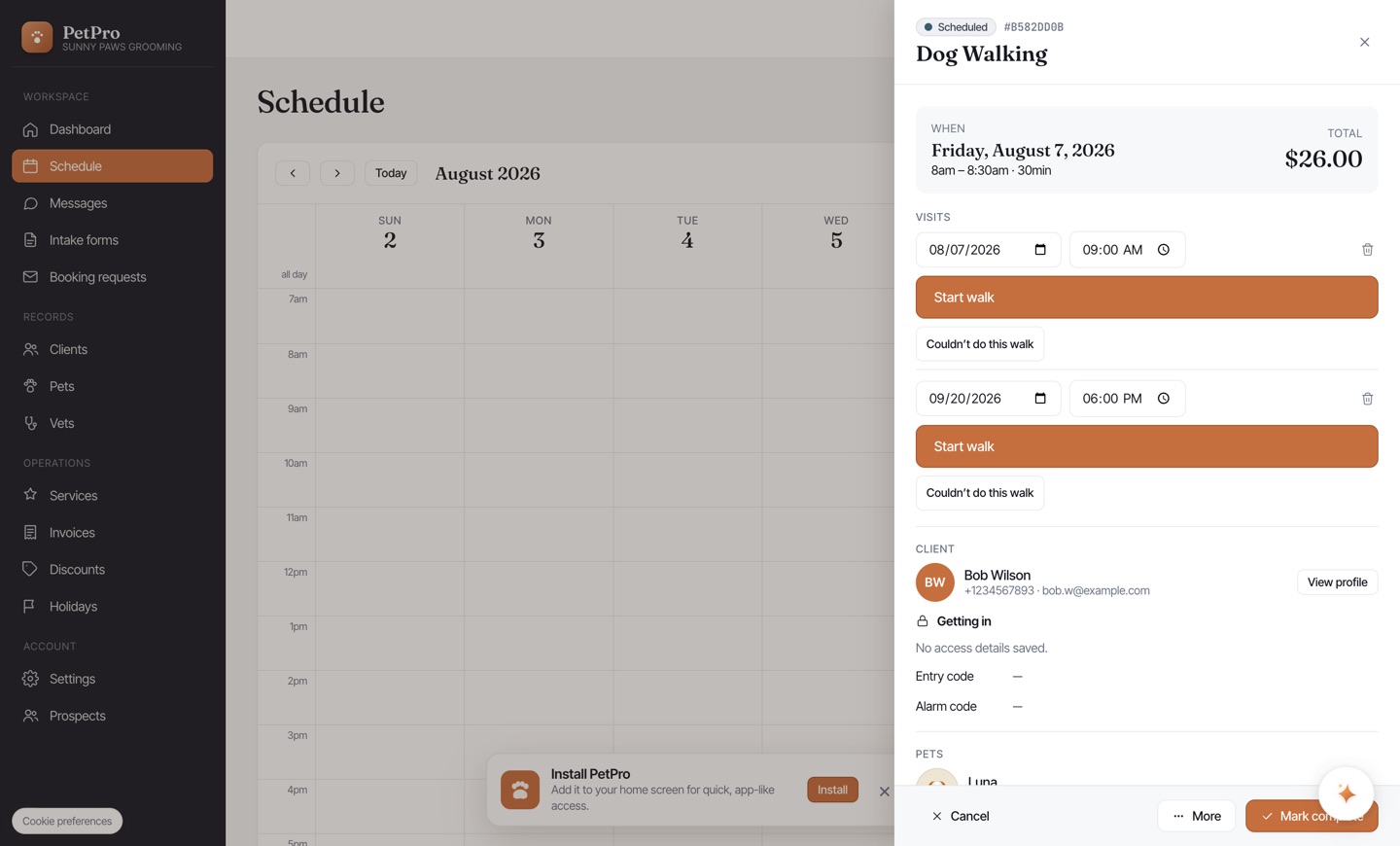
    Walk a dog: start, track, and send a report card — step 2
  3. 3

    The walk is now running. You'll see a live timer and, if the service has GPS on, the route drawing itself as you go. Leave the app, lock the phone, put it in your pocket — the recording keeps going. You can add photos any time from here, which is usually mid-walk when the dog does something worth photographing.
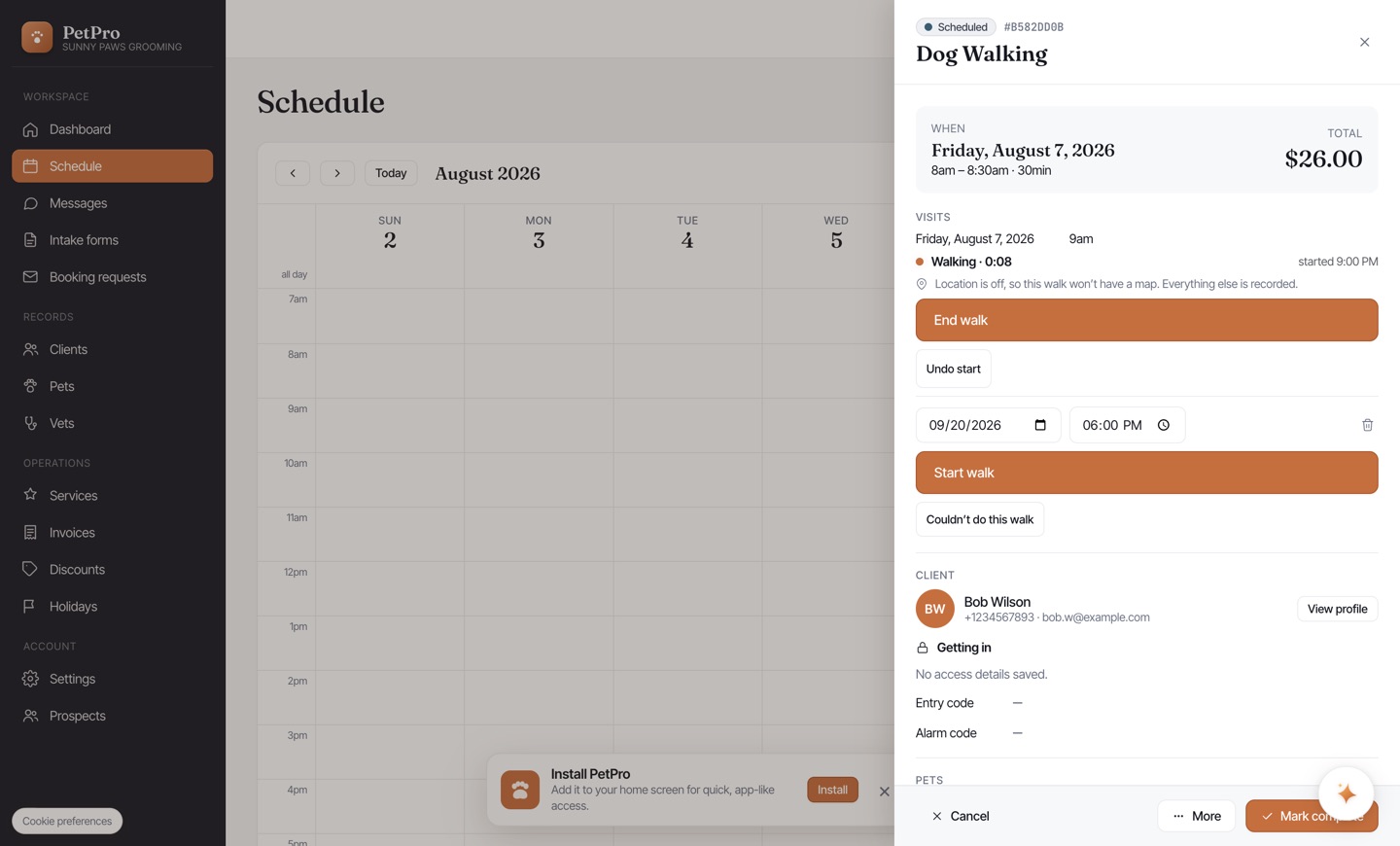
    Walk a dog: start, track, and send a report card — step 3
  4. 4

    Tap End walk and the report card opens automatically. Everything on it is optional.
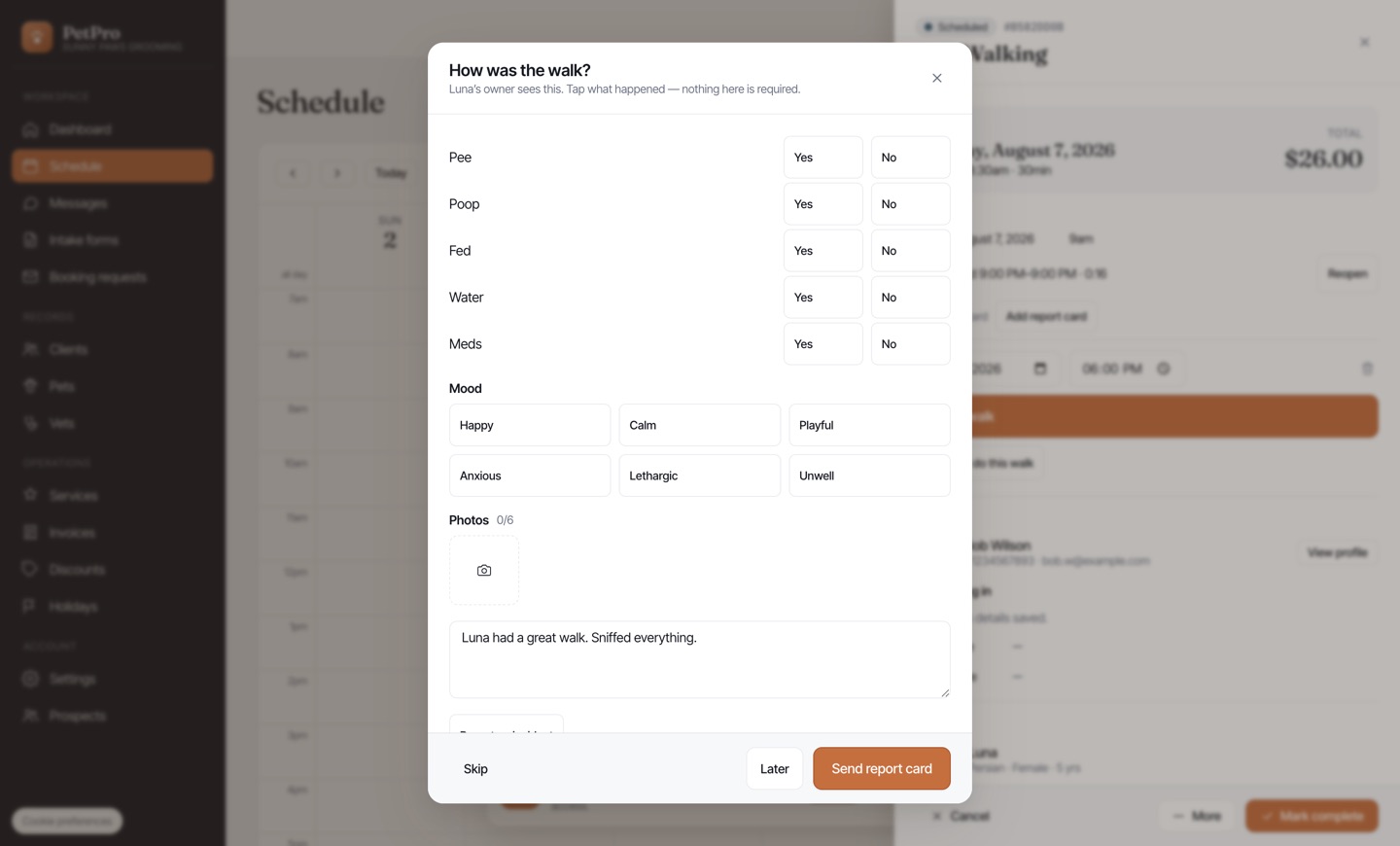
    Walk a dog: start, track, and send a report card — step 4
  5. 5

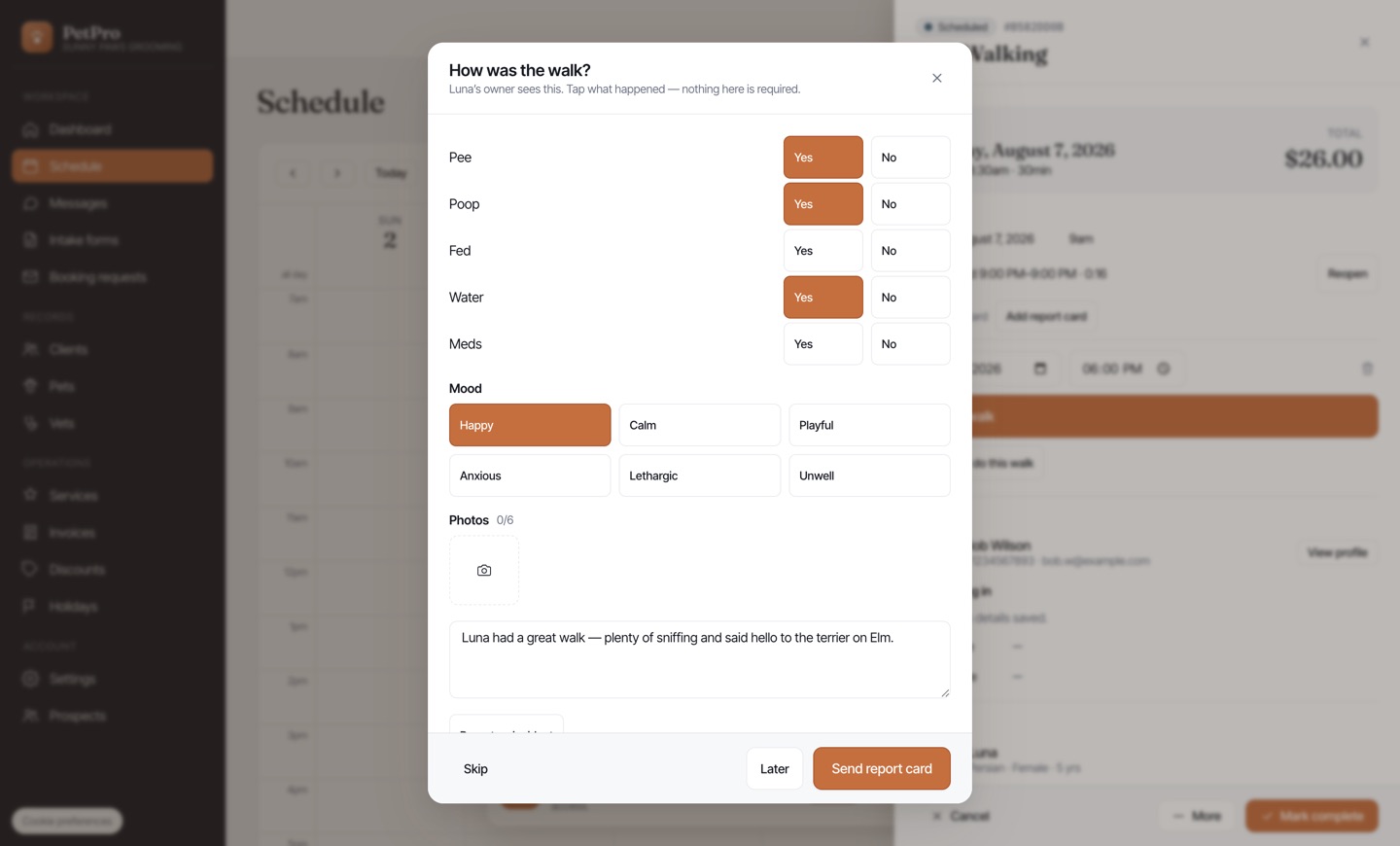
    Tap what happened — pee, poop, fed, water, meds — pick a mood, add photos, and write a line if you want to. If something went wrong, Report an incident flags it to you straight away rather than waiting for someone to read the note.
    Walk a dog: start, track, and send a report card — step 5
  6. 6

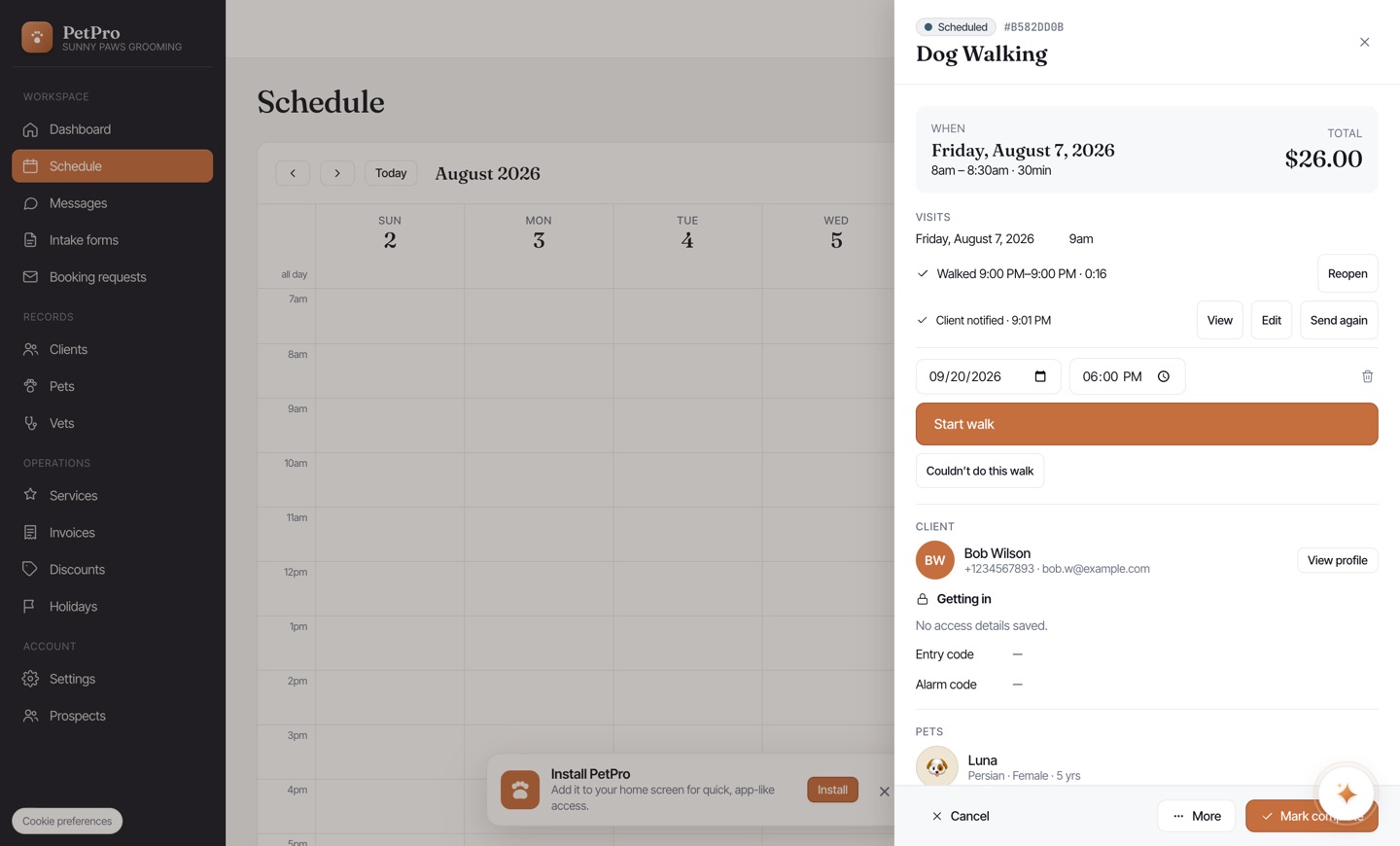
    Tap Send report card. The client gets a text or email with a link. If your service has auto-send on, this happens for you when you submit.
    Walk a dog: start, track, and send a report card — step 6
You're done

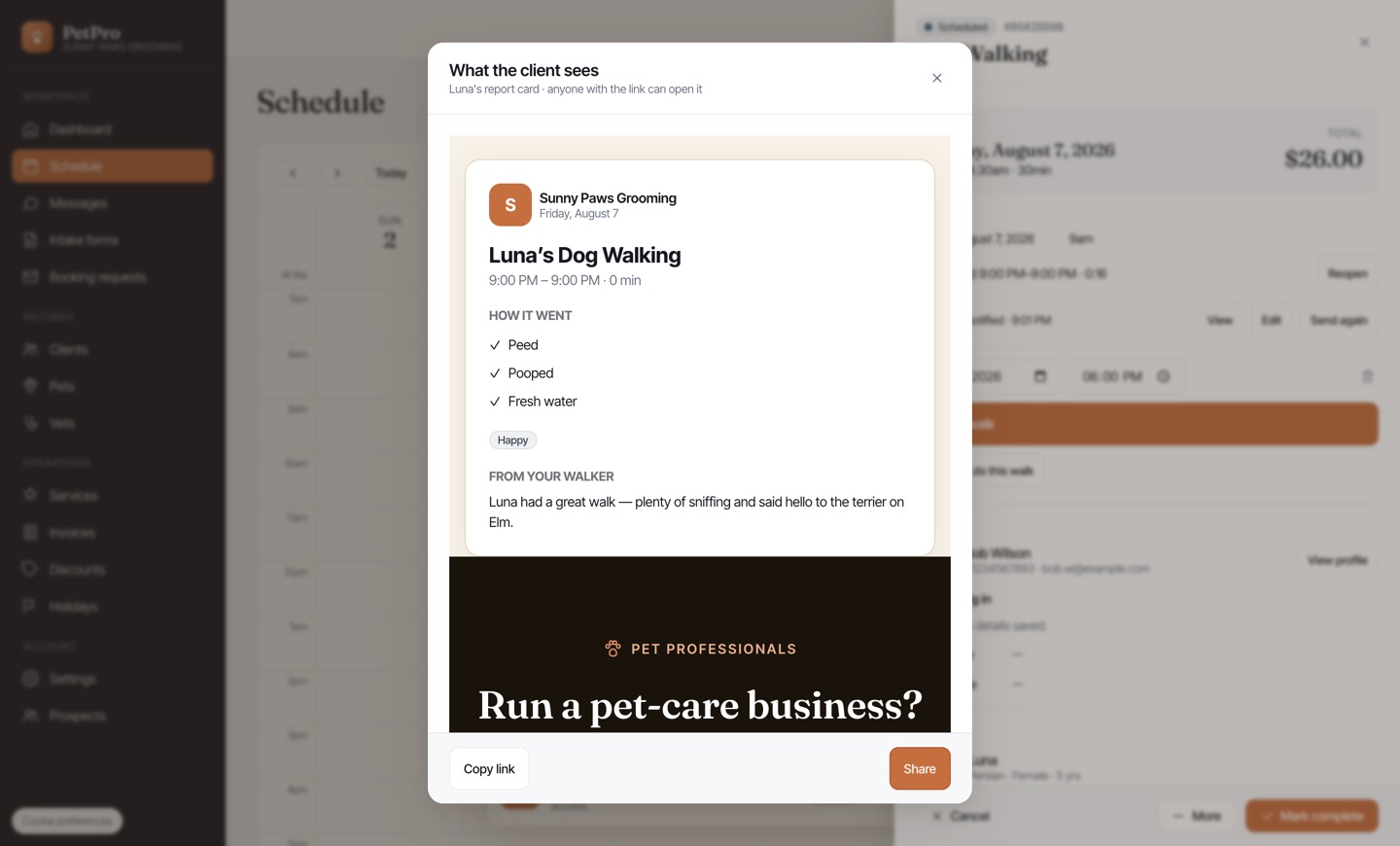
The visit shows Client notified with the time it went out. View opens the card exactly as the client sees it — with Copy link and Share if you want to send it again another way.

Walk a dog: start, track, and send a report card — result