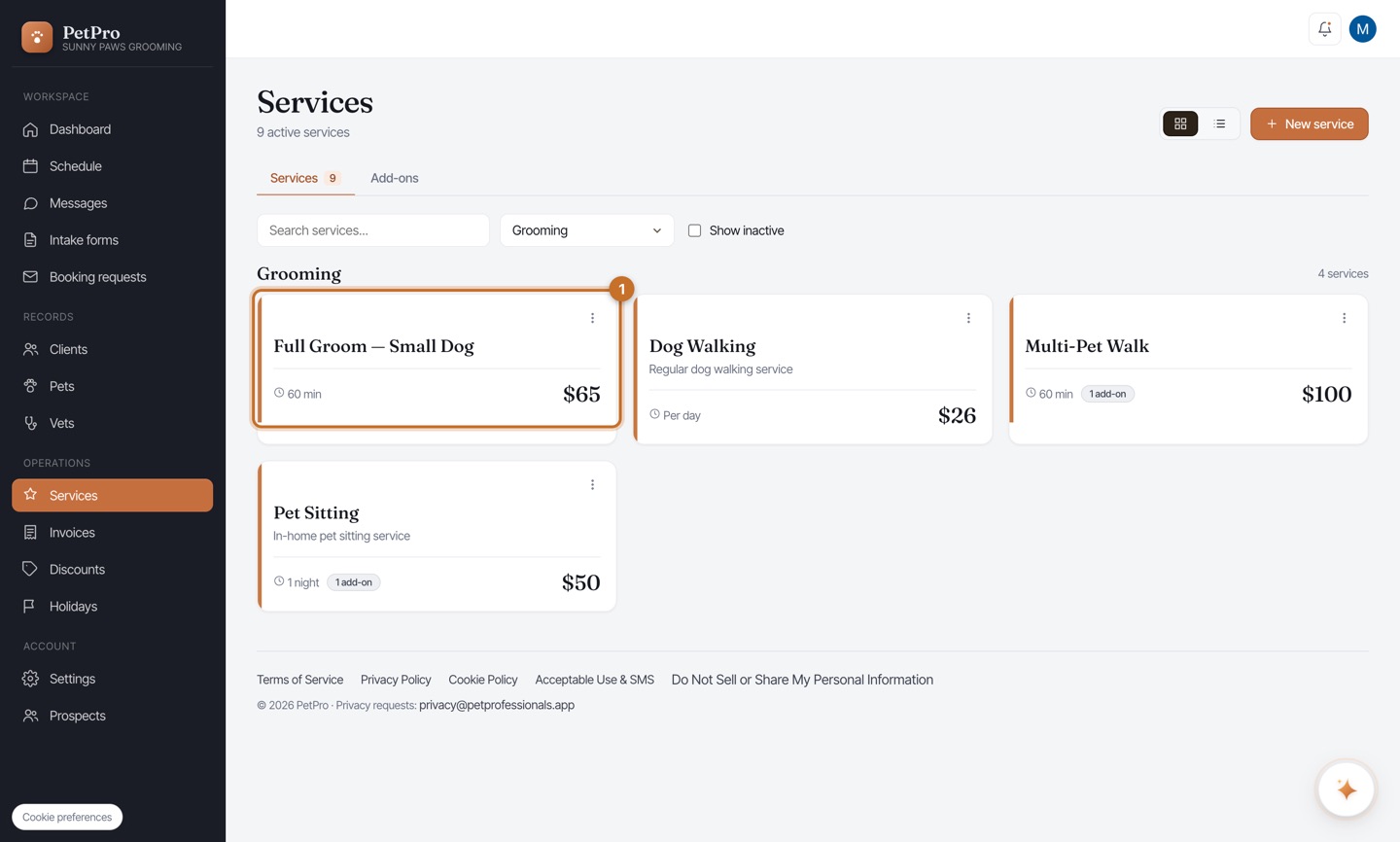
Open Services and click + New service. Your existing services are grouped by category here — the new one will join them.
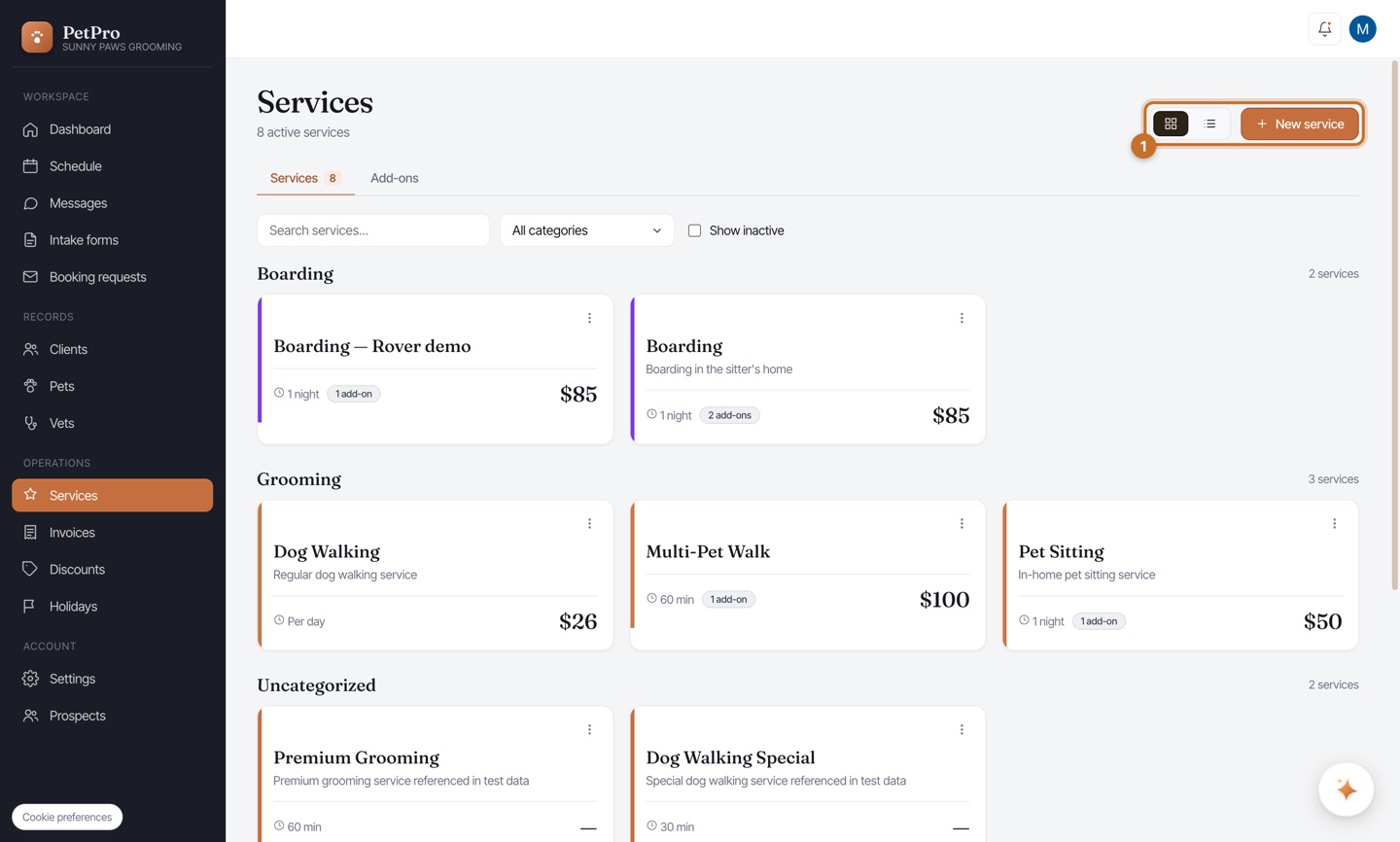
Give it a Name clients will recognise (e.g. Full Groom — Small Dog), pick a Category to group it under, and set a Price. Leave the price blank if you quote each client individually — you'll set the rate on their invoice instead.
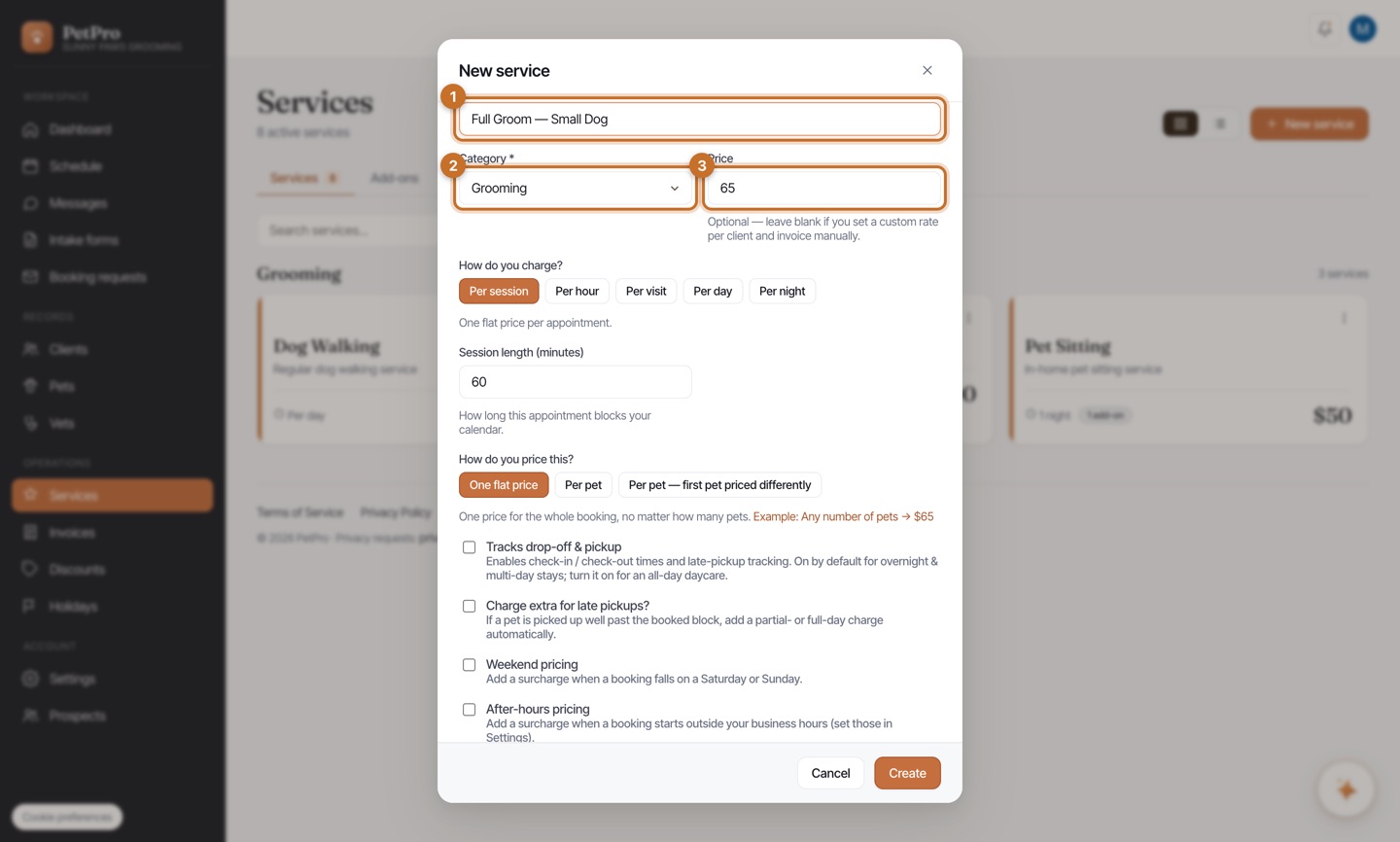
Choose how you charge — the one setting that defines the service. Per session (one flat price), Per hour, Per visit (several visits a day, each one charged), Per day (charged once a day, any number of visits), or Per night (overnight, check-in to check-out). The recipes below tell you which to pick.
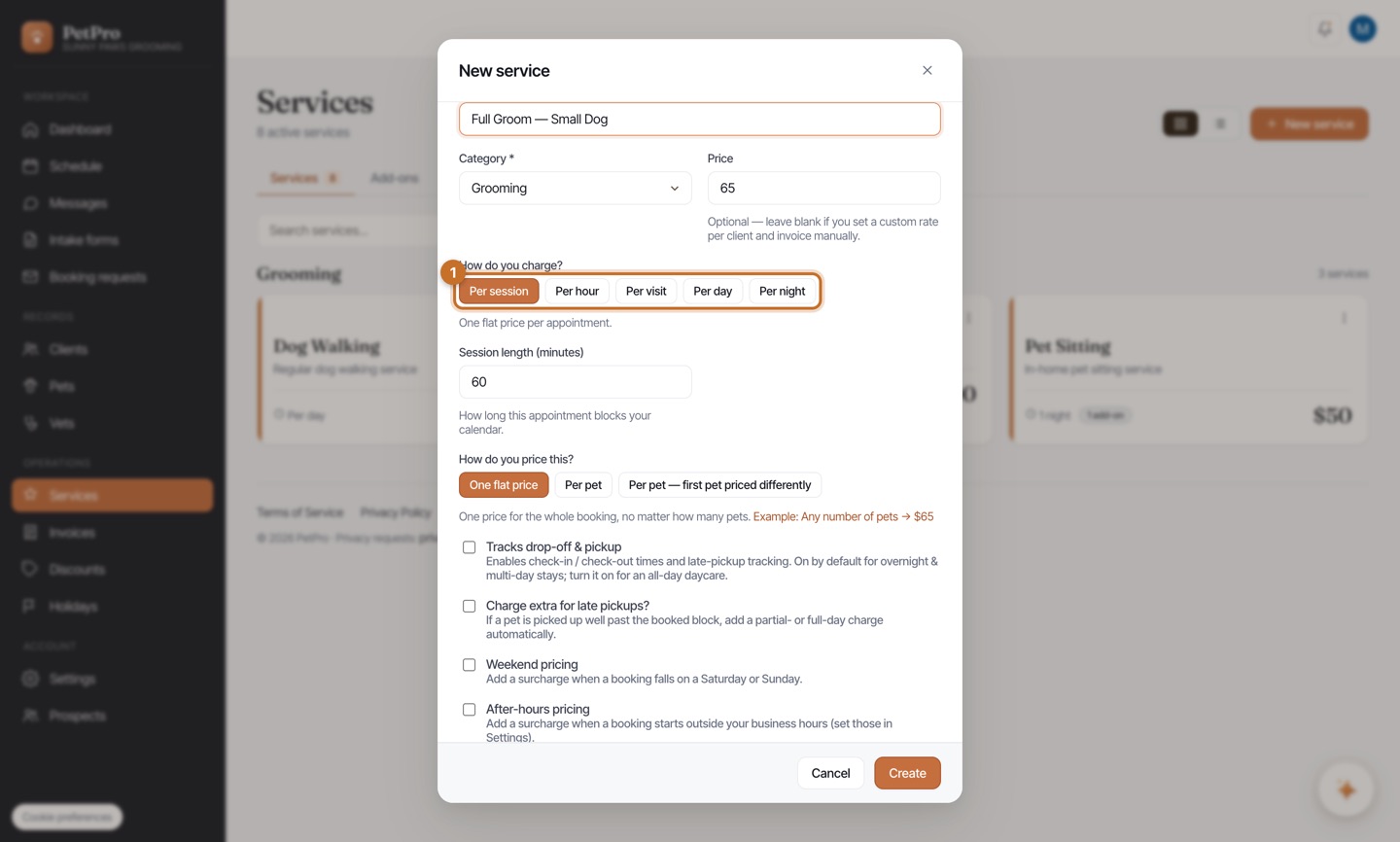
Set the length, then the optional extras: Tracks drop-off & pickup turns on check-in/out times (on by default for overnight & multi-day stays); Charge extra for late pickups adds an automatic late fee; Weekend and After-hours pricing add surcharges; How do you price this? lets one booking cover multiple pets. Then click Create — that's the whole flow. Below is the exact recipe for each type; only how you charge changes.
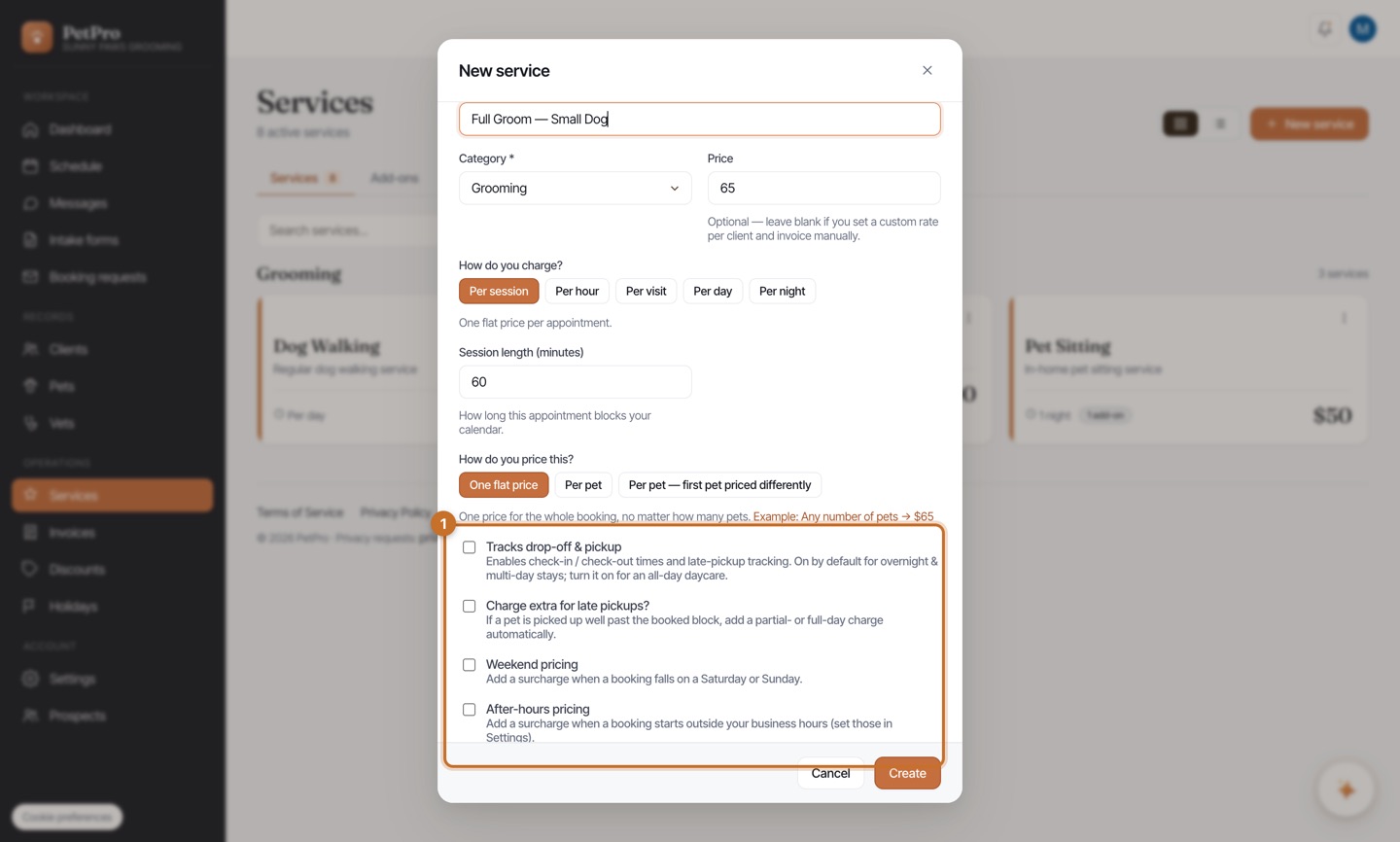
Grooming → Per session. One flat price per appointment (e.g. Full Groom — $65). Set the session length (say 60 min) so it blocks your calendar for the right amount of time.
Dog walking → Per visit (or Per hour). Per visit charges each walk — ideal if you do a walking round or several walks a day; pick Per hour if you price purely by time. You travel to the pet, so there's no drop-off/pickup to track.
Drop-in visit → Per visit. A quick home visit — feed, potty break, playtime. Each visit is charged (the pet-sitting norm). Under Advanced you can set how many visits a day you usually do so bookings default sensibly.
Daycare → Per day (or Per hour). Per day charges once a day no matter how many times the pet is let out; pick Per hour for hourly daycare blocks. Turn on Tracks drop-off & pickup — and late-pickup charges — since the client drops off and collects.
Boarding → Per night. Overnight stays billed per night, check-in to check-out. Drop-off/pickup tracking and late-pickup are on by default. For week-plus stays, add an automatic long-stay rate under Discounts (see Discounts).
Pet sitting → Per visit for drop-in sitting, or Per night for overnight house-sitting. Match the unit to how you actually stay: several visits a day → Per visit; you sleep over → Per night.